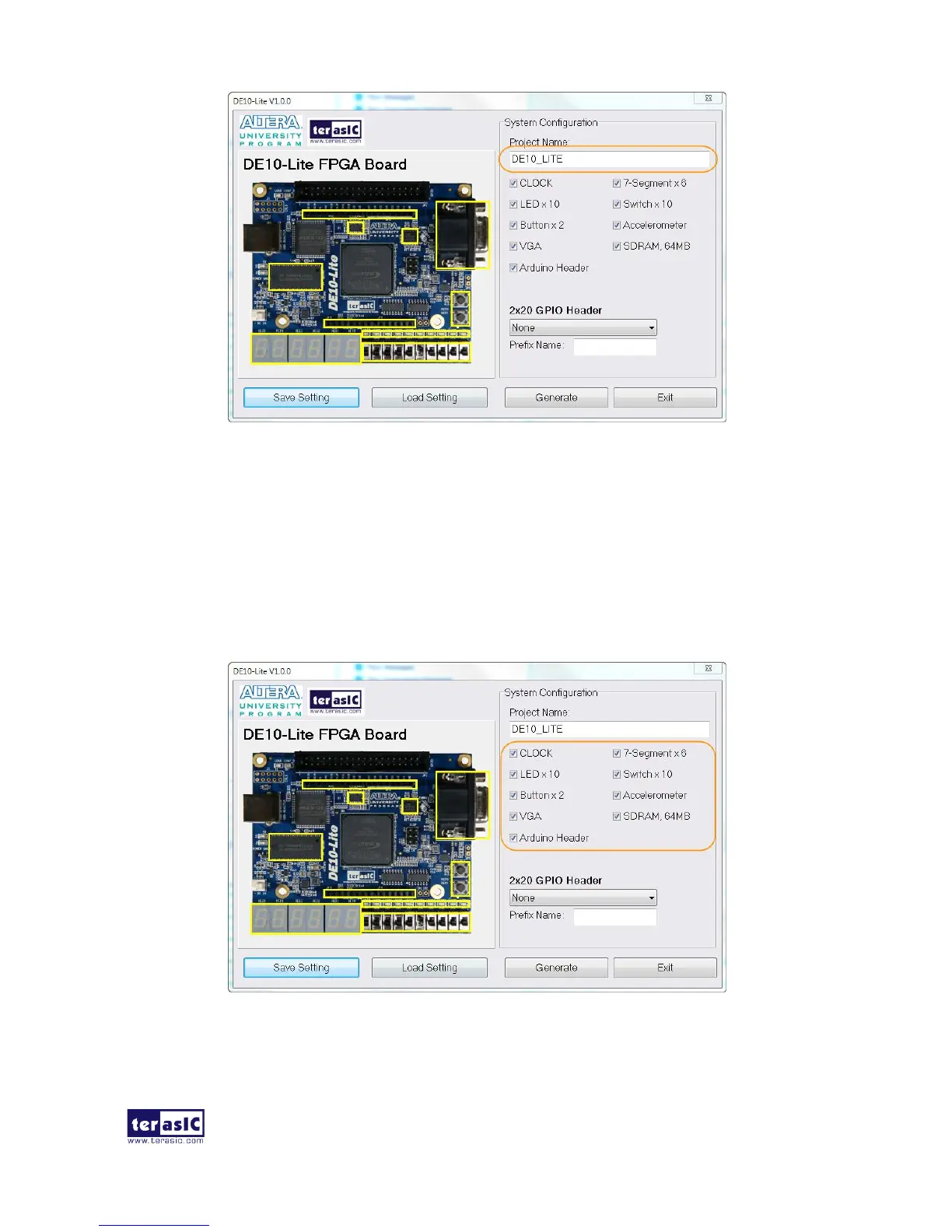
Figure 4-3 Enter the project name
◼ System Configuration
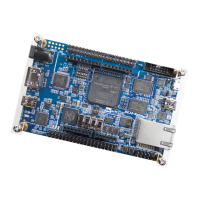
Users are given the flexibility in the System Configuration to include their choice of components in
the project, as shown in Figure 4-4. Each component onboard is listed and users can enable or
disable one or more components at will. If a component is enabled, the DE10-Lite System Builder
will automatically generate its associated pin assignment, including the pin name, pin location, pin
direction, and I/O standard.
Figure 4-4 System configuration group


 To Next Page