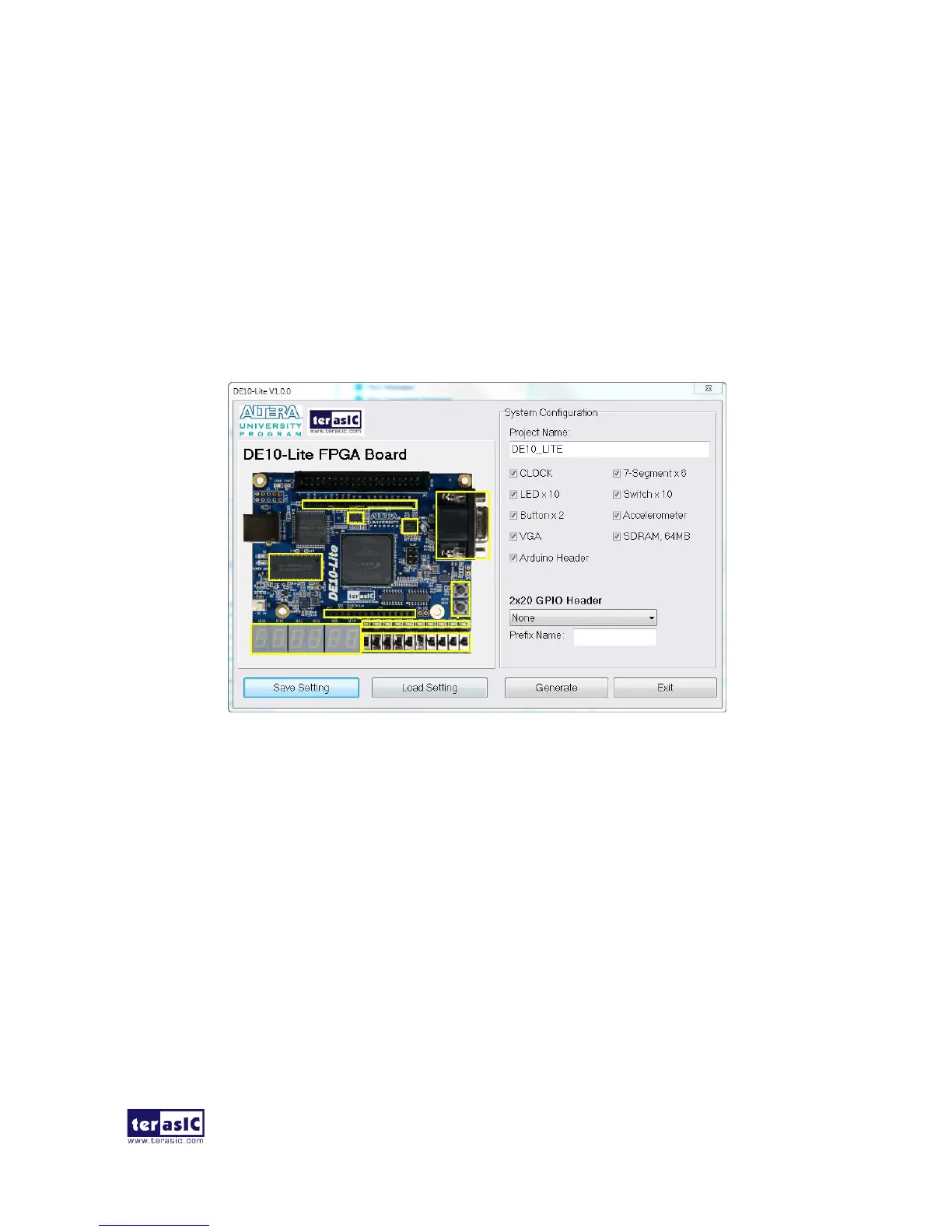
This section provides the procedures in details on how to use the DE10-Lite System Builder.
◼ Install and Launch the DE10-Lite System Builder
The DE10-Lite System Builder is located in the directory: “Tools\SystemBuilder” of the DE10-Lite
System CD. Users can copy the entire folder to a host computer without installing the utility. A
window will pop up, as shown in Figure 4-2, after executing the DE10-Lite SystemBuilder.exe on
the host computer.
Figure 4-2 The GUI of DE10-Lite System Builder
◼ Enter Project Name
Enter the project name in the circled area, as shown in Figure 4-3.
The project name typed in will be assigned automatically as the name of your top-level design
entity.


 To Next Page