Demo Batch File Folder: \VGA_Pattern\demo_batch
The demo batch file includes following files:
• Batch File for USB-Blaster: test.bat
• FPGA Configure File: DE10_LITE_VGA_Pattern.sof
• Quartus II v16.0 must be pre-installed to the host PC..
• Connect the DE10-Lite board (J3) to the host PC with a USB cable and install the USB-Blaster
driver if necessary
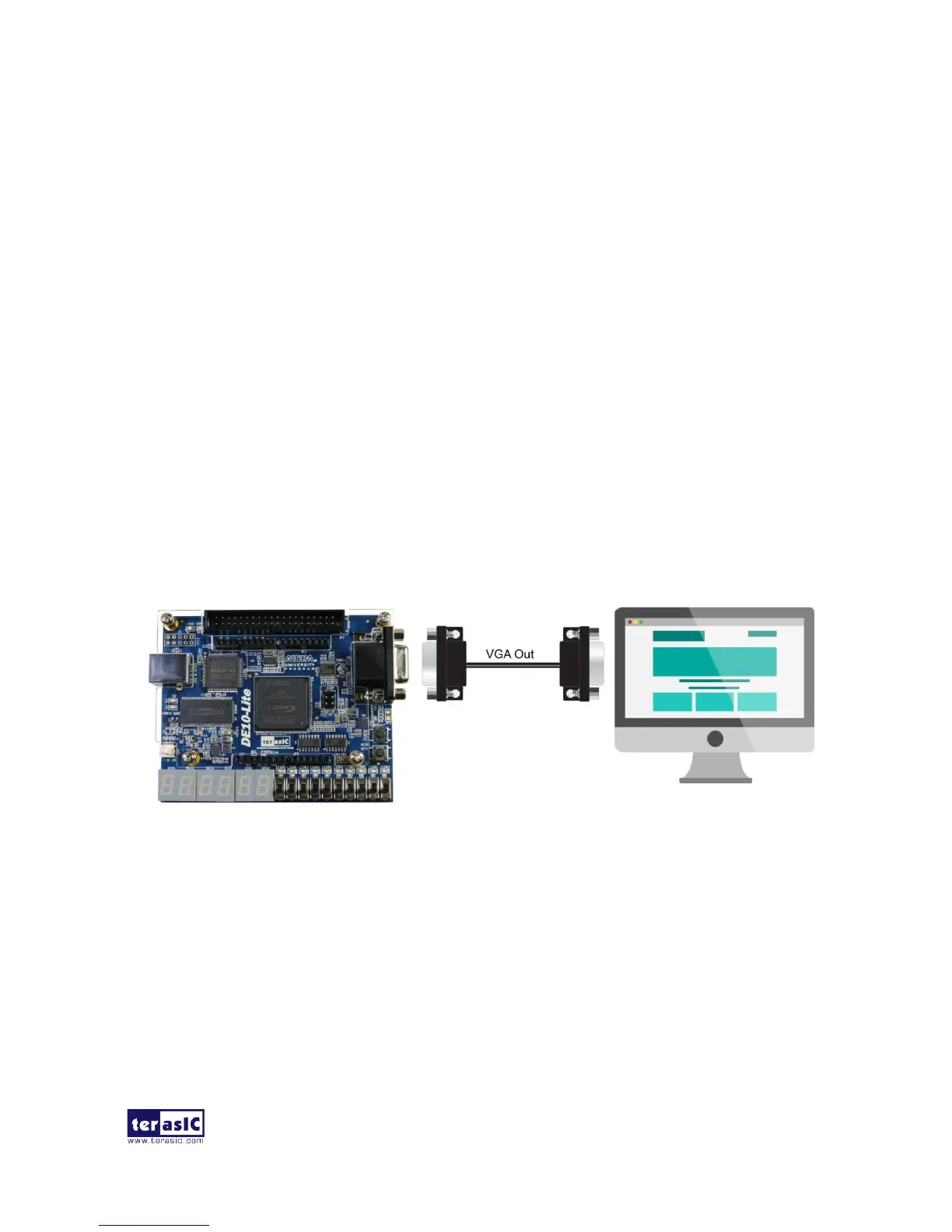
• Connect VGA D-SUB to a VGA monitor.
• Execute the demo batch file “test.bat” from the directory : \VGA_Pattern\demo_batch\
• The VGA monitor will display a color pattern.
• Figure 5-7 illustrates the setup for this demonstration.
Figure 5-7 The setup for the VGA Pattern demonstration


 To Next Page