Chapter 2 – Installation
Page 2-4 TestEquity 1007C Temperature Chamber
Voltage and Phase Configuration
NOTE: Refer to Figure 2-1 on the previous page for the location of the input voltage
configuration terminals on the electrical subpanel that are described below. To access the
electrical subpanel, turn the Disconnect Switch to the OFF position. Remove the lower door
retaining screw located on the right side. Open the lower door.
230 V / 60 Hz Input Configuration
1. Locate the Control Transformer TR1. Wire number T1 must be connected to the 230 V
terminal 4 on Control Transformer TR1.
2. Locate the Terminal Strip. On the bottom of terminal H3 there must be only wire H3, NOT
H3A. Wire H3A must be capped off.
208 V / 60 Hz Input Configuration
1. Locate the Control Transformer TR1. Wire number T1 must be connected to the 208 V
terminal 3 on Control Transformer TR1.
2. Locate the Terminal Strip. On the bottom of terminal H3, there must be wire H3 and H3A.
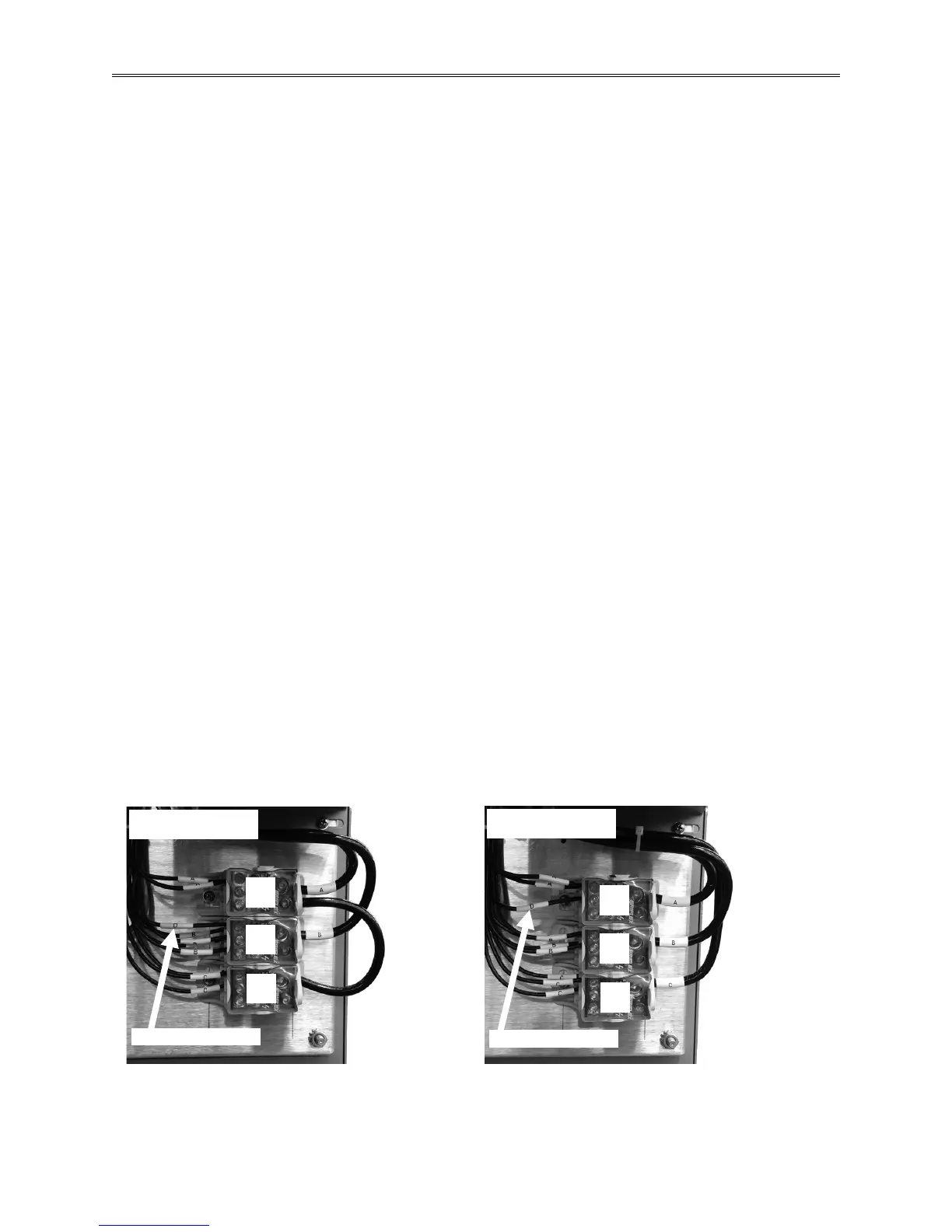
Single Phase Configuration
1. Locate the Power Distribution Terminal Block. There must be a jumper between terminal C
and A (right side of terminal block). Wire D must connect to terminal B (left side of terminal
block).
2. The input power wires will be connected to L1 and L2 on the top of the Disconnect Switch.
Connect earth ground to the ground lug.
Three Phase Configuration
1. Locate the Power Distribution Terminal Block. Wire D must connect to Power Distribution
Block terminal A (left side of terminal block).
2. The input power wires will be connected to L1, L2, and L3 on the top of the Disconnect
Switch. Connect earth ground to the ground lug.
Figure 2-2 – Power Distribution Block Terminals on the Electrical Sub Panel



 To Next Page