4 Product description
15
Tab name Explanation
(Favourites tab) The Favourites tab is the actual work
area for the instrument see
tab, page 25.
Here, measurement values of various
probes can be combined into one
measurement, and measuring
programs can be run, saved and
printed.
Int
Measurement values of the internal
sensors and connected TC probes
are displayed.
-881 (Example; the last
three digits of the serial
number of the probe
are displayed. The full
serial number of the
probe is shown on a
label on the probe.)
An additional tab is displayed for each
connected probe with the
measurement values of the probe and
the calculated parameters. The tabs
are displayed in the order in which the
probes were connected to the
instrument.
3 Info field of register tabs: display of the selected measuring
location/measuring point. The displayed measuring point can be
selected in Explorer, see Explorer menu, page 27.
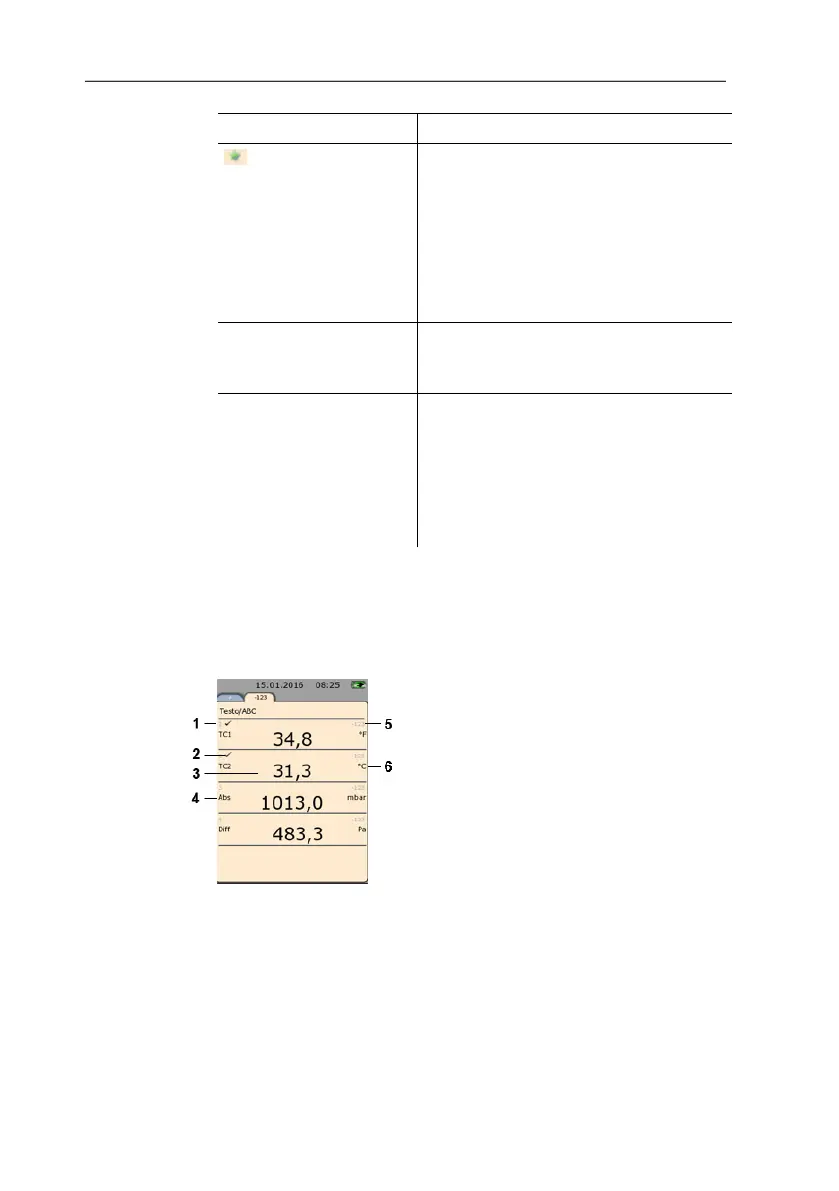
Measuring view
1 Line number
2 Indication that the reading is also displayed in the Favourites
tab.
3 Reading
4 Measurement parameter
5 Probe designation
6 Unit
The measuring view can be changed individually for each tab, see
Setting the measurement display, page 22.



 To Next Page