6 Using the product
20
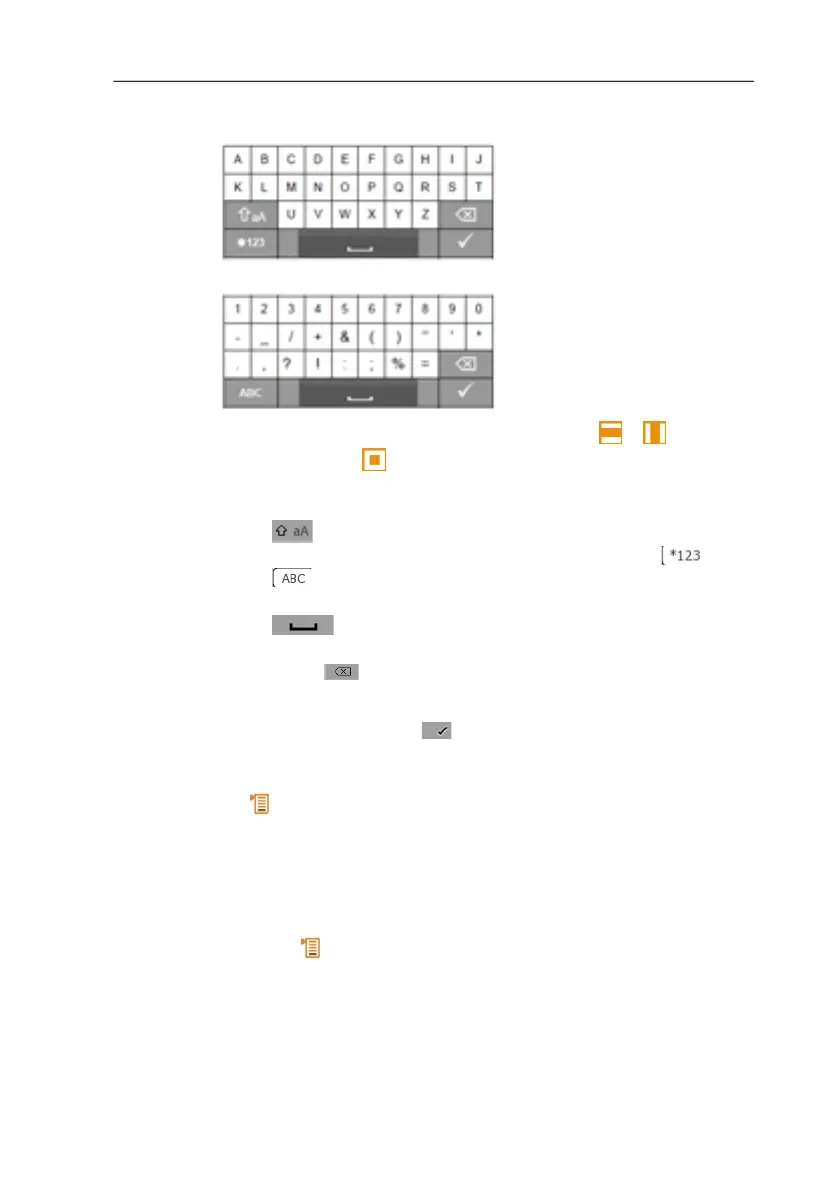
Input editor
1. Select the value to be changed (character): [ ], [ ].
2. Accept value: [ ].
Options:
> Toggle between upper / lower case characters:
Select
> Toggle between characters and numbers: select or
.
> Insert space: select
.
> Delete character in front of cursor:
select .
3. Repeat steps 1 and 2 as required.
4. Save the entry: select .
5.2.6. Saving values
> [ ] → Save and close.
6 Using the product
6.1. Performing settings
1. Press [ ].
- The Options configuration menu is opened.
2. Select Settings and set parameters:



 To Next Page