6 Using the product
40
Parameters Values
Channel geometry Select the funnel used via the
trackpad. For the relevant
designation, please refer to the
funnel's type plate.
Electrical power
Input optional, parameter is not
taken into account for this
calculation.
7. Save settings: [ ] → Save and select.
8. Create a new measuring program under the newly created
measuring point, see Measuring program, page 31. Carry out
the measurement on the basis of this data.
6.6.8. Pressure measurement
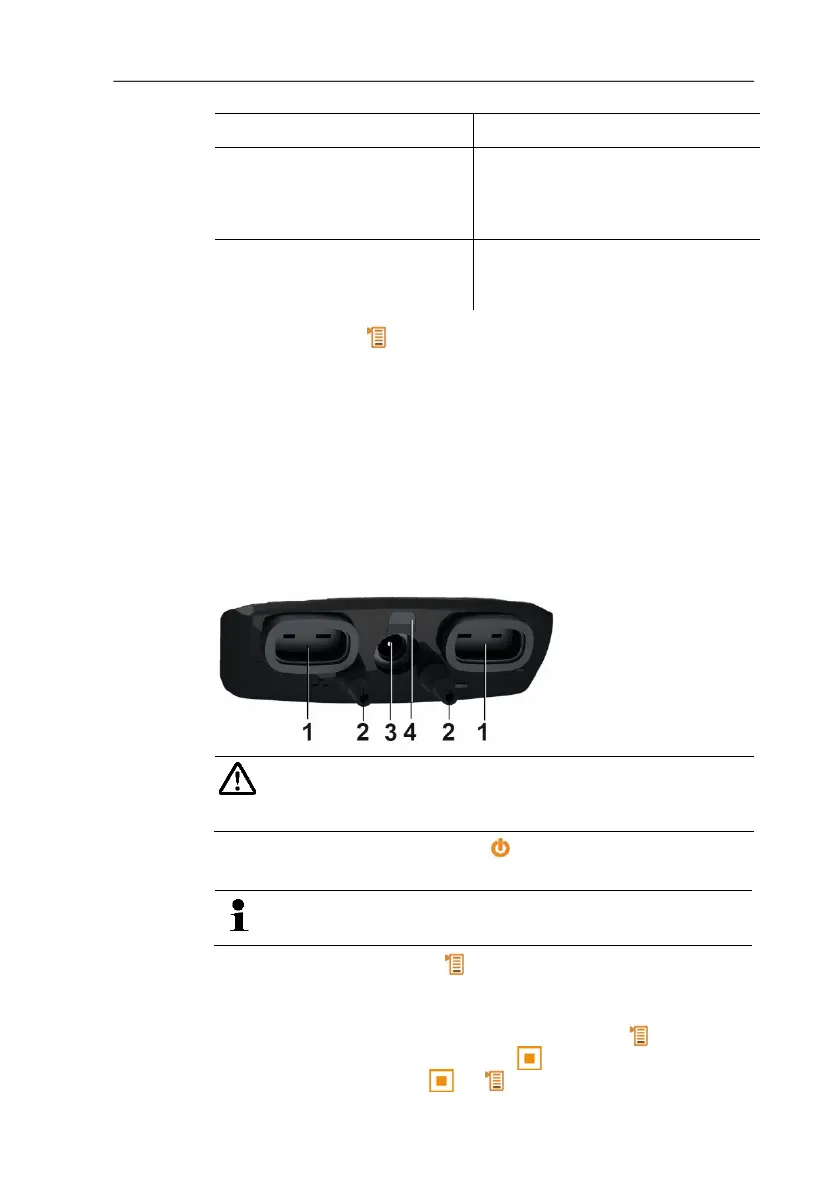
The testo 480 has an internal absolute and differential pressure
sensor. The pressure measurement values are therefore displayed
on the Int tab.
1. Connect pressure tubes for differential pressure measurement
(2) to + and -.
Caution! Danger of injury caused by the pressure tube
jumping away from the connection socket!
> Ensure correct connection.
2. Switch the instrument on with [ ].
3. Position the instrument ready for measurement and stabilise.
The parameter display depends on the position of the
pressure sensor.
4. Zero parameter display: [ ]→ Zero.
- Current pressure measurement value appears on the Int tab in
the set unit.
> Change pressure unit in the parameter display: [ ]→
Display→ Parameter display→ [ ]→ Select measurement
parameter from list → [ ]→[ ]→ Save and close.



 To Next Page