6 Using the product
23
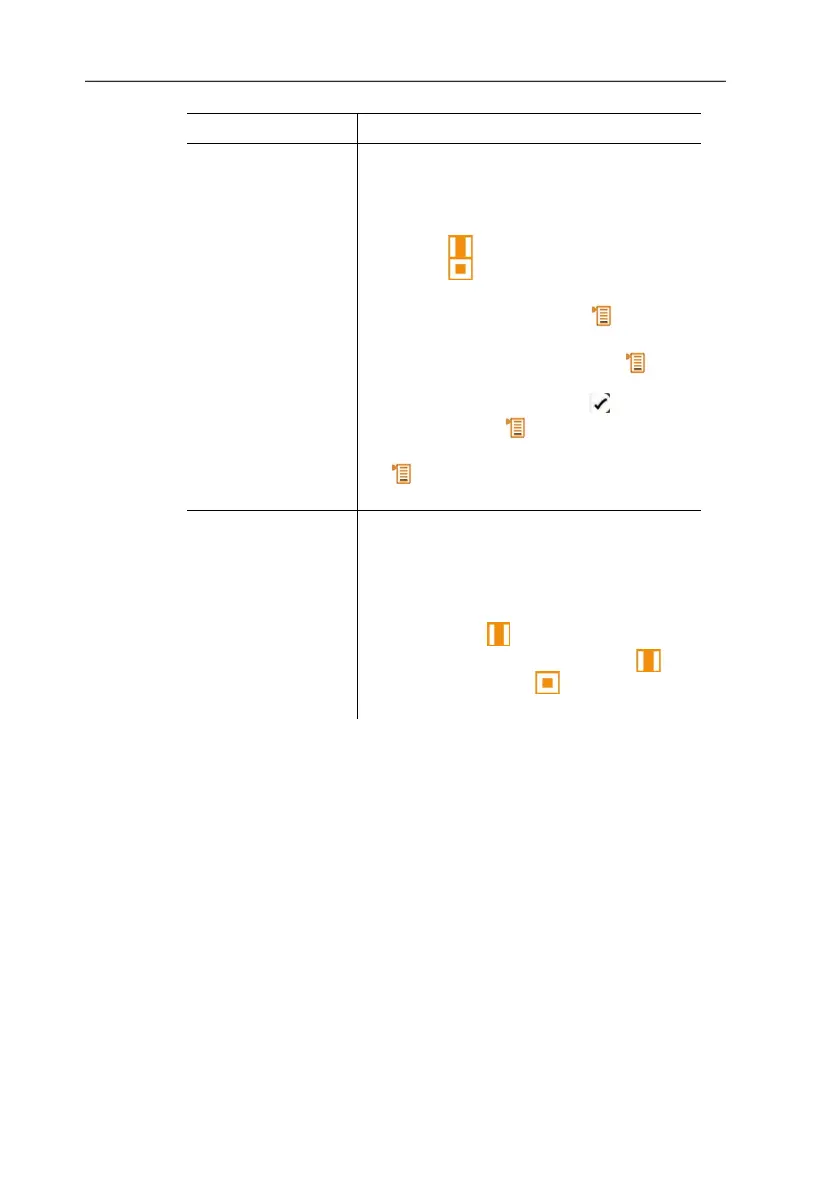
Representation Explanation
Parameter display The individual measurement parameters
can be changed in the parameter display:
• Change measurement parameters
and units:
press [ ] to select the line and
press [ ] to activate, see
measurement parameters, page 23.
• Move/delete/insert lines [ ].
Exit function: [ESC].
• Copy lines to Favourites tab [ ].
Lines displayed on the Favourites tab
are indicated with a tick ( ).
Exit function: [ ] → Save and close.
• Close Parameter display sub-menu: [
] → Save and close and back to
the sub-menu selection.
Number of lines Selects how many lines should be
displayed at the same time.
If not all lines can be displayed at the
same time, a scrollbar appears on the
right. The remaining lines can be
displayed with [ ].
> Select number of lines: press [ ]
and confirm with [ ].
Exit function:
.
5. Close Display: [ESC] → [ESC]
- Instrument switches to the measuring view.
6.2.1. Calculated measurement parameters
The following calculated measurement parameters can –
depending on the connected probes – also be included in the
measurement value display for the measured parameters.
Operating flow rate
Value calculated from measured air velocity multiplied by the cross-
section under the prevailing conditions in the application (e.g.
56 °C, 920 hPa).



 To Next Page