6 Using the product
36
Performing the measurement
✓ All points under "Preparing for measurement" have been carried
out.
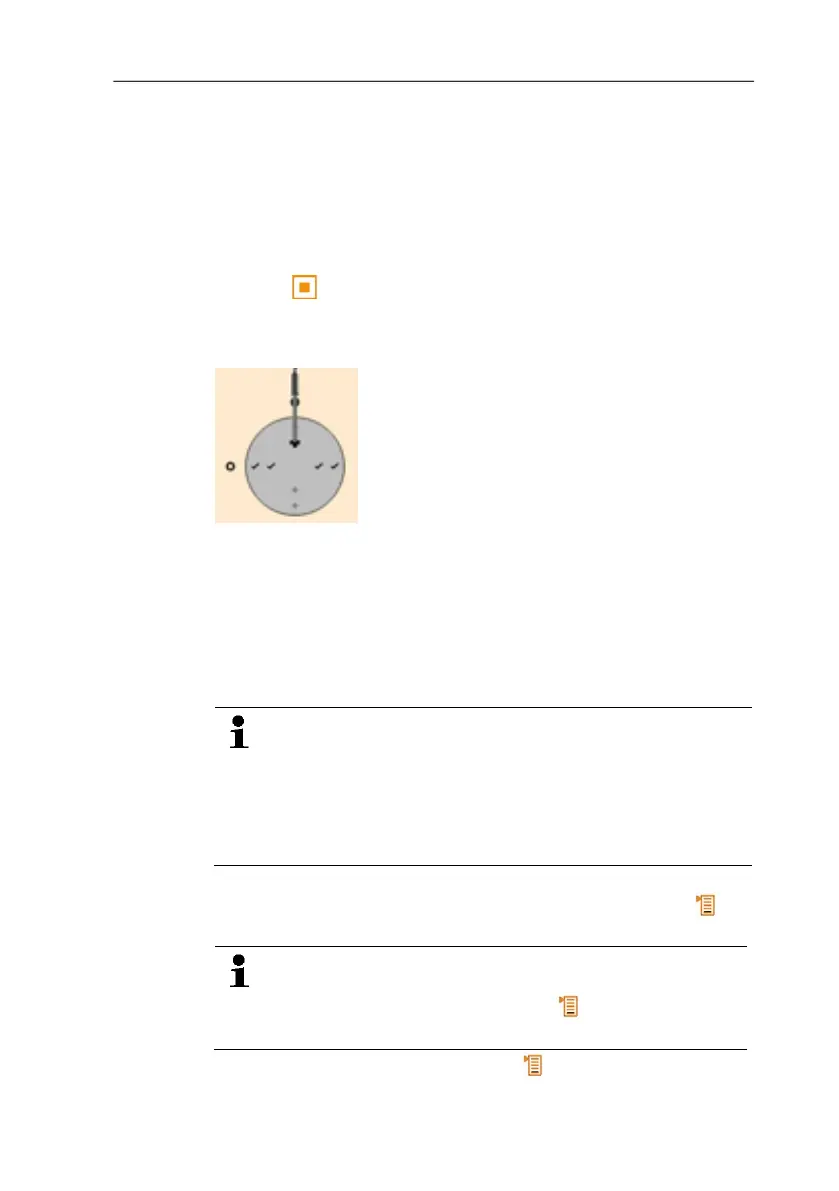
1. Position the probe at the grid measurement point shown in the
form of a chart on the display.
2. With [ ] or the integrated measurement button on the probe,
transfer the measured value, or start the continuous/punctual
measurement.
- The measured point is indicated with a tick.
- The position of the measuring point is automatically moved to
the next point on the display and the new immersion depth
required is displayed. The immersion depth of the probe can be
found on the scale of the probe shaft.
3. Repeat steps 1 and 2 until all points have been measured.
- The individual velocity measurement values are used to
calculate the mean flow velocity, from which the volumetric air
flow is then calculated.
If high differences in flow velocities are ascertained over
the cross-section, the number of measuring points is to be
increased.
The number of measuring points is then adequate if the
measurement value for each area is representative for its
immediate surroundings, i.e. if it can be regarded as a
genuine mean value for its portion of the area.
4. Before the measurement is completed, any measured point can
be approached. If this point needs to be remeasured → [ ]→
Repeat measurement.
As soon as all measuring points have been input,
"Measurement completed" is displayed. The whole
measurement can be repeated → [ ]→ Repeat HVAC
measurement.
5. Close the measurement program: [ ] → Save and close.



 To Next Page