22
3.2 Display
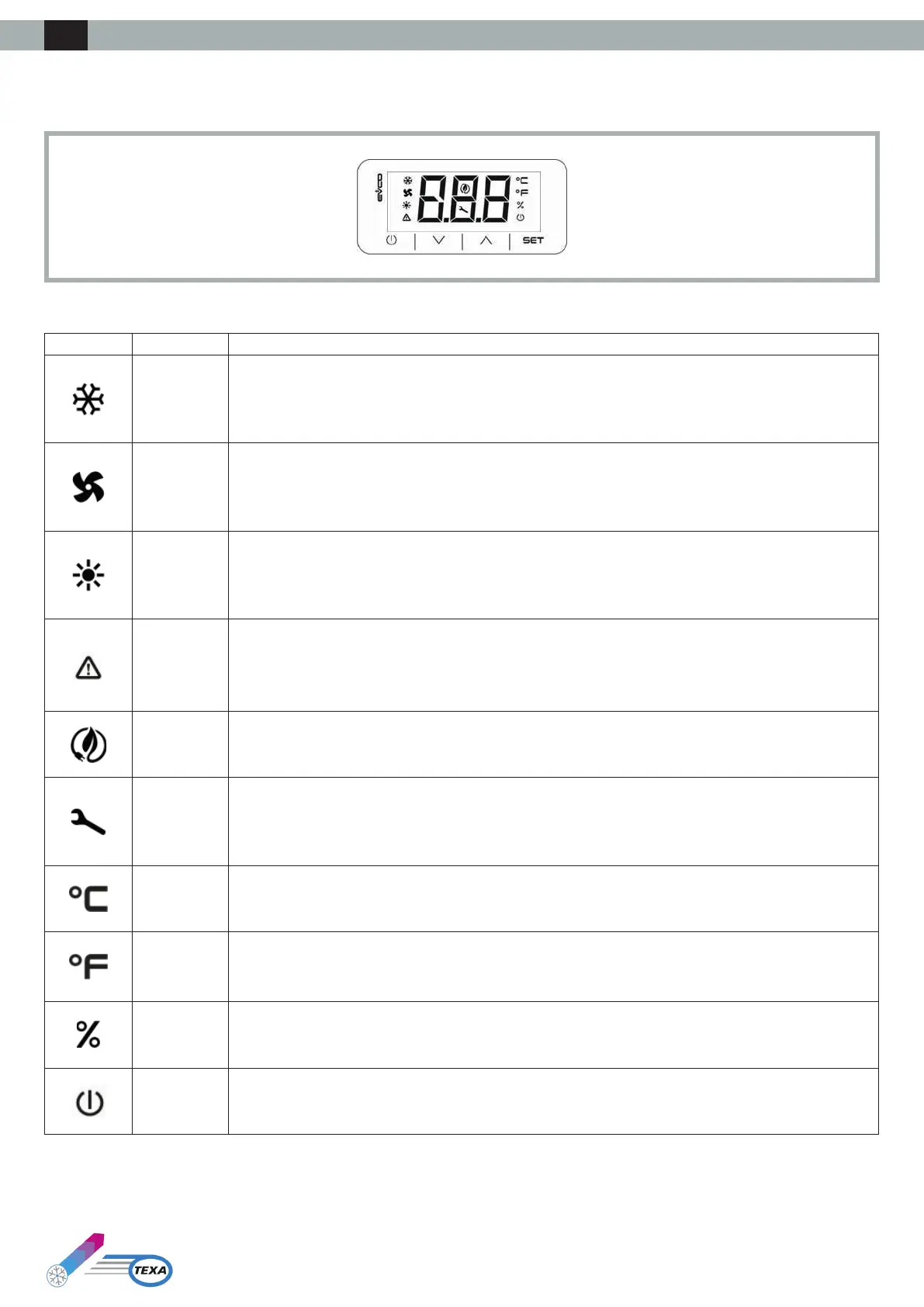
The following drawing shows the layout of the icons on the TX-i40 display:
The following table illustrates the meaning of the icons on the display:
Icon Meaning Description
Compressor
ON if the compressor is running
OFF if the compressor is not running
BLINK if timers are in progress
FASTBLINKifthecompressorisrunninginsupportofahighload(connectioninsequenceconguration)
Condensing
fan
ON if the fan is running
BLINK if the Pre- or Post-ventilation cycle is in progress
OFF if the fan is not running
Heating
element
(Optional)
ON if the heating element is on
OFFiftheheatingelementiso
BLINK if timers are in progress
Alarm
ON if at least one manual reset alarm is active
BLINK if only automatic reset alarms are active
OFF if no alarm is active
Energy Saving
ON if the evaporator fan economy cycle is in progress
OFF if the evaporator fan economy cycle is not in progress
Gear
ON if the device is not in primary display
BLINK maintenance indication
OFF during normal operation
Degrees
Celsius
Unit of measurement °C
Degrees
Fahrenheit
Unit of measurement °F
Unit of
measurement
%
OFF
On/stand-by
ON if the regulation is not active
OFF if the regulation is active
ENG



 To Next Page