AFE5832 GUI Installation
www.ti.com
28
SLOU489–August 2017
Submit Documentation Feedback
Copyright © 2017, Texas Instruments Incorporated
Software Installation
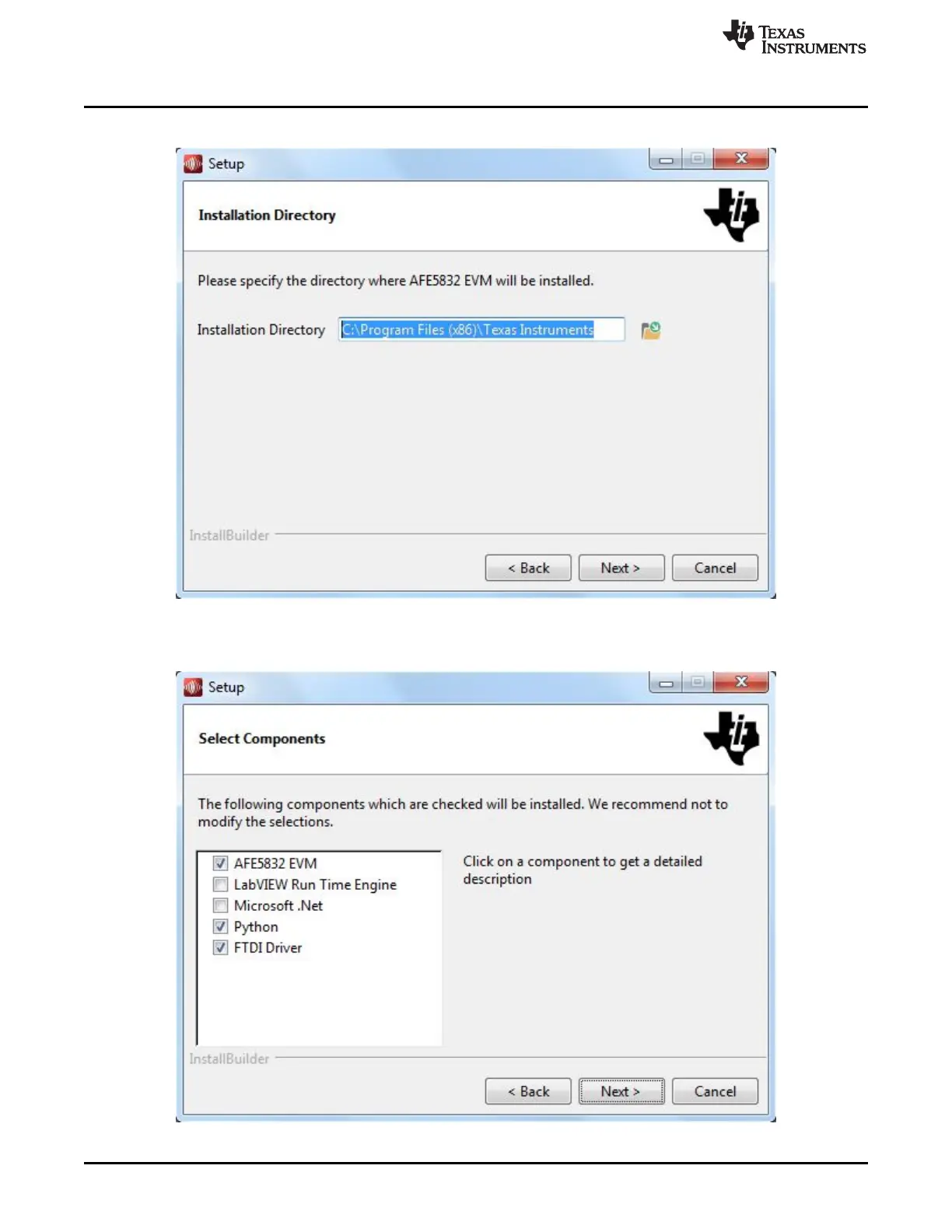
5. Allow the software to be installed in the default location by pressing the Next button, as in Figure 35.
Figure 35. AFE5832 GUI Install (Install Directory)
6. Select the components to install and press Next.
Figure 36. AFE5832 GUI Install (Select Components)







 To Next Page