www.ti.com
AFE5832 GUI Installation
29
SLOU489–August 2017
Submit Documentation Feedback
Copyright © 2017, Texas Instruments Incorporated
Software Installation
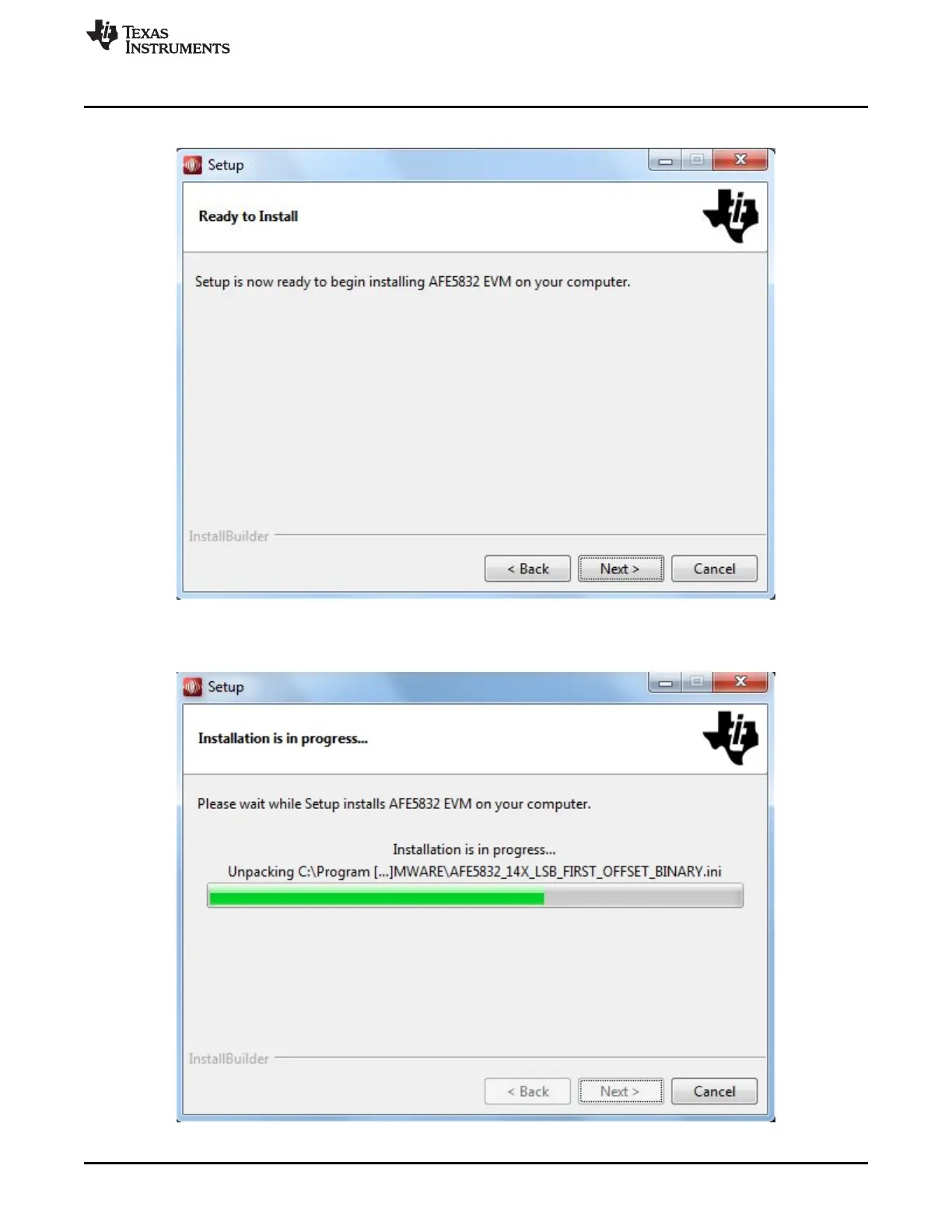
7. Pressing the Next button begins installation, as shown in Figure 37.
Figure 37. AFE5832 GUI Install (Installation Ready)
8. The window shown in Figure 38 appears showing that the installation is in progress.
Figure 38. AFE5832 GUI Install (Installation Progress)







 To Next Page