Operating the TI-80 1-7
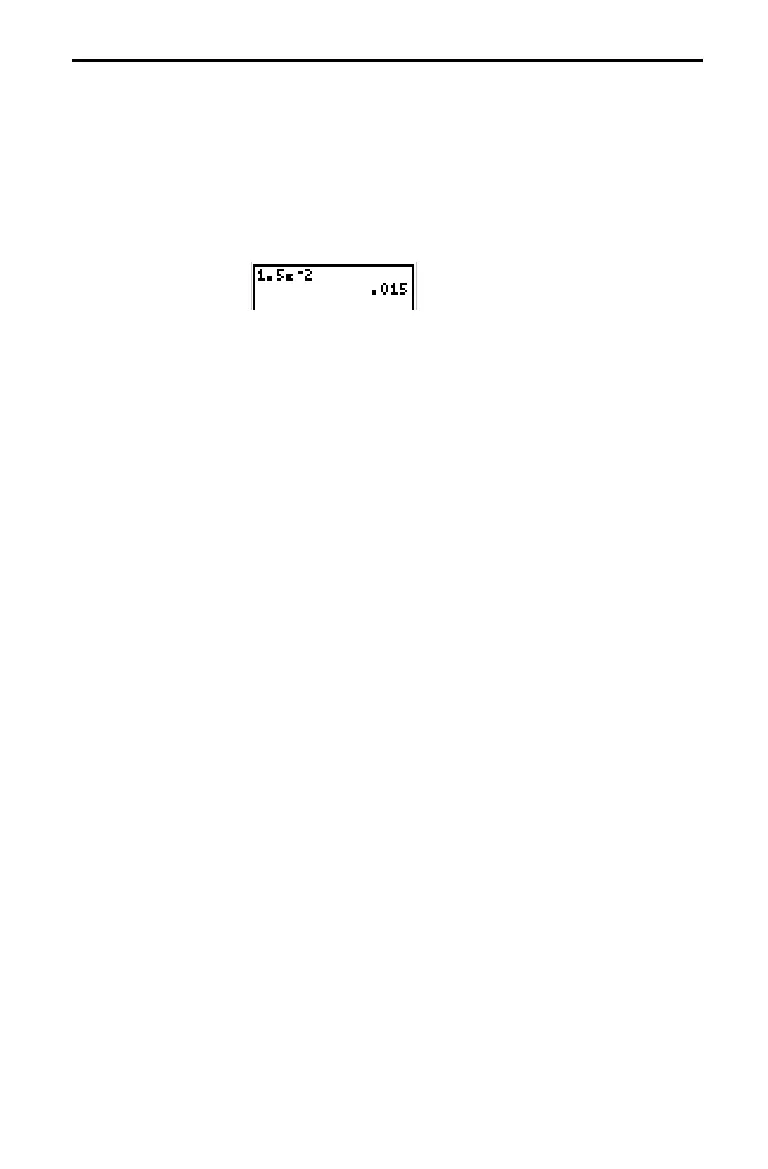
To enter a number in scientific notation:
1. Type the part of the number that precedes the exponent.
This value can be an expression.
2. Press
2
^
.
í
is displayed.
3. If the exponent is negative, press
·
, and then type the
exponent, which can be one or two digits.
Entering a number in scientific notation does not cause the
answers to be displayed in scientific notation. The display
format is determined by the mode settings (pages 1
-
9 through
1
-
11) and the size of the number.
A function returns a value. For example,
÷
,
×
,
−
,
+
,
‡
, and
LOG
are functions. Some functions take more than one argument,
which is indicated by a
(
at the end of the name.
MIN(
requires
two arguments in this example:
MIN(5,8)
.
An instruction initiates an action. For example,
CLRDRAW
is
an instruction that clears any drawn elements from a graph.
Instructions cannot be used in expressions. Some instructions
take more than one argument, which is indicated by a
(
at the
end of the name.
LINE(
requires four arguments in this
example:
LINE(1,1,3,3)
.
While the busy indicator is displayed, indicating that a
calculation or a graph is in progress, you can press
´
to stop
the calculation. (There may be a delay.)
Entering a
Number in
Scientific
Notation
Functions
Instructions
Interrupting a
Calculation














 To Next Page