Operating the TI-80 1-21
The TI
-
80 recognizes implied multiplication. For example, it
understands
2
p
,
4SIN 45
,
5(1+2)
, and
(2
×
5)7
as implied
multiplication.
All calculations inside a pair of parentheses are completed
first. For example, in the expression
4(1+2)
, EOS first
evaluates the portion inside the parentheses,
1+2
, and then
multiplies the answer,
3
, by
4
.
You can omit any right (closing) parenthesis at the end of an
expression. All “open” parenthetical elements are closed
automatically at the end of an expression and preceding the
!
(store) or display-conversion instructions.
Note: Parentheses are also used to enclose the arguments for
certain functions, for example,
NDERIV(A
ñ
,A,6)
. In these
cases, parentheses do not indicate implied multiplication.
To enter a negative number, use the negation function. Press
·
, and then enter the number. On the TI
-
80, negation is in the
fourth group in the EOS hierarchy. Functions in the first
group, such as squaring, are evaluated before negation.
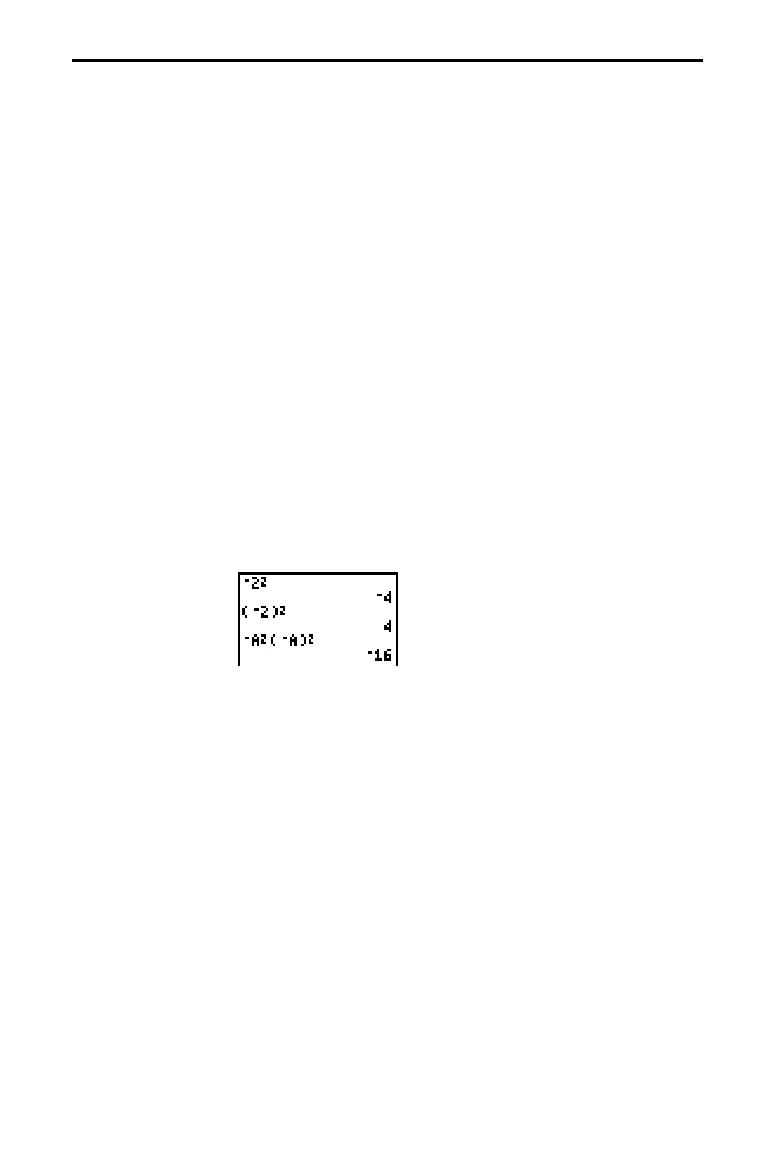
For example,
L
X
ñ
is a negative number (or 0);
L
9
ñ
is
L
81
. Use
parentheses to square a negative number:
(
L
9)
ñ
.
Note: Use the
|
key for subtraction and the
·
key for
negation. If you press
|
to enter a negative number, as in
9
p
|
7
, or if you press
·
to indicate subtraction, as in
9
·
7
, it
is an error. If you press
?
A
·
?
B
, it is interpreted
as implied multiplication (
A
QL
B
).
Implied
Multiplication
Parentheses
Negation














 To Next Page