10
2.16. RACK MOUNTING
The PU power supply series is designed to fit in a standard 19” equipment rack.
3.4.1 To install the Power Supply in a rack:
1. Use the front panel rack-mount brackets to install the power supply in the rack.
2. Use a support bar to provide adequate support for the rear of the power supply.
Do not obstruct the air exhaust at the rear panel of the unit.
3.4.2 Rack Mount Slides (optional):
CAUTION
Ensure that the screws used to attach the slides to the unit do
not penetrate more than6mminto the sides of the unit.
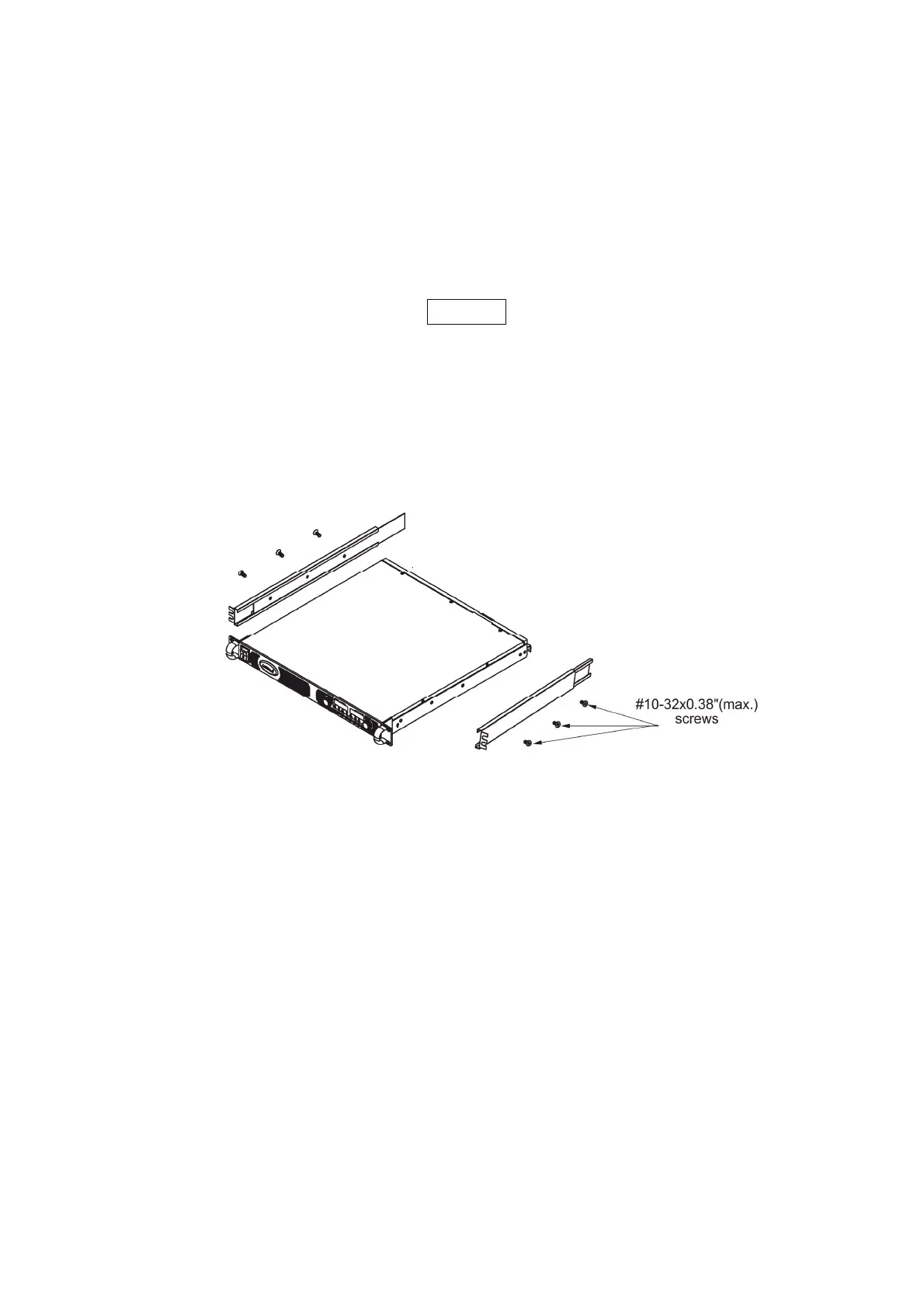
Use rack mount slides: General Devices P/N: CC301-00-S160 or equivalent to install the unit in a
standard 19” equipment rack. Refer to Fig. 3-1 for slides assembly instructions. Use three
#10-32x0.38"(max.) screws at each side. To prevent internal damage, use the specified screw length only.
Fig.3-1 Rack-Mount slides assembly
2.17. LOCATION, MOUNTING AND COOLING
This power supply is fan cooled. The air intake is at the front panel and the exhaust is at the rear
panel. Upon installation allow cooling air to reach the front panel ventilation inlets. Allow minimum
15cm of unrestricted air space at the front and the rear of the unit.
The power supply should be used in an area that the ambient temperature does not exceed +50 C.
2.18. AC SOURCE REQUIREMENTS
The PU series can be operated from a nominal 100V to 240V, single phase, 47-63Hz. The input
voltage range and current required for each model is specified in Chapter 2. Ensure that under heavy
load, the AC voltage supplied to the power supply does not fall below the specifications described in
Chapter 2



 To Next Page