Add: Building A, Xinlida Industrial Park, Junzibu Village,Guanlan Street, Longhua District ,Shenzhen,
Guangdong
TEL :0755-23225527 FAX:0755-23225537
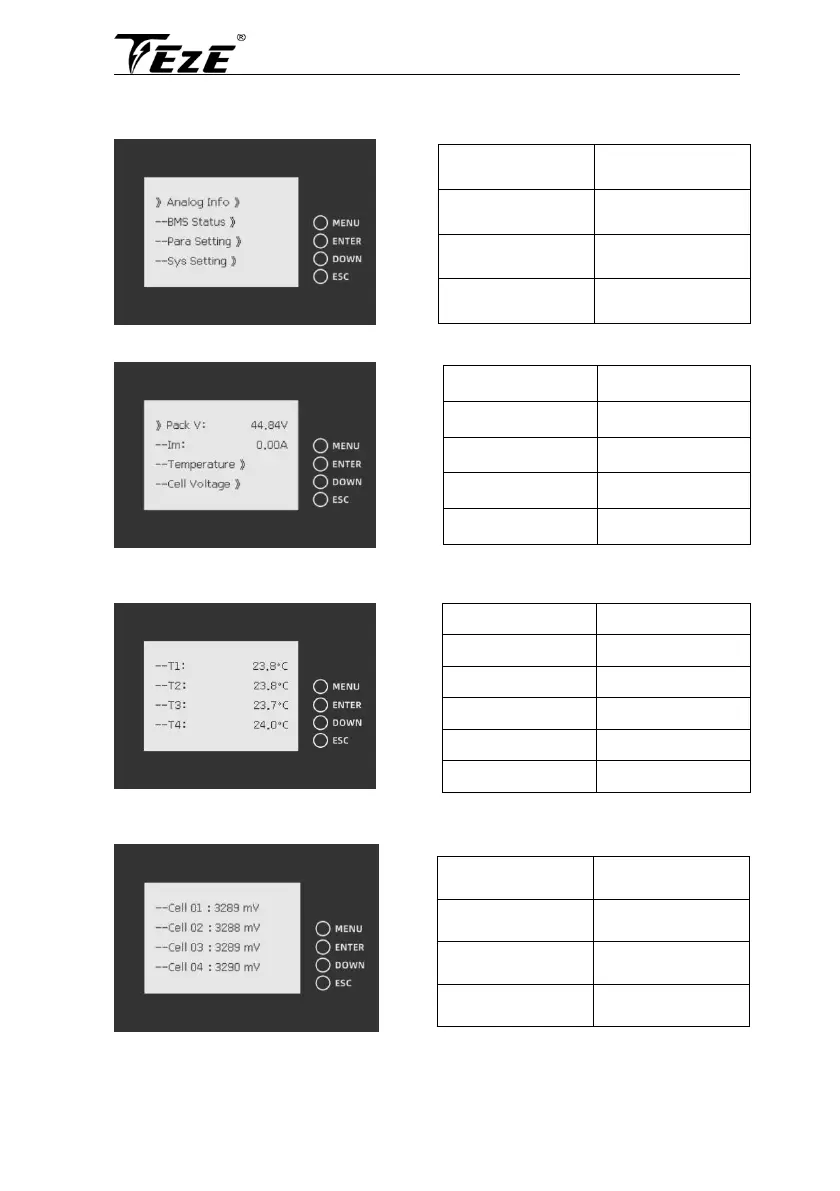
Press “MENU” to enter the main menu
Note:“》”indicates that there is a submenu. Press ”enter” to enter the submenu
Move the cursor to Analog info and press enter
Move the cursor to "temperature" and press "enter" to check the battery temperature information,
then press "down" to turn the page
Move the cursor to "cell voltage" and press "enter" to check the battery voltage information, then
press "down" to turn the page



 To Next Page