Add: Building A, Xinlida Industrial Park, Junzibu Village,Guanlan Street, Longhua District ,Shenzhen,
Guangdong
TEL :0755-23225527 FAX:0755-23225537
5.8 Final assembly
After ensuring that the wiring is reliable and the wire sequence is correct, install the terminal
protection cover in place.
5.9 Start up the inverter
• Step 1: Press the switch on the bottom of inverter , close the circuit breaker of the battery.
• Step 2:Press the switch on the bottom of inverter, the screen and indicators light up to
indicate that the inverter has been activated.
• Step 3
:
Sequential close of the circuit breakers for PV, AC input and AC output.
• Step 4:Start the loads one by one in order of power from small to large.
6. Operation
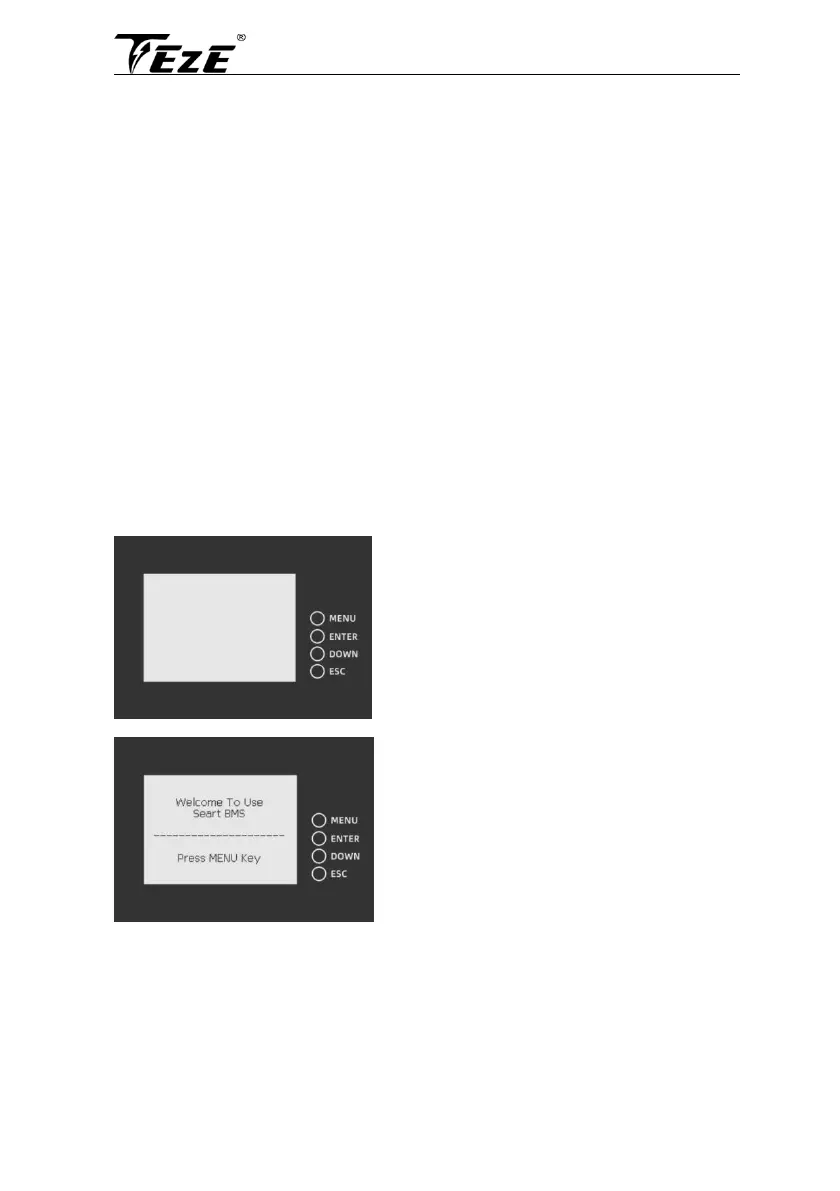
6.1 Operation and display panel
6.1.1 Battery display
Button Description:
MENU: enter the management system.
ENTER: enter the submenu.
DOWN: moves the cursor down or to the
next page.
ESC: returns to the previous one
Battery protection status:
Overvoltage: OV
Low voltage: LV
Overtemperature: OTt
Low temperature: IT
Over current: OC
Short circuit: SC
Note: when the battery is protected, the
corresponding protection status will be displayed;
otherwise, the protection status will not be
displayed as the protection state



 To Next Page