AS 680/682
Technical Situation Display Description, Operation and Maintenance
ADS−B
4−28 Ed. 10.07
4.4.4 Detailed Target View
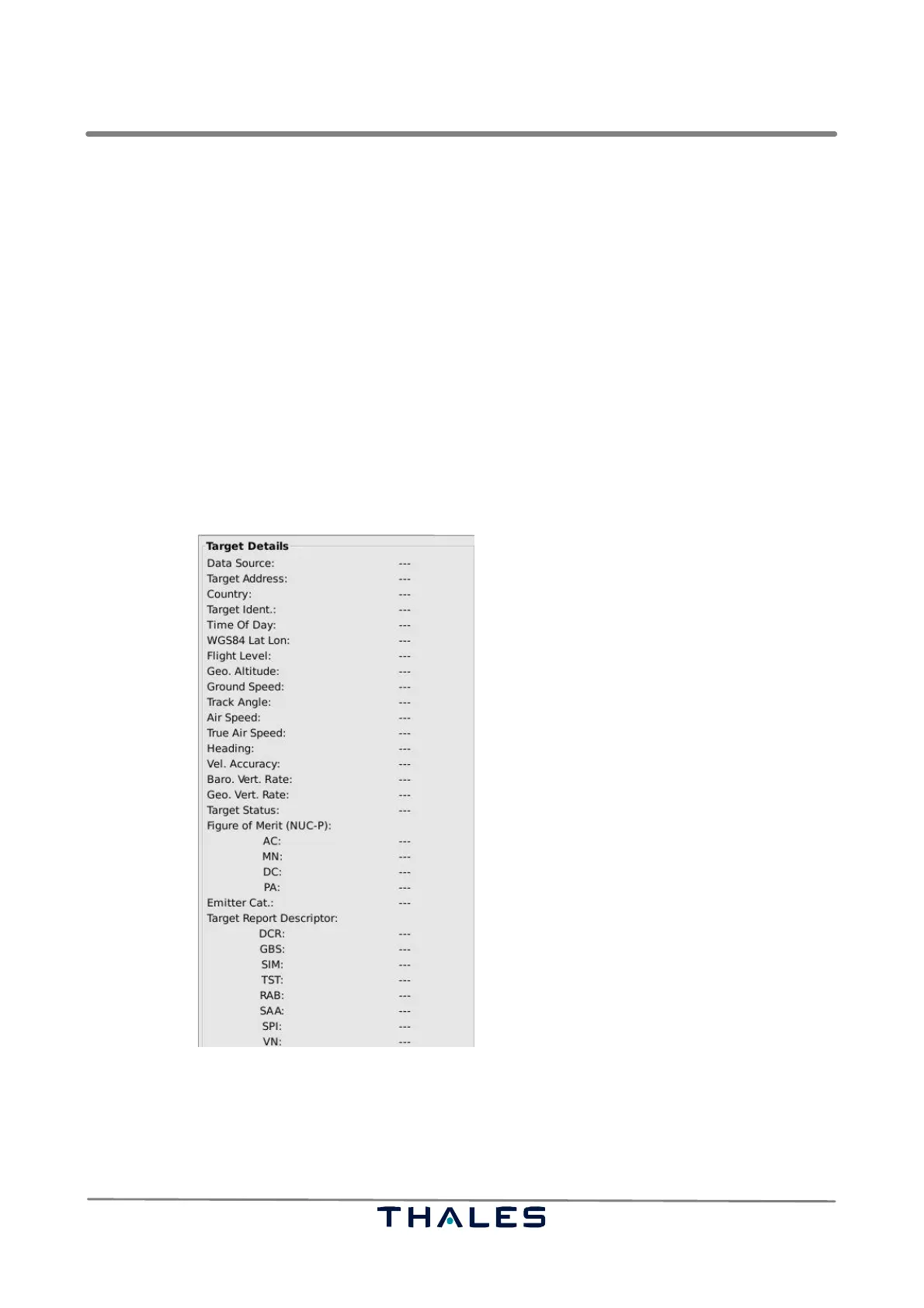
The detailed target view (’Target Details’, see Fig. 4−45) shows the ASTERIX CAT 21 fields that can
be received for a target. To see the detailed view, the menu item ’Show Details’ in the menu ’Display’
must be selected (refer to section 4.4.2.4). If ’Show Details’ is activated, a target in the map view must
be selected with a click of the left mouse button on the target’s label (refer to section 4.4.5.2).
The target can be deselected by a click of the right mouse button somewhere on the map holding
the ’Ctrl’ key.
The target’s ASTERIX CAT 21 attributes, as far as valid, are displayed on the detailed view. Missing
or invalid data are indicated by a hyphen ‘−‘.
It is possible to choose the ASTERIX CAT 21 fields to be displayed in the configuration file, mentioned
in section 4.4.1. Set the corresponding tag of the field in the paragraph ‘Detail’ of the configuration
file to ‘true’, if the field shall be shown, otherwise to ‘false’.
Fig. 4−45 TSD, ’Target Details’ panel (example)


 To Next Page
 Loading...