AS 680/682
Display Configuration Tool Description, Operation and Maintenance
ADS−B
4−36 Ed. 10.07
4.5.2.1 Menu ’File’
The menu ’File’, see Fig. 4−55, contains the items ’New’, ’Open’, ’Save’, ’Save As’ and ’Quit’.
Fig. 4−55 Display Configuration, Menu ’File’
S The menu item ’New’ is used to create a new configuration file. The entries of the new configuration
file are default values, which have to be edited by the user.
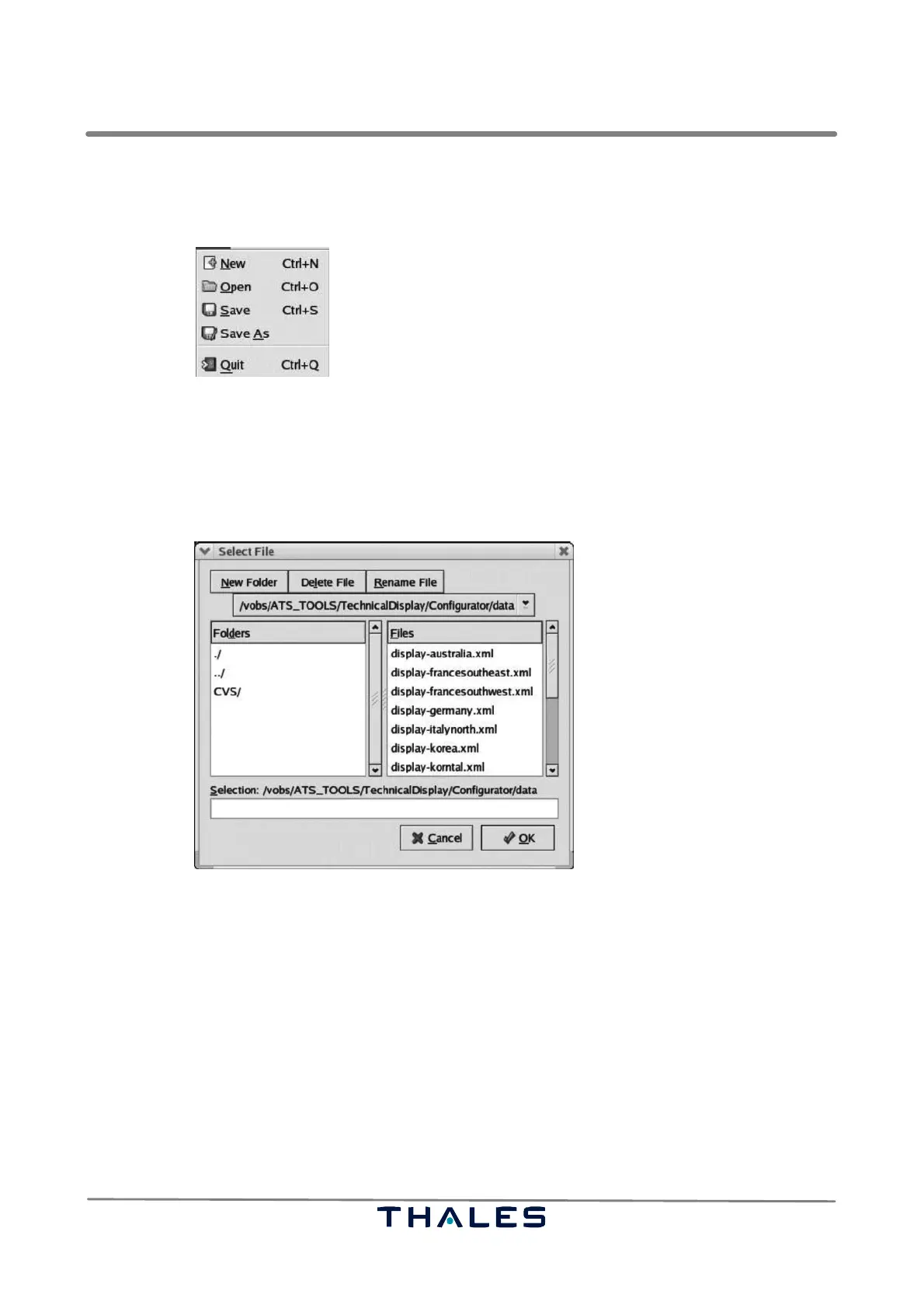
S It is possible to load an already existing configuration file by using the menu item ’Open’. A stan-
dard file selection box, see Fig. 4−56, opens, where a new XML configuration file can be selected.
Fig. 4−56 Configuration Tool, File Selection (example)
S Pushing the menu item ’Save’ opens a file selection box, see Fig. 4−56, to save the current set-
tings into an XML−configuration file, if a new configuration has been allocated with the help of the
’New’ menu item. If a configuration has been loaded from an already existing configuration file,
the parameter changes are automatically saved to the configuration file without opening a file
selection dialog.
S The ’Save As’ menu item opens a file selection box. Thus, the currently applied parameters and
parameter values can be saved to any file. If a configuration file is not saved in the standard direc-
tory, the user must take care that current versions of the files displayconfig.xml and DisplayCon-
fig.dtd are available in the directory (either a copy or as soft link), where the configuration file is
saved. Otherwise he will not be able to start the configuration tool with this new configuration file
from its directory.
S The Display Configuration tool is terminated, if the ’Quit’ menu item is selected.


 To Next Page
 Loading...