AS 680/682
Display Configuration Tool Description, Operation and Maintenance
ADS−B
4−38 Ed. 10.07
4.5.4 Configuration Tree View
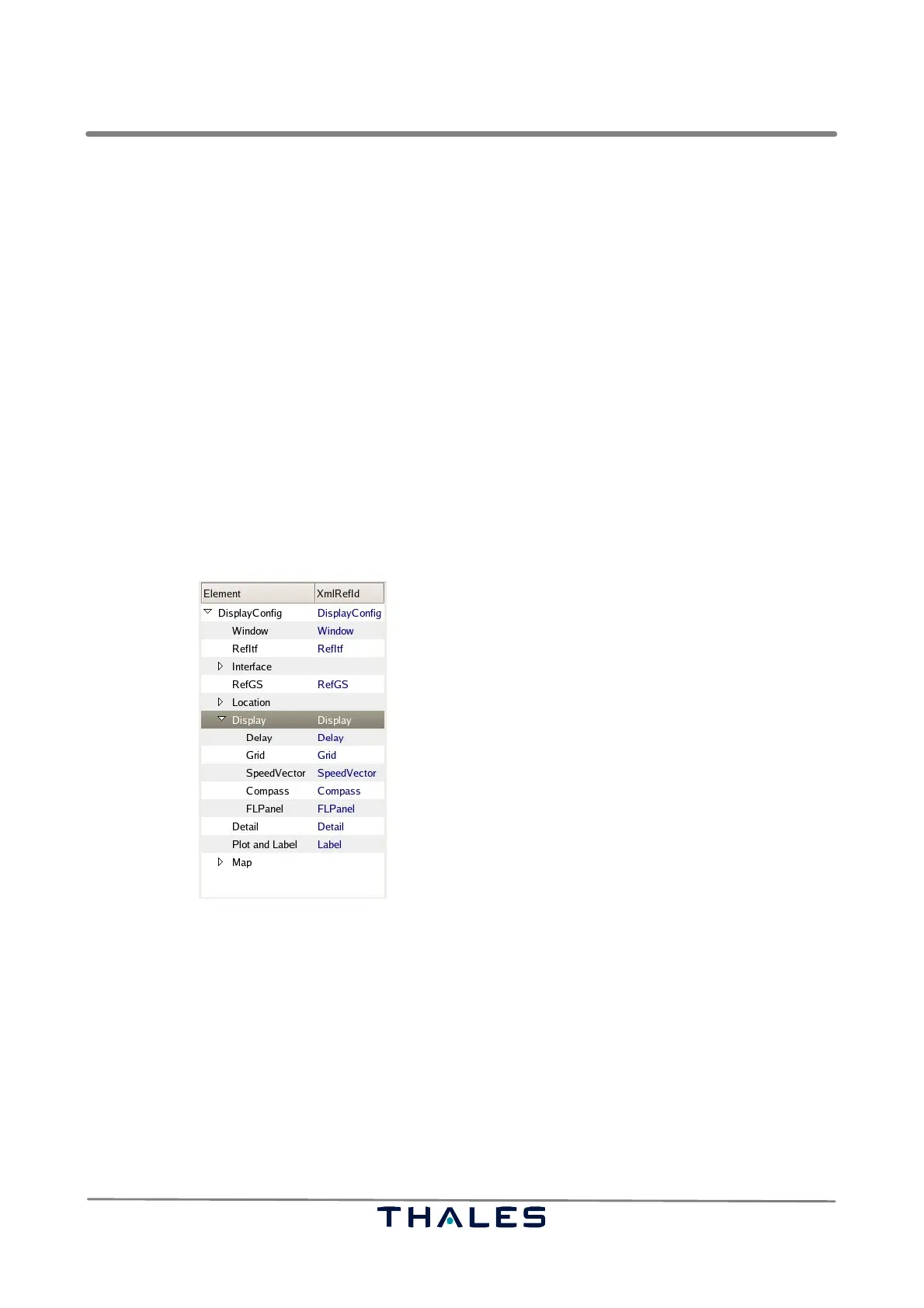
The Configuration Tree View, see Fig. 4−60, shows the hierarchy in the currently loaded configuration
file. The Configuration Tree View consists of two columns. The first column (black faces) shows the
paragraph names of the configuration file as nodes, while the second column (blue faces) shows the
corresponding, used internal XML−Reference.
The Configuration Tree View works like usual file managers.
S Simple left mouse click onto a tree node shows the parameter belonging to that node on the Pa-
rameter Panel to the left of the Configuration Tree View (see Fig. 4−61).
S Left mouse click onto right oriented arrows left to some nodes opens the corresponding hierarchy
below the corresponding item. The same result is achieved by double clicking onto a node or using
the ’+’ magnifying glass of the toolbar, refer to section 4.5.3.
S Left mouse click onto a downward oriented arrow closes the configuration parameter hierarchy
below that item. Closing of the hierarchy below is also got by the use of the ’−’ magnify glass of
the toolbar, refer to section 4.5.3.
S Vertical and horizontal scroll bars are available, if the Tree View entries exceed the boundaries.
Fig. 4−60 Display Configuration, Tree View (example)
4.5.5 Parameter Panel
The Parameter Panel of the Display Configuration tool (see Fig. 4−61) consists of three parts:
S A label showing the currently selected node name representing a paragraph of the configuration
file. In brackets there is found the corresponding XML−reference identity.
S A list of parameters and parameter values belonging to the corresponding configuration file para-
graph (The type of widgets is determined by the type of the items given in the displayconfig.xml
file).
S A button box containing the buttons ’Delete’, ’Apply’ and ’Close’.


 To Next Page
 Loading...