AS 680/682
Description, Operation and Maintenance Display Configuration Tool
ADS−B
4−47Ed. 10.07
4.5.7.8 Delay Parameters
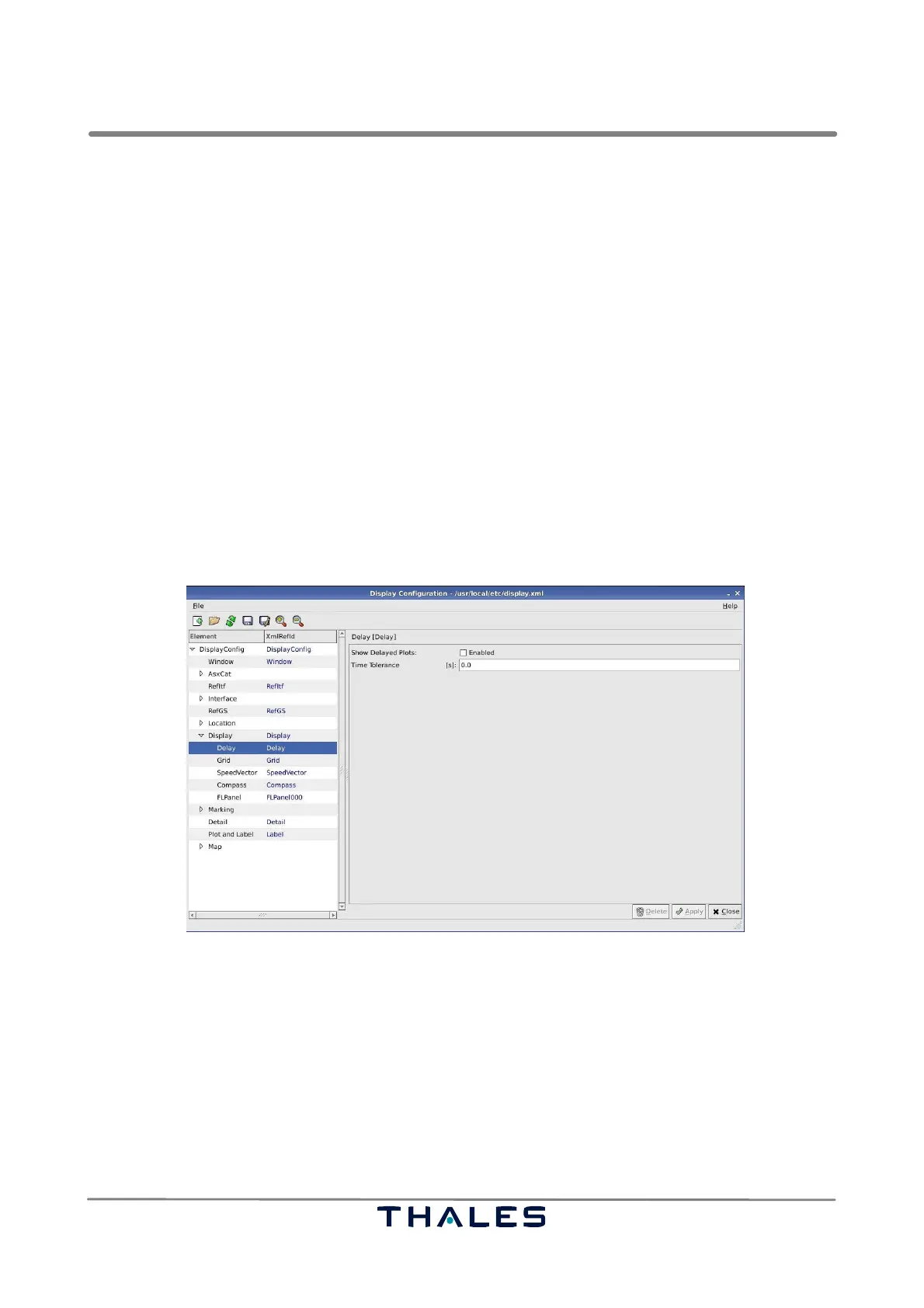
The node Display contains the parameter panel Delay, see Fig. 4−73, which can be used to enable
the display of delayed plots.
Delayed plots means the following: If a certain squitter telegram of a target is received by different
Ground Stations, every Ground Station creates an ASTERIX CAT21 telegram with the corresponding
information and sets its own time stamp as time of day into the telegram.
If the Ground Stations are not synchronised, then ASTERIX CAT21 telegrams received from one
Ground Station might have quite different time of day values than the telegrams from another Ground
Station.
If the most recent time of day value causes the skipping of older incoming telegrams, then an irregular
track of a target may be got.
S Show Delayed Plots: enable the display of delayed plots with a time of day value, which may not
be older than the
S Time Tolerance: in seconds before the most recent time of day value, received at the Technical
Situation Display.
Fig. 4−73 Parameters Delay (example)
4.5.7.9 Grid Parameters
The node Display contains the parameter panel Grid, see Fig. 4−74, which can be used to overlay
the view with a squared grid.
S Show Grid; indicates, if the grid is displayed at start of the Technical Situation Display. This parame-
ter can be overwritten, if the configuration is saved in the Technical Situation Display.
S Width of Grid cells: represents the width and height of the grid squares. In case of spherical maps,
it is not possible to give a unit for the width, because the width is not constant according to the
earth sphere. If a cartesian map is used, then the unit is meters.



 To Next Page