AS 680/682
Description, Operation and Maintenance Record and Replay
ADS−B
4−55Ed. 10.07
4.6.2.1 Titlebar
The titlebar shows the short name of the tool just started, and the name of the currently loaded config-
uration file. In the example Fig. 4−83, the shown tool is the Raw Data Recorder ’RRC’, which has
loaded the configuration file recordraw.cfg. Additionally, the titlebar contains the typical window fea-
tures provided by the used window manager, which may be, e.g.: close, maximise, minimise, resize,
move the window or put it to some workspaces.
4.6.2.2 Menubar
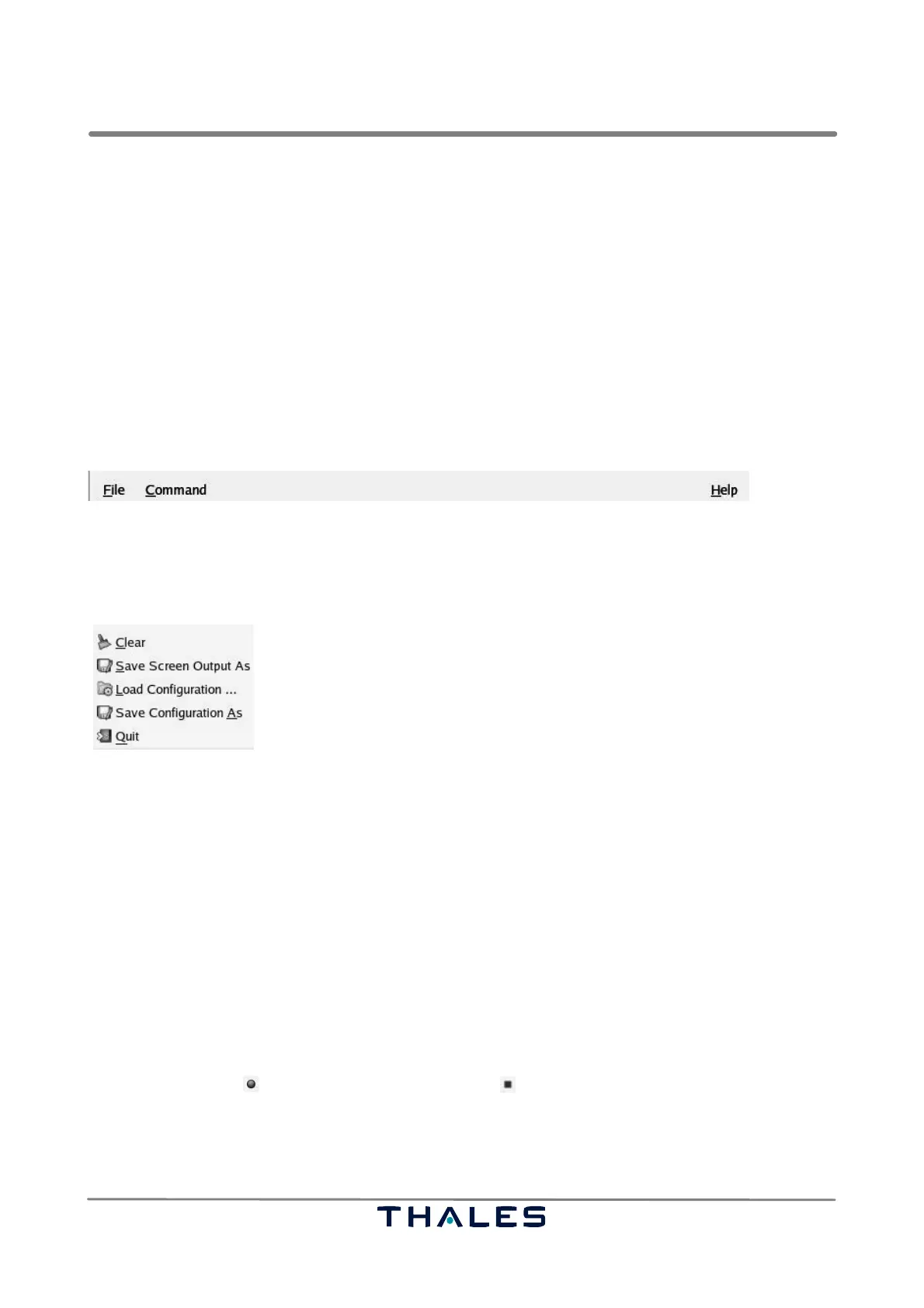
The menubar (refer to Fig. 4−83) contains the menus ’File’, ’Command’ and ’Help’. All menus are
tear−off menus, i.e. clicking on the dotted line of a selected menu opens the menu in a usual, sepa-
rate window. A tear−off window does not close on selecting one of its menu items.
Fig. 4−84 Record/Replay, menubar
4.6.2.2.1 Menu ’File’
The menu ’File’ contains the five entries
clears the content of the text field in the notebook page Screen Output
opens a selection box to save the content of the text field screen
opens a selection box to load new configuration
opens a selection box to save current configuration
quits the application (exit the tool)
.
.
.
.
.
Fig. 4−85 Record/Replay, menu File
The menu items ’Clear’ and ’Save Screen Output As’ are related to the ’Screen Output’, a notebook
page, which are explained later in detail (refer to section 4.6.2.4.2 ). The ’Screen Output’ contains data
recorded or replayed by the tool. The ’Screen Output’ is a text field, where input or output data are
logged, respectively. The menu items ’Load Configuration ...’ and ’Save Configuration As’ are used
to load and save the settings found on the following notebook pages.
4.6.2.2.2 Menu ’Command’
The menu ’Command’ contains the available commands to start and stop the tool. These commands
are different depending on the use of replay or record tools.
In case of record tools, the ’Command’ menu contains only the ’Record’/’Stop’ submenu.
The ’Record’ button changes to the ’Stop’ function , if the tool is recording. Selecting the ’Re-
cord’ function starts the record tool until recording is explicitly stopped with the stop function.
In case of replay tools, the ’Command’ menu contains the ’Play’/’Pause’, the ’Stop’, the single step
’Next’ and the single step ’Previous’ functions (refer to Fig. 4−91).



 To Next Page