AS 680/682
Record and Replay Description, Operation and Maintenance
ADS−B
4−54 Ed. 10.07
The option ’−g’ in the command starts the graphical tool mode and ’config <config file>’ enables
the user to pass a configuration file to the tool. The default configuration file must be present in the
path /usr/local/etc. If no valid configuration file exists, the tool allocates one by itself or throws an error
and exits. The settings are stored, when the tool is quit. The user explicitly saves the configuration
via the menu item ‘Save Configuration’ of the file menu shown in section 4.6.2.2.1 .
It is possible to load another configuration file via the menu item ‘Load Configuration’ of the file menu
shown in section 4.6.2.2.1 .
Changing of parameters during the replay or record process has no effect. The tool must be stopped
or paused, before the new parameter settings apply.
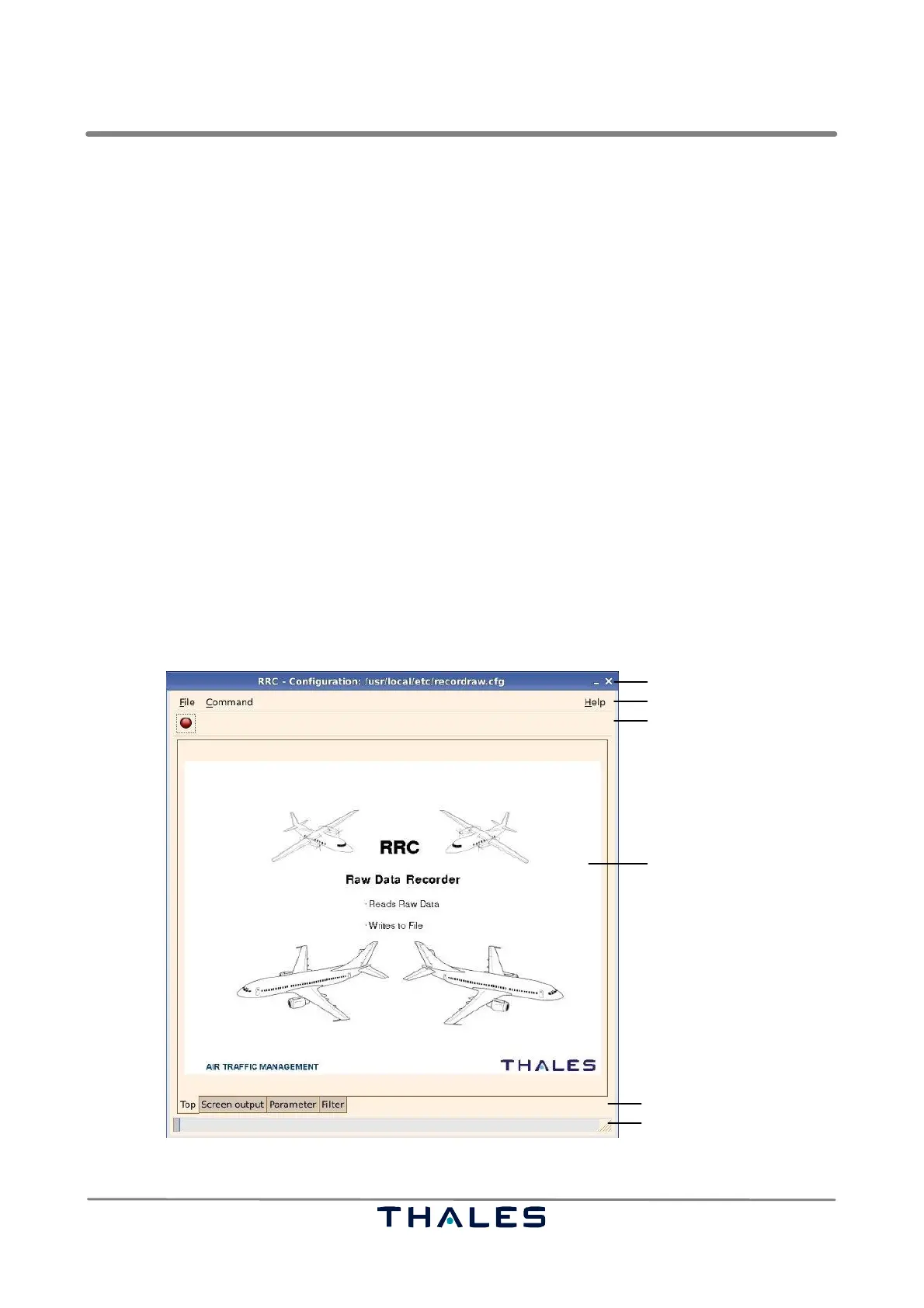
The components common for all record and replay tool windows are:
− titlebar
− menubar
− toolbar
− notebook
− notebook pages
− statusbar
The common components are described in the following sections 4.6.2.1 to 4.6.2.5. The functions
(pages) which are special for a certain record or replay tool (RRP, RAC, RRC, ARC or ARP) are descri-
bed in the corresponding section 4.6.3 to 4.6.7.
Notebook
Titlebar
Menubar
Toolbar
Statusbar
Notebook Pages
Fig. 4−83 Record/Replay tools, components of start window (example)



 To Next Page