AS 680/682
Description, Operation and Maintenance Supervisor Operation
ADS−B
5−33Ed. 10.07
5.4.13.5.4 Upload NVRAM Configuration
Uploading the NVRAM Configuration is a bit different to the previously described uploading proce-
dures and therefore described here again in detail. First, the user has to confirm the intention to
upload the NVRAM Configuration within a confirmation window by clicking on the ’OK’ button.
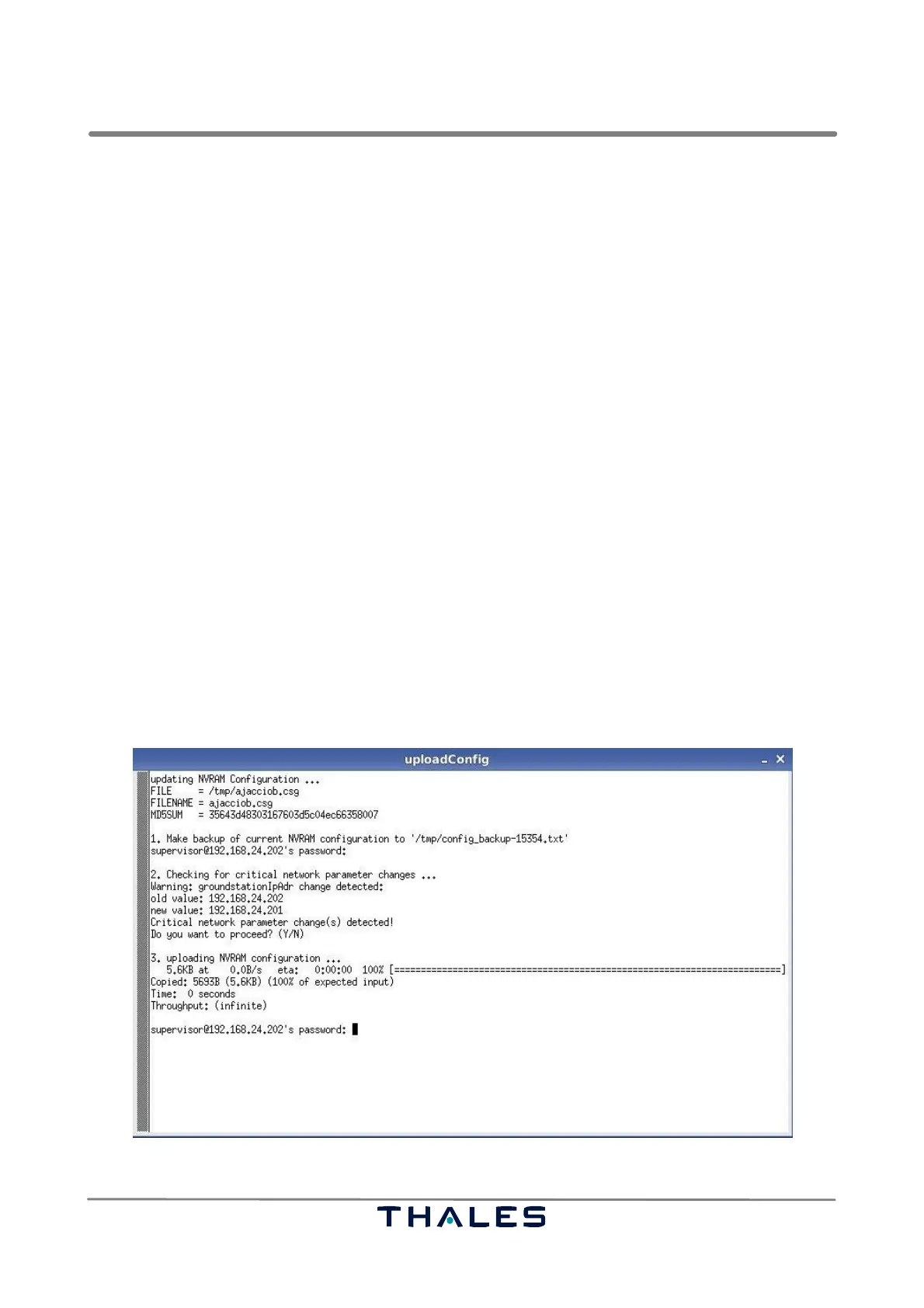
The uploading of the NVRAM Configuration is divided into 3 steps (see Fig. 5−24, where all 3 steps
are presented on the screen):
1. A backup of the NVRAM Configuration will be copied to the local /tmp directory.
For this action the password of the supervisor is requested.
2. A check is done, testing if uploading the new NVRAM Configuration will change ’critical’ network
parameter, which are:
− Ground Station IP Address (Main)
− Ground Station IP Address (Aux)
− Netmask (Main)
− Netmask (Aux)
− Default Gateway
NOTE: Changing those parameters can cut off the network connection to the Ground Station.
If changes were detected, the user is asked whether to proceed the uploading process
or not (see Fig. ).
3. The new NVRAM Configuration is copied to the GS. Therefore the user has to give the password
of the supervisor again.
If the uploading of the NVRAM Configuration is successfully done the instruction "Press return to
close!" appears in the ’uploadConfig’ window. So press the <RET> key to close the window.
Fig. 5−24 Upload NVRAM, 3 steps of uploading (example)



 To Next Page