AS 680/682
Description, Operation and Maintenance Supervisor Operation
ADS−B
5−37Ed. 10.07
5.4.13.7 Restart/Reboot
5.4.13.7.1 Reboot
The Ground Station can be rebooted remotely by the TSC. This can be done on the page ’Software’
within the section ’Restart/Reboot.
By selecting the corresponding ’Kernel Partition’, it is possible to reboot the currently running kernel,
or to make a ’kernel switch over’ and boot the currently not running kernel.
Start the reboot procedure by clicking on the ’Reboot’ button. First, the user has to confirm the inten-
tion to reboot within a confirmation window by clicking on the ’OK’ button. Then a terminal pops up
(’reboot’), requesting the supervisor’s password.
After entering the correct password, the rebooting process will continue with any further user interca-
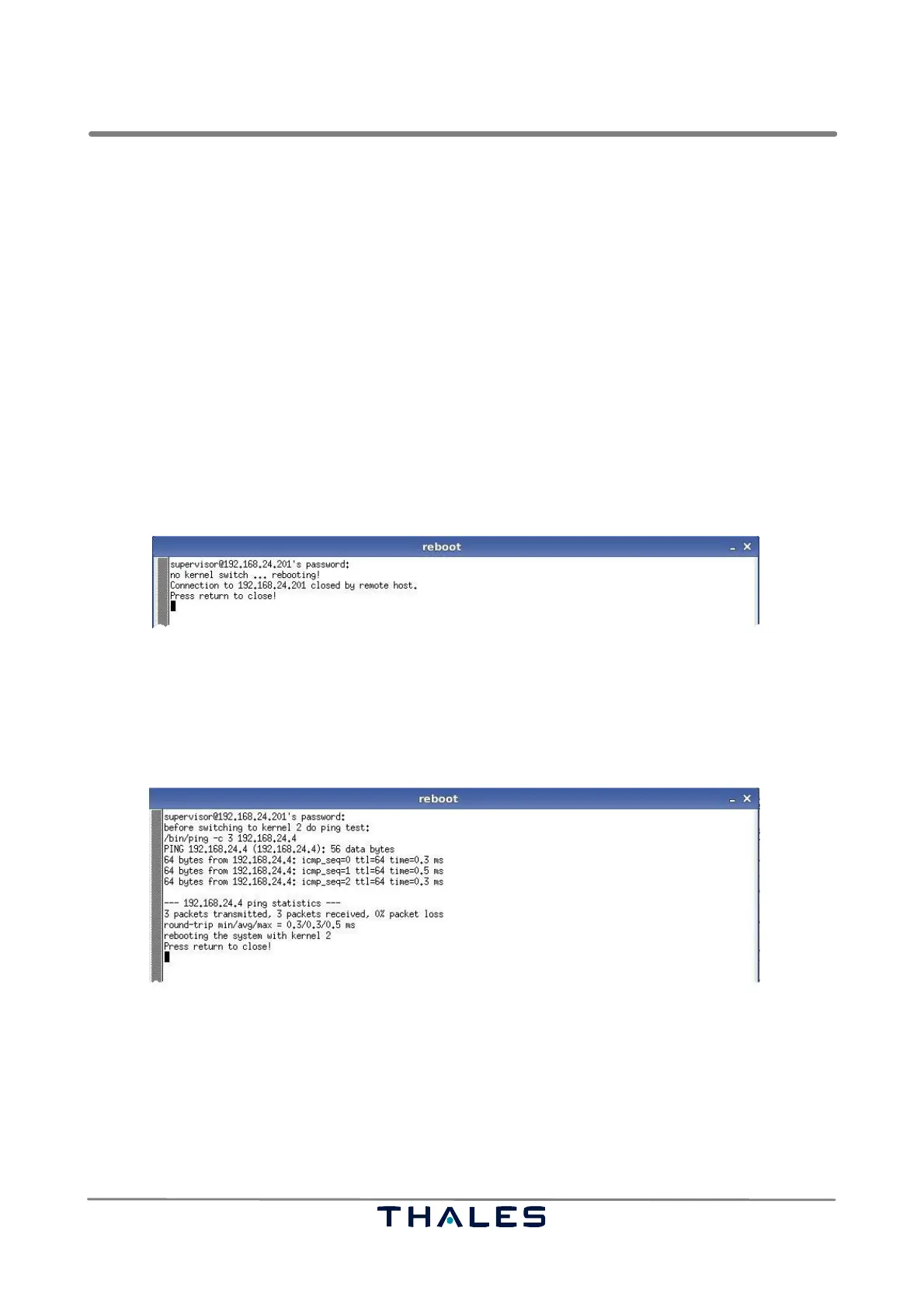
tion. The progress of the reboot process depends on the selected ’Kernel Partition’. Fig. 5−31 shows
an example for rebooting the currently running kernel
Fig. 5−31 Reboot terminal log without kernel switch (example)
If booting the currently not running kernel, a ping test on the IP−address of the current RCMS, stored
in the NVRAM, is performed (see Fig. 5−32). If the ping test is successful, then the kernel switch is
supposed to have successfully finished. In case of failure, the old kernel is rebooted.
Fig. 5−32 Reboot terminal log with kernel switch (example)
If the rebooting is successfully done the instruction string "Press return to close!" appears in the win-
dow (see Fig. 5−31). So press the <RET> key to close the terminal window.
To see if a kernel switch has been successful, just press the green ’Refresh’ button in the middle of
the ’Software’ page (see Fig. 5−17) and then, after rebooting, check if the contents of the ’Kernel Parti-
tion’ field within the ’Current Configuration’ section shows the right running kernel.



 To Next Page