Chapter 3 | Replacing parts
Notes:
• It is recommended to remove and replace one pulley at a time.
• To re-tighten the cables, it is recommended to manually lift the platform using
the large valve button (located in the HMI fuse box) to ensure the cables are
aligned properly.
3.9.4. Replacement procedures for pulley cables
1. Follow steps 1 and 2 in section 3.9.3.
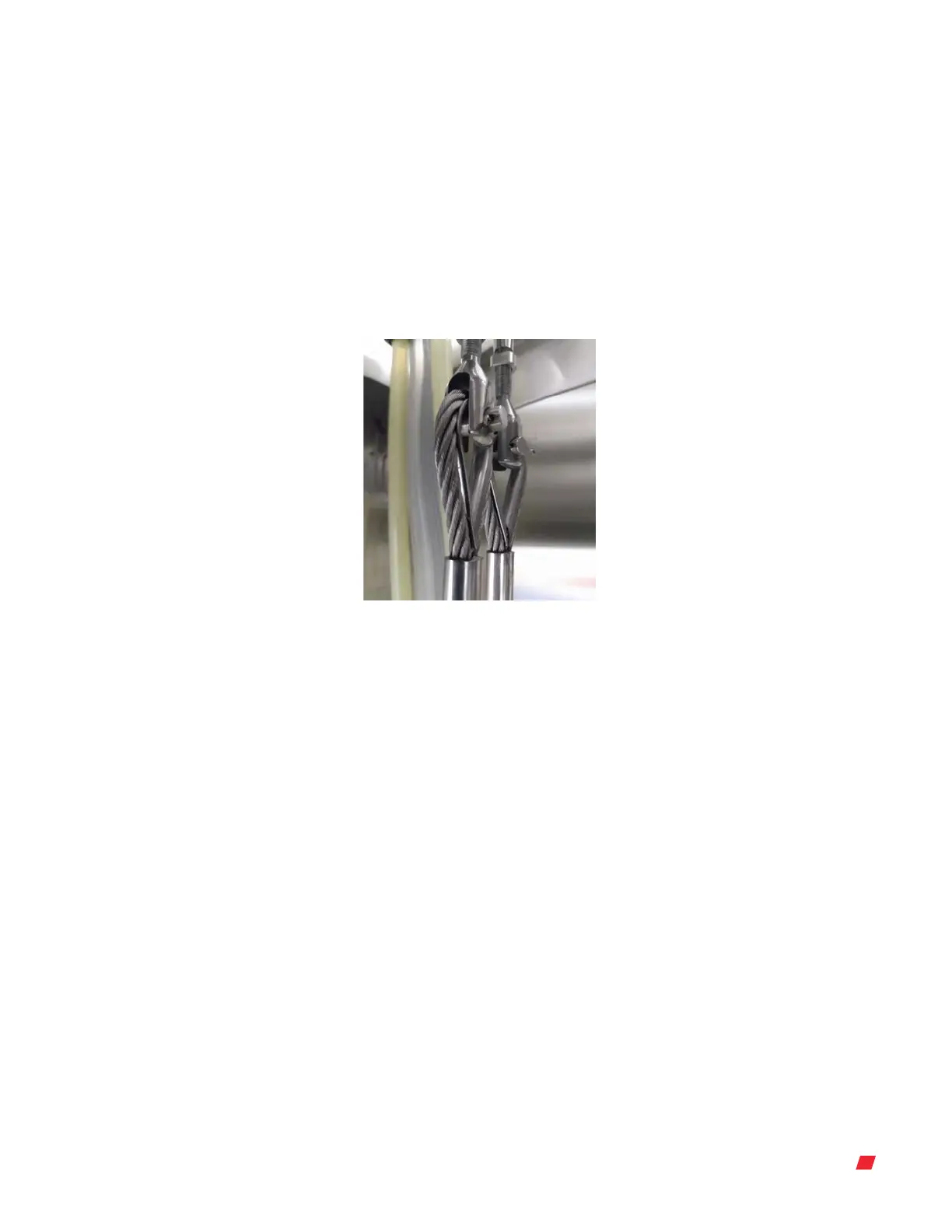
2. Use the mobile stairs to locate the other end of the 1/4 in. cables (Figure 3.72).
Figure 3.72. Top end of the 1/4 in.
cables.
3. Using a pair of pliers, remove the locking pin and pull out the pin keeping the cables
in place.
4. Replace the 1/4 in. cables, starting at the top and wire the cables through the pulleys.
Note: It is recommended to remove and replace one cable at a time to help keep the
pulley cables in order.
Thermo Scientific 42DynaDrive S.U.B. Service Guide











 To Next Page