Wheninstalling:Plugthegraycableintothemainconnector,andtheblackcableintotheauxiliary
connectoronthecard.
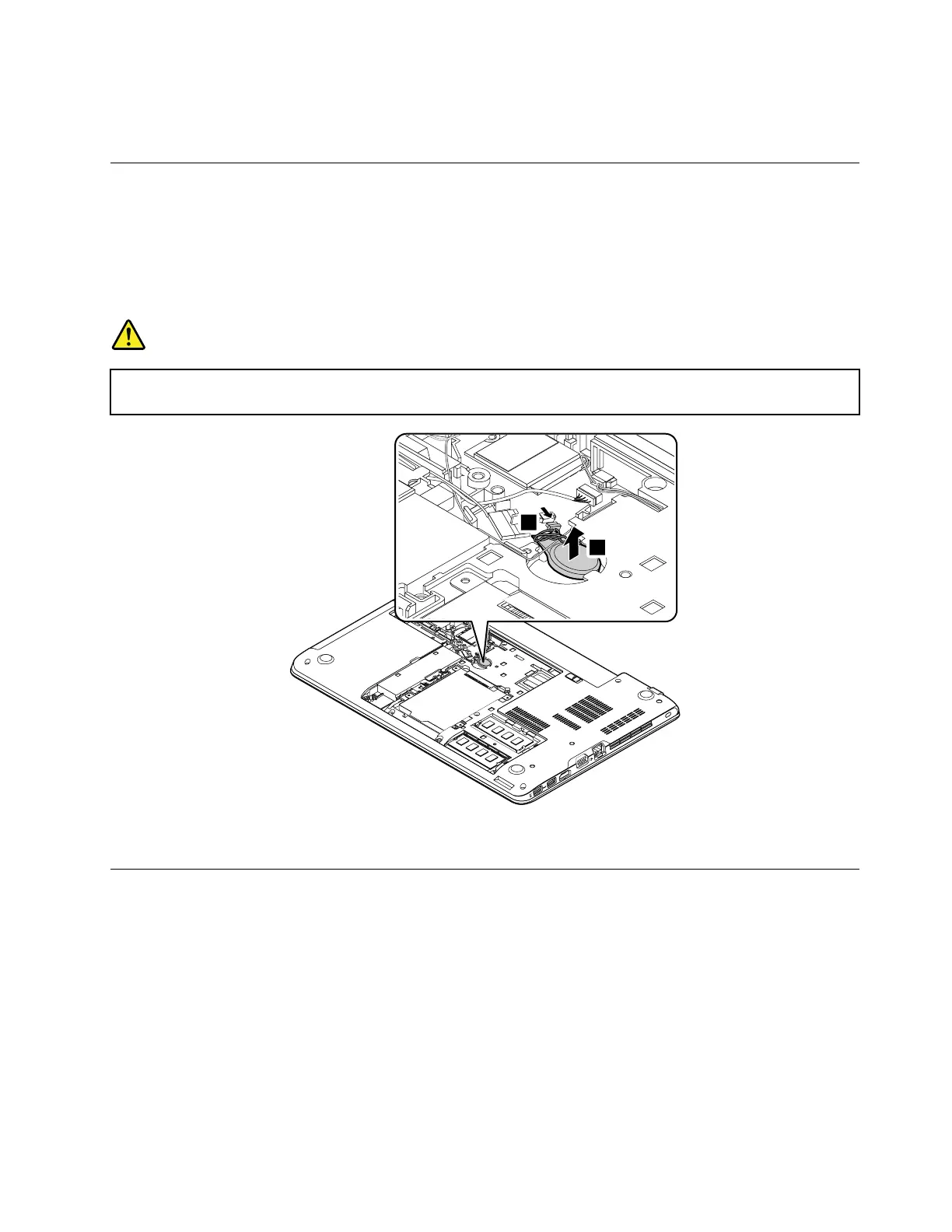
1090Coin-cellbattery
Foraccess,removetheseFRUsinorder:
•“1020Batterypack”onpage72
•“1030Largebottomcover”onpage73
•“1080WirelessLANcard”onpage79
Removalstepsofthecoin-cellbattery
DANGER
Useonlytheauthorizedbatteryspecifiedforyourcomputer.Anyotherbatterycouldigniteor
explode.
Wheninstalling:Ensurethattheconnectorisattachedfirmly.
1110Keyboard
Foraccess,removetheseFRUsinorder:
•“1020Batterypack”onpage72
Removalstepsofthekeyboard
Note:Dependingonthemodel,yourcomputermightlookdifferentfromtheillustrationsinthistopic.
Chapter9.RemovingorreplacingaFRU81



 To Next Page