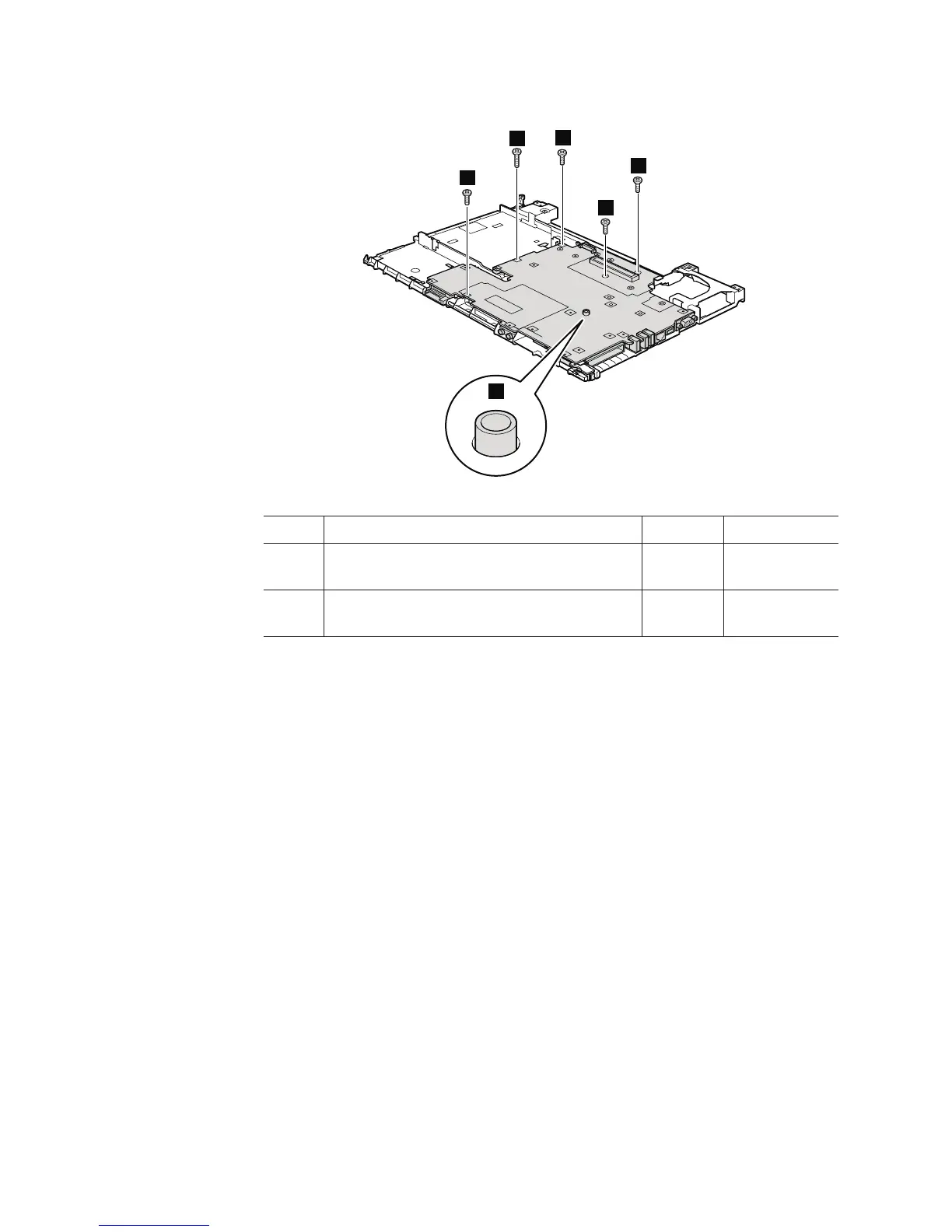
Table 23. Removal steps of structure frame and IEEE 1394 sub card (continued)
7
7
7
7
8
a
Step Screw (quantity) Color Torque
7 M2 × 3.5 mm, bind-head, nylon-coated (4) Black 0.167 Nm
(1.7 kgfcm)
8 M2 × 9.5 mm, flat-head, nylon-coated (1) Black 0.167 Nm
(1.7 kgfcm)
When installing: When attaching the system board to the frame, adjust the
placement with the small projection a. Then secure the system board with the
screws.
122 ThinkPad R500 Hardware Maintenance Manual



 To Next Page