7
Switching on / off and basic operation
7.1
Switching the digital piano on
7.1.1
Switching on, volume control
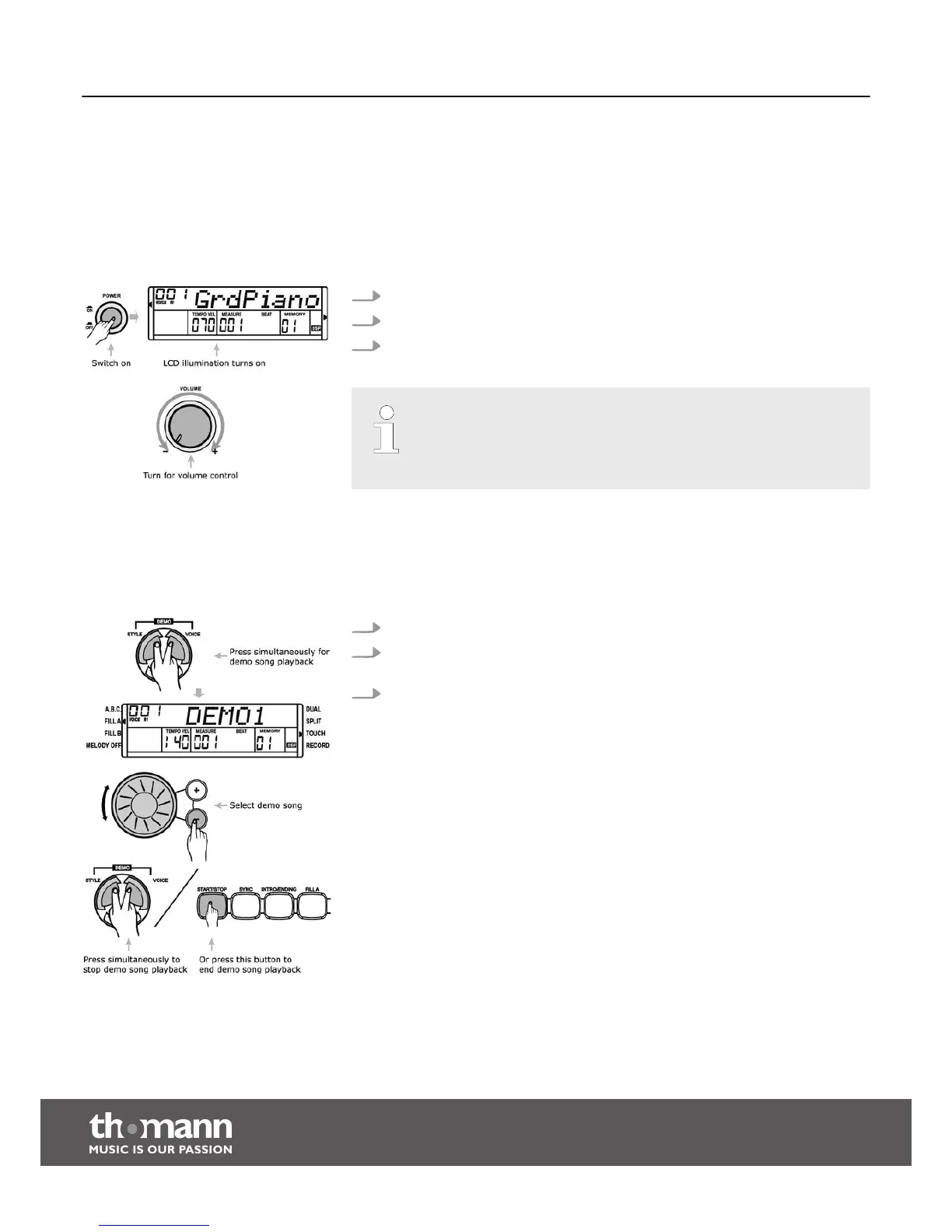
1. Please check that the device is connected properly.
2. Press the [POWER] button to switch the device on. The display is illuminated.
3. Turn the volume control [VOLUME] to set the desired volume.
– If the display does not light up after switching the piano on, check the
power supply.
– If you hear nothing from the speakers, the volume may be set to ‘min‐
imum’.
7.2
Song selecting
The piano offers 3 demo songs in total (see appendix).
1. Press the buttons [VOICE] and [STYLE] simultaneously to play demo songs.
2. Press the [+] or [–] button or turn the jog dial to select the number of the
desired demo song.
3. Press the buttons [VOICE] and [STYLE] simultaneously again or press the
[START/STOP] button to stop the playback.
Switching on / off and basic operation
digital piano
18



 To Next Page