8.3.8
MIDI send channel (Midi Out)
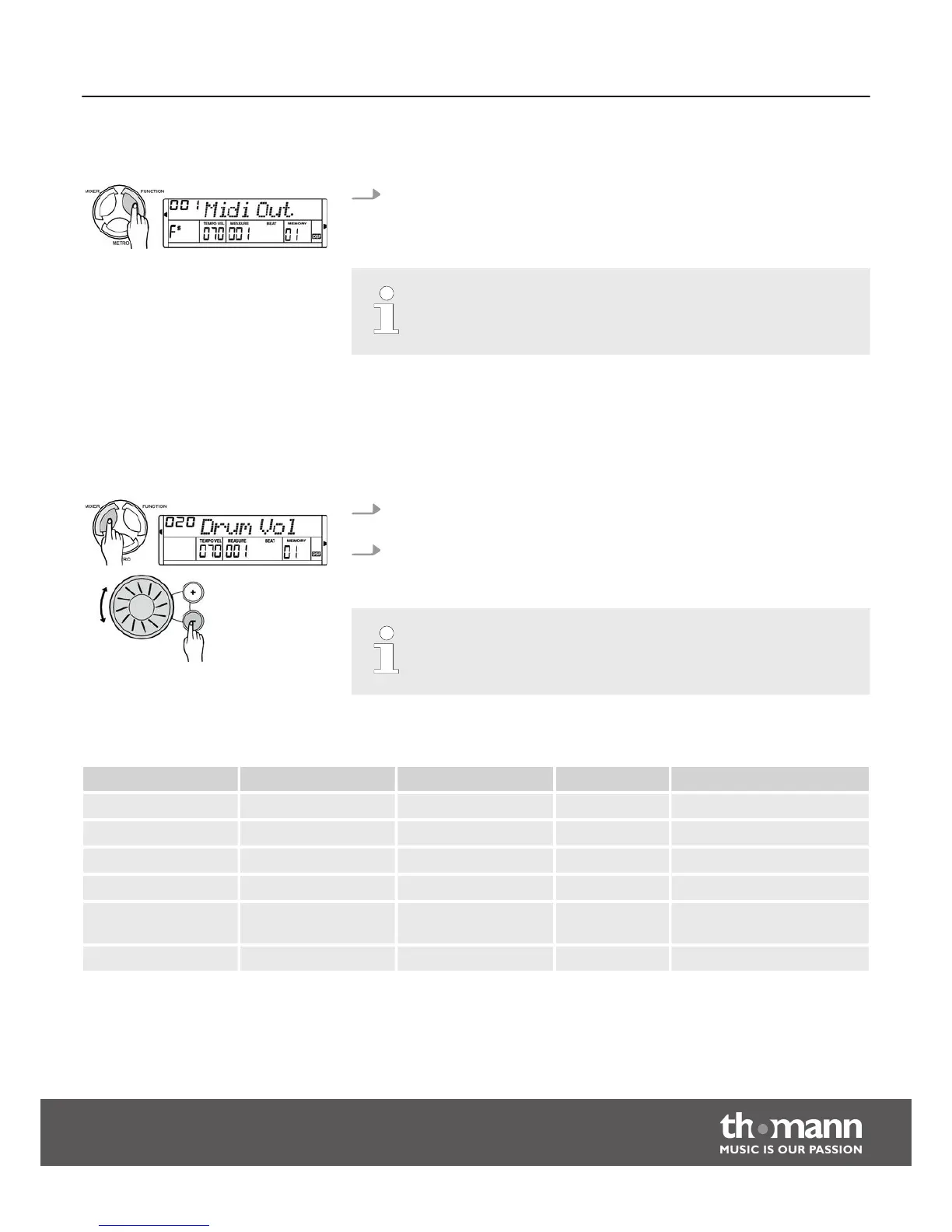
In the ‘Midi Out’ function menu, you can set the channel on which the digital
piano sends MIDI data to other devices. Use the jog dial or the [ +] / [–] buttons
to select the MIDI send channel.
Parameter range: channels 1 to 16. Default setting: ‘001’.
8.4
Mixer menu
Use this menu to set the volume for the various style elements and instrument
voices.
1. Press the [MIXER] button to call the mixer menu. By default, the first option
after opening this menu is ‘Drum Vol’.
2. Press the [MIXER] button repeatedly to select the desired option. Subsequently,
you can set the selected parameter using the jog dial or the [ +] / [–] buttons.
If you don't press a key within five seconds after you've entered the mixer
menu, it will close automatically.
Adjustable options and parameter
Option Display Value range Standard Description
DRUM volume Drum Vol 000 to 031 020 Percussion accompaniment
Bass volume Bass Vol 000 to 031 018 Bass accompaniment
ORCHESTRA Oc Vol 000 to 031 021 Orchestra accompaniment
UPPER1 volume Voice R1 000 to 031 024 Right hand voice
UPPER2 volume Voice R2 000 to 031 012 Second right hand voice in
dual mode
LOWER volume Voice L 000 to 031 012 Left hand voice
Functions
DP-30
31



 To Next Page