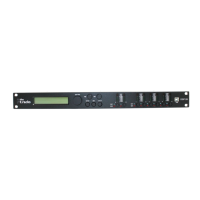
1 Display
2 [NAV/PM1]
Rotary switch for setting of values in submenus.
3 [PM2]
Rotary switch for setting of values in submenus.
4 [PM3]
Rotary switch for setting of values in submenus.
5 [ENTER]
Button to confirm changes and input values.
6 [ESC]
Button to exit an open menu or a menu function.
7 [UTILITY]
Button to open the menu for setting the device parameters.
Connections and controls
DSP 26
17


 To Next Page
 Loading...