Chapter 10
Routed PPPoI
E-DOC-CTC-20051017-0167 v1.0
93
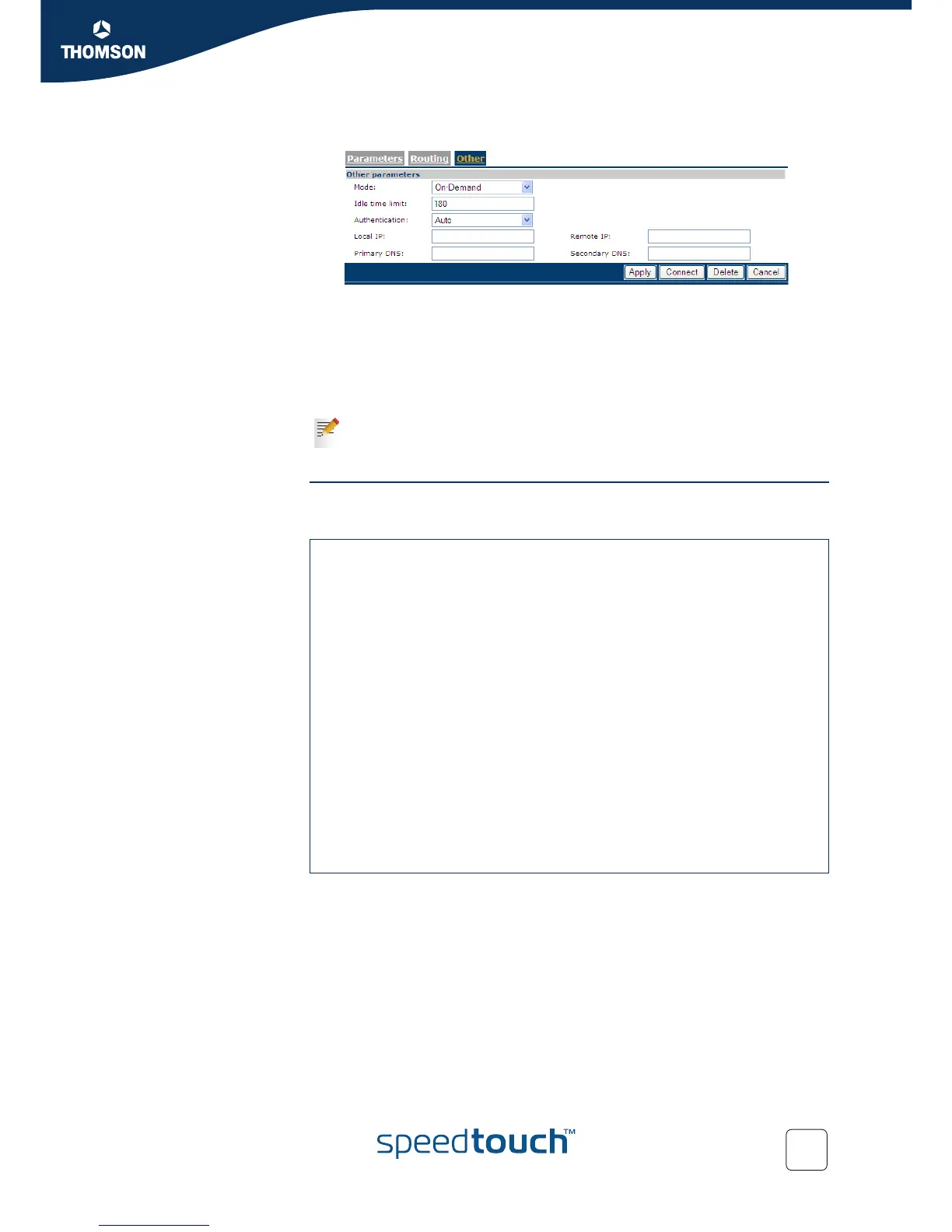
Result: the Other page appears:
9 Select the Mode (On-Demand or Always On)
10 Fill in the idle time limit. If the connection is On-Demand, and the connection is
idle for this amount of time (i.e. no traffic), the connection shuts down.
The other values are automatically retrieved when the PPP connection is
established.
Via CLI Use the following command sequence to configure the ISDN dial-in connection via
CLI:
You cannot enable Callback via the Web interface. For this, you must use
CLI. If you do not enable it, the SpeedTouch™ will establish the ISDN
connection over which the PPP connection is made.
[isdn]=>ifconfig
intf number mlppp
BODstart BODend mode
callback group
[isdn]=>ifconfig
intf = buisdn
[number] = 025292222
[mlppp] =
disabled enabled
[mlppp] = disabled
[BODstart] = 40
[BODend] = 38
[mode] = dialout
[callback] =
disabled enabled
[callback] = disabled
[group] = empty
:isdn ifconfig intf=buisdn mlppp=disabled callback=disabled
[isdn]=>:isdn ifconfig intf=buisdn mlppp=disabled callback=enabled
[isdn]=>saveall
[isdn]=>:ppp
[ppp]=>ifattach intf bu_isdn















 To Next Page