Chapter 4
Bridged PPPoE
E-DOC-CTC-20051017-0167 v1.0
34
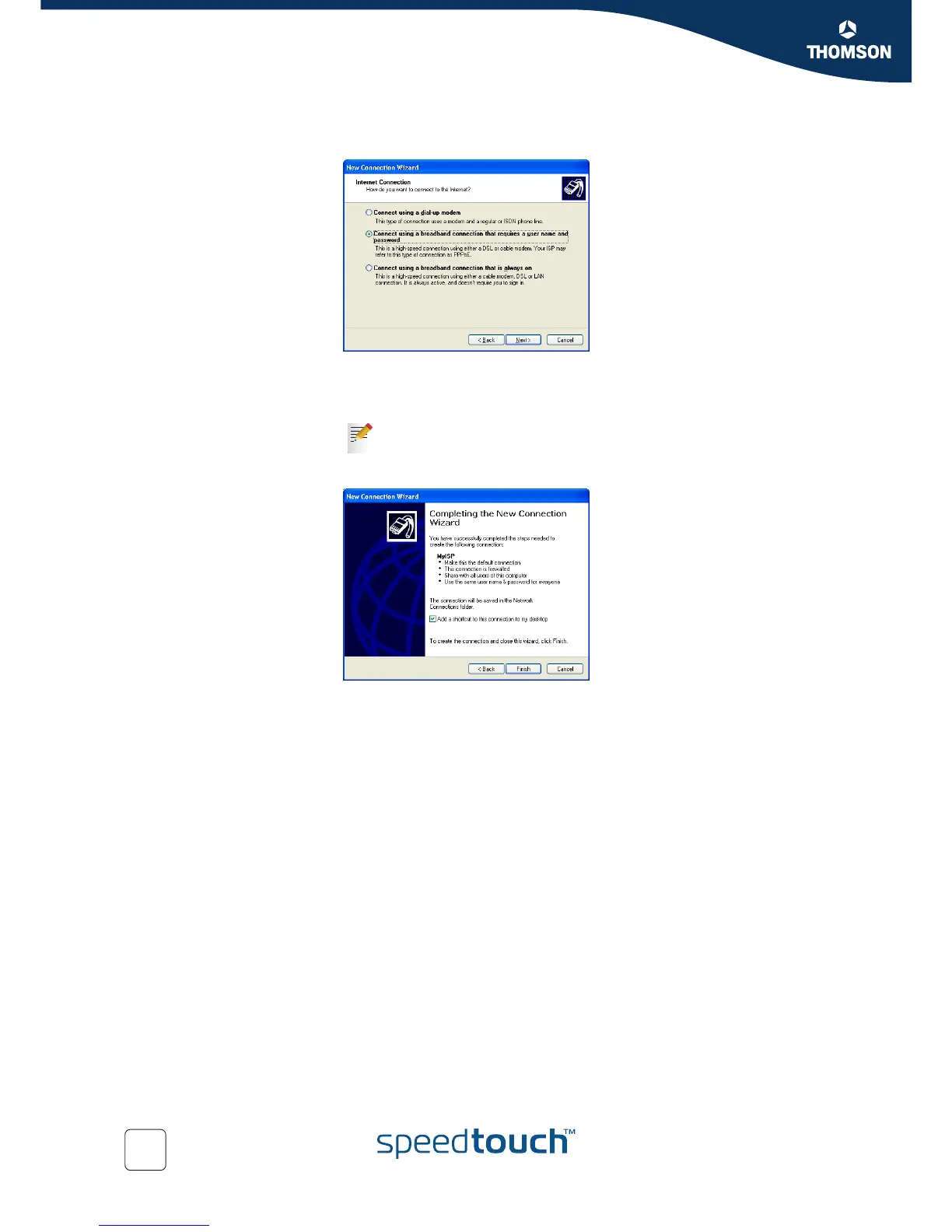
7 Select Connect using a broadband connection that requires a user name and
password.
Click Next.
8 Subsequent screens will guide you through the wizard. Follow the instructions
and enter the required information where needed.
9 At the end of the configuration the following window appears:
Do one of the following:
Click Back to make changes to the configuration.
Click Finish to create the connection and close the wizard.
Click Cancel to exit the wizard.
This information should be provided by your Service Provider.















 To Next Page