© 2017 Thorlabs GmbH
3 Operating Instruction
23
3.6 Attenuation Correction
In order to take into account the attenuation of external devices (e.g. filter, beam splitter) to the
displayed measurement value, a correction factor can be assigned.
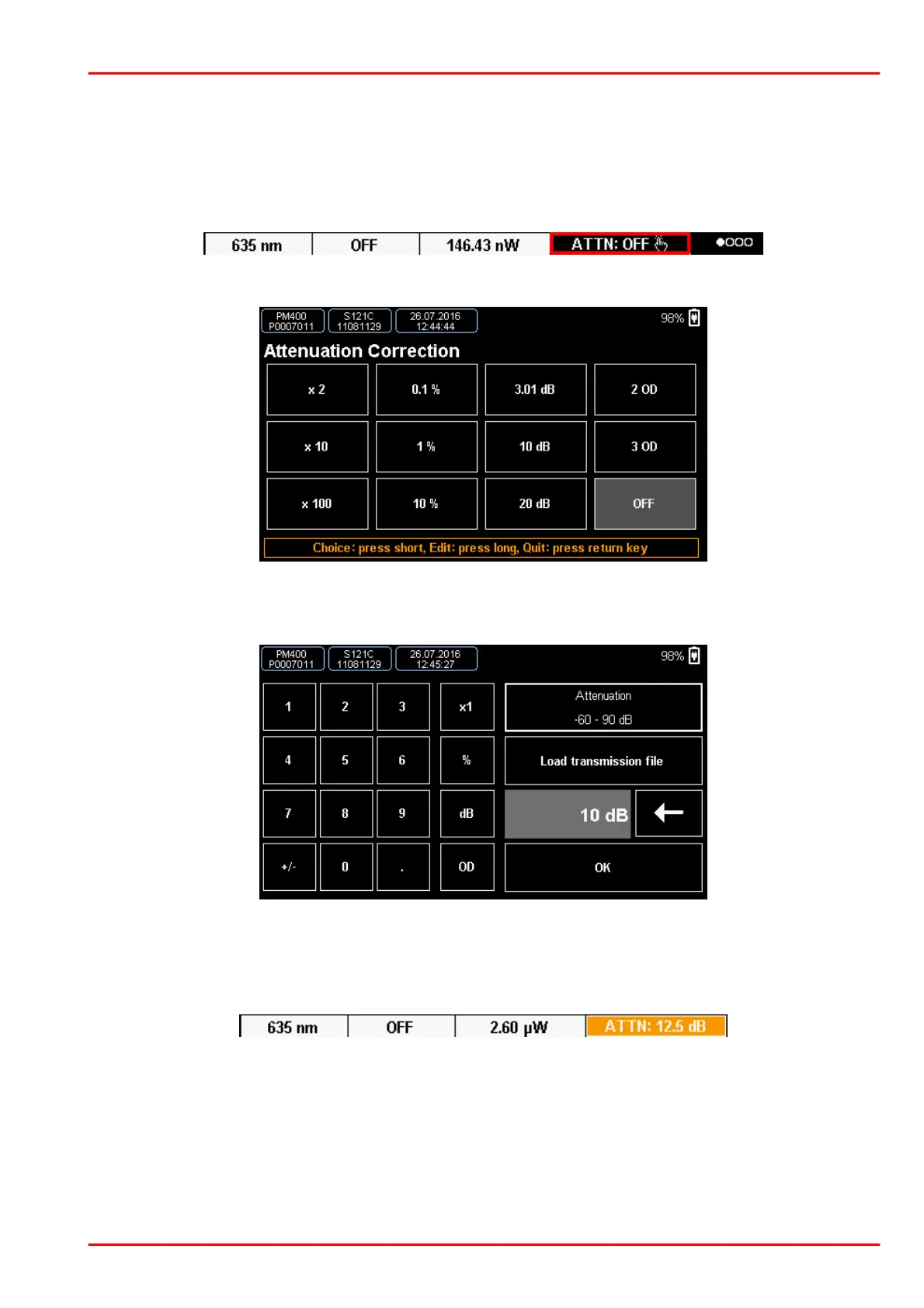
To enter the menu for the filter correction, press the ATTN button in the Numerical or Needle
screen:
A page with 12 free configurable presets comes up:
The attenuation can be assigned in "times" (e.g., "x2"), in percent, dB or in OD (optical density)
numbers. To edit an entry, press and hold it for ~2 seconds.
In this configuration window you can create an entry for an external filter etc. Further, there is
the possibility to load a complete filter transmission curve in .csv format. Press OK to confirm.
Then tap the edited entry to activate it. With active correction, the button displays in a different
color and shows the set value:
To disable the correction press and hold the ATTN button for 2 seconds, or chose an entry with
“OFF”.



 To Next Page