© 2017 Thorlabs GmbH28
PM400
3.10 Charging the Battery
The PM400 can be charged
·
by connecting it to a PC USB port. In this case, the internal charging circuit enters the "Slow
Charge" mode at a max. current of 500 mA, as it usually delivered by a PC Standard USB
port.
·
by connecting it to a wall-plug charger as it comes with smart phones, tablets etc. These
chargers have a so called "Dedicated Charging Port". In this case, the PM400 enters the
high current charging mode, with a maximum current of 1 A.
With a connected PC or charger, the Battery Charging Indicator displays the charging status:
·
Red: The battery is charging.
·
Green: The battery is fully charged. Remove the charger under environmental aspects.
·
Red blinking: The connected charger is not compatible with the Dedicated Charging Port
specification. The battery is charged only with a current of about 100 mA.
3.11 Analog and Auxiliary I/O
Analog Out
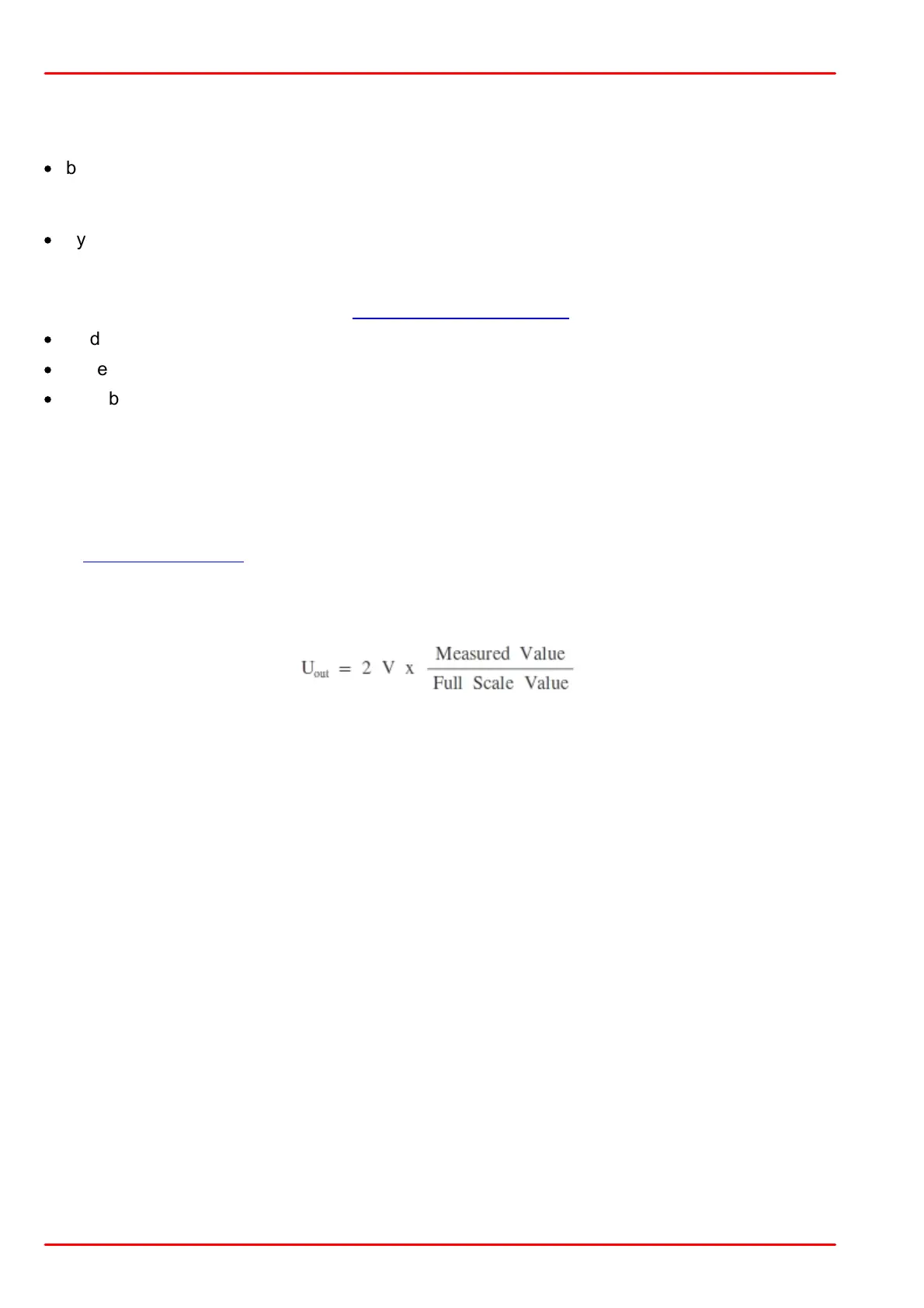
The Analog Output jack provides the amplified photo-diode current or the amplified thermal or
pyroelectric sensor voltage. The signals from the analog output are not wavelength- and zero-
corrected. The analog output voltage can range from 0 to +2.0V. It is is measurement range de-
pendent and can be calculated to:
Auxiliary I/O
This 14 pin connector in the top panel gives access to four configurable general purpose in-
put/output (GPIO) pins and two 10bit ADC inputs.
With the optional available environmental module that can be plugged into this connector it is
possible to monitor the room temperature and the relative humidity.



 To Next Page