© 2017 Thorlabs GmbH
2 Getting Started
7
The capacitive touch screen allows gesture operation:
Click (short) for buttons, drop-downs etc.
Horizontal swipe (change view)
Horizontal scroll (graph control). Requires two fingers!
1
)
Zoom (graph control) either with thumb and index or index and middle finger.
1
)
Press > 2 seconds and release
1
) These gestures are enabled only in the viewer mode of the graph display.
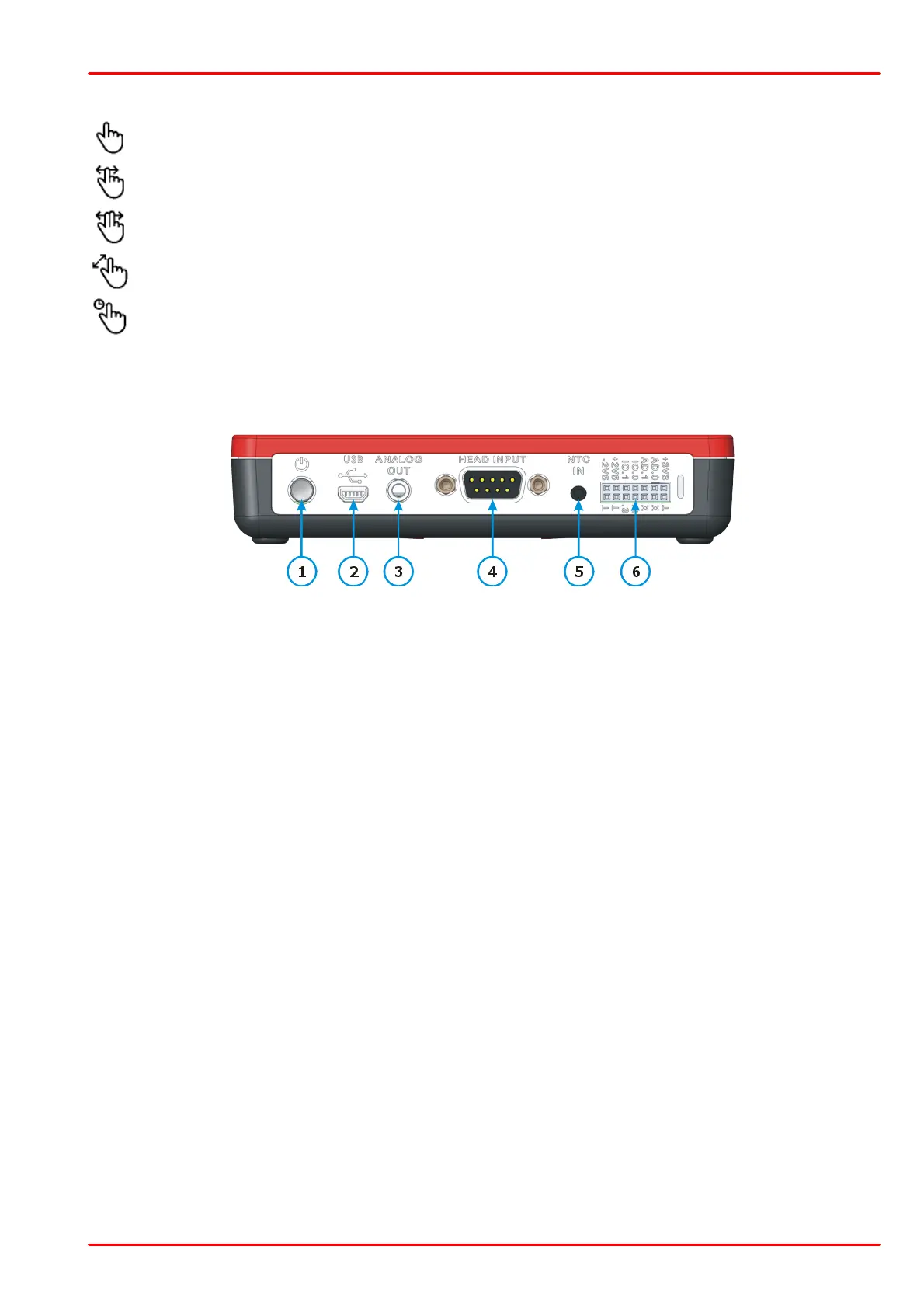
Top Panel
Mini-B USB connector for remote control, SD card access and charging
(Charging via PC @ 0.5 A, charging via adapter @ 1 A)
Analog Output Signal
2P audio jack Ø 3.5 mm
9 Pin DSUB for connection of Thorlabs C-Series Power and Energy sensors;
Custom detectors
Connector for External Temperature Sensor TSP-TH (NTC)
3P audio jack Ø 2.5 mm
Auxiliary connector DIL 14 pin for digital I/O and external environmental module
to ambient temperature and humidity.



 To Next Page