© 2017 Thorlabs GmbH
3 Operating Instruction
17
3 Operating Instruction
·
For first use, connect the PM400 to a suitable charging device and charge the battery for
4 hours.
·
Connect the optical sensor (C-Series - red DSUB connector) to the DSUB jack (4) on the top
of the device.
·
Switch on the PM400.
·
The PM400 starts in the last view that was used before shutdown.
3.1 Measurement Screens
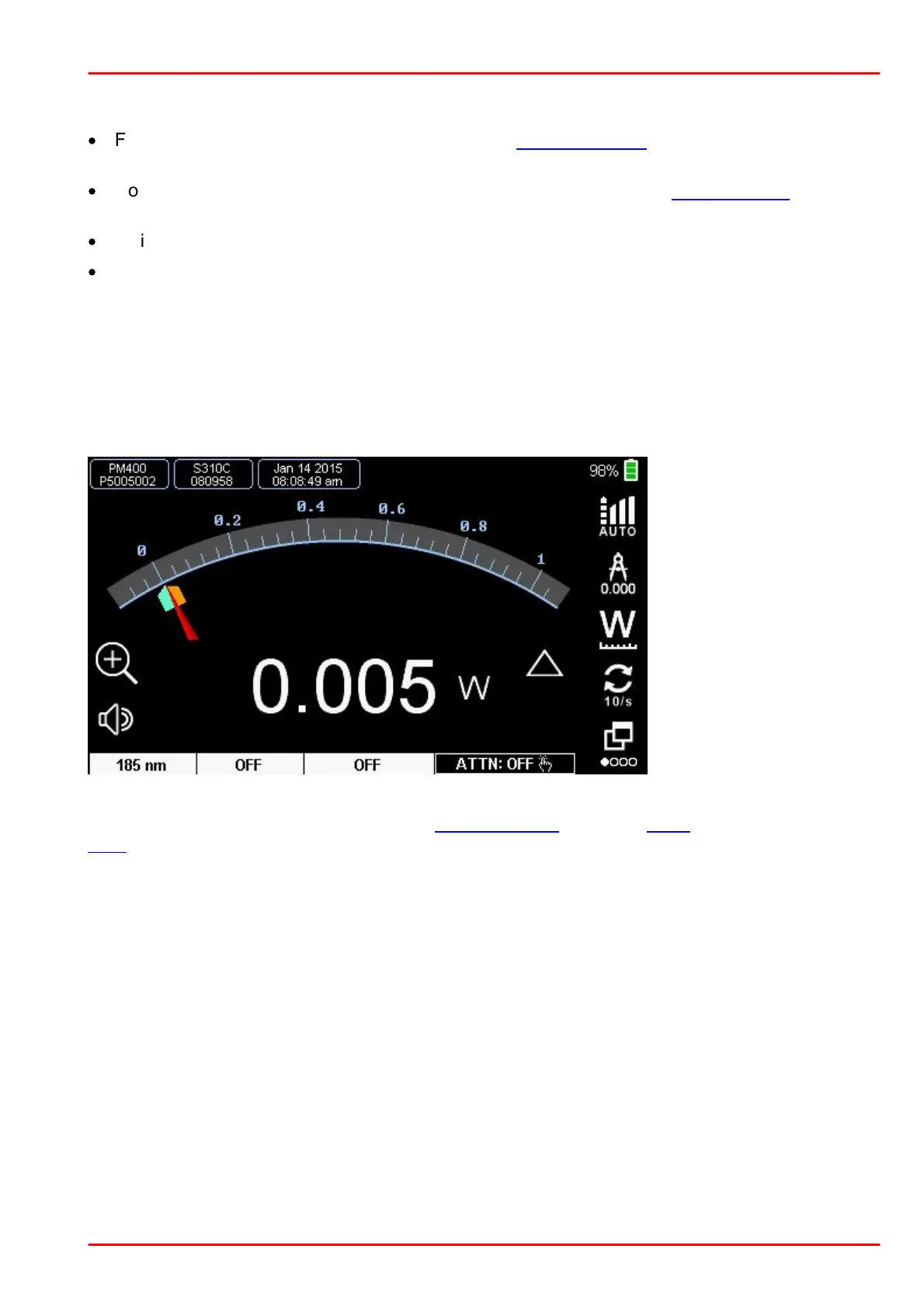
Needle Screen
Analog needle simulation with digital measurement value. The needle has a factor 10 zooming
function. Further, there are indicators for the extreme values that can be set to the actual value
by the reset key.
Needle Display - Thermal Sensor ((Zoomed Scale)
Bandwidth Setting
Resolution of the digital
value
Toggle to change units
Display Update rate
Next Screen
The lower display bar shows from left the set wavelength, status of Delta measurement and the
Zero compensation value.



 To Next Page