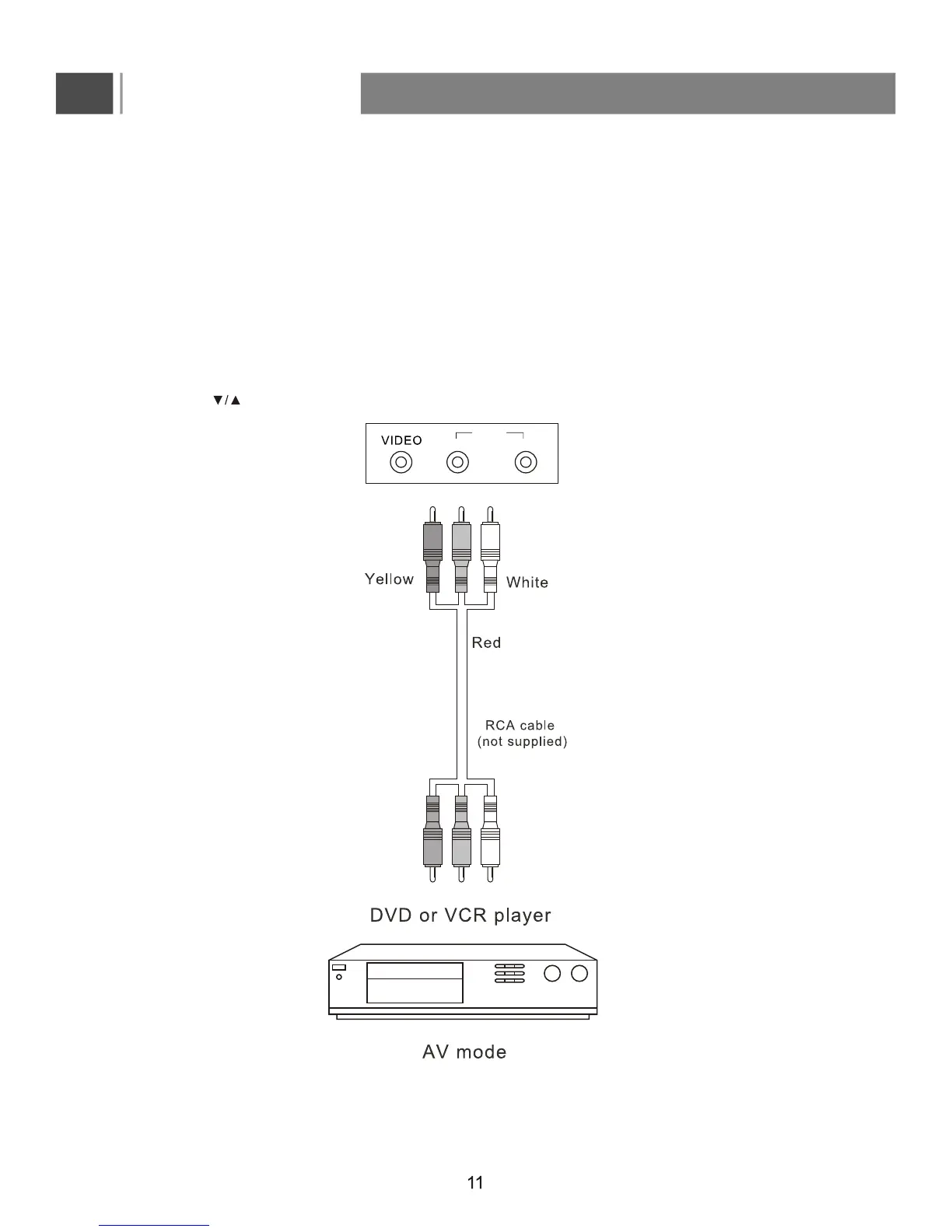
Connect t he D VD,V CR o r o ther v ideo a pparatus t hrough I nput
(Composite- b asic q uality)
1. AV IN mode: Use a video cable (Yellow/White/Red, not supplied) to connect the DVD, VCR or other
device's AUDIO/VIDEO output (CVBS) jacks to the AV Audio/Video input jacks on your TV.
2. Please ensure the Power Cord is connected before it is operated.
3. Press the POWER button to turn on the LCD, then turn on external equipment.
5. Press the to select A
V and press ENTER to confirm ypur source selection.
4. To watch the VCR or other video apparatus, please press the INPUT button to enter Input
Source menu.
Connections
R L
VIDEO/
YPbPr


 To Next Page