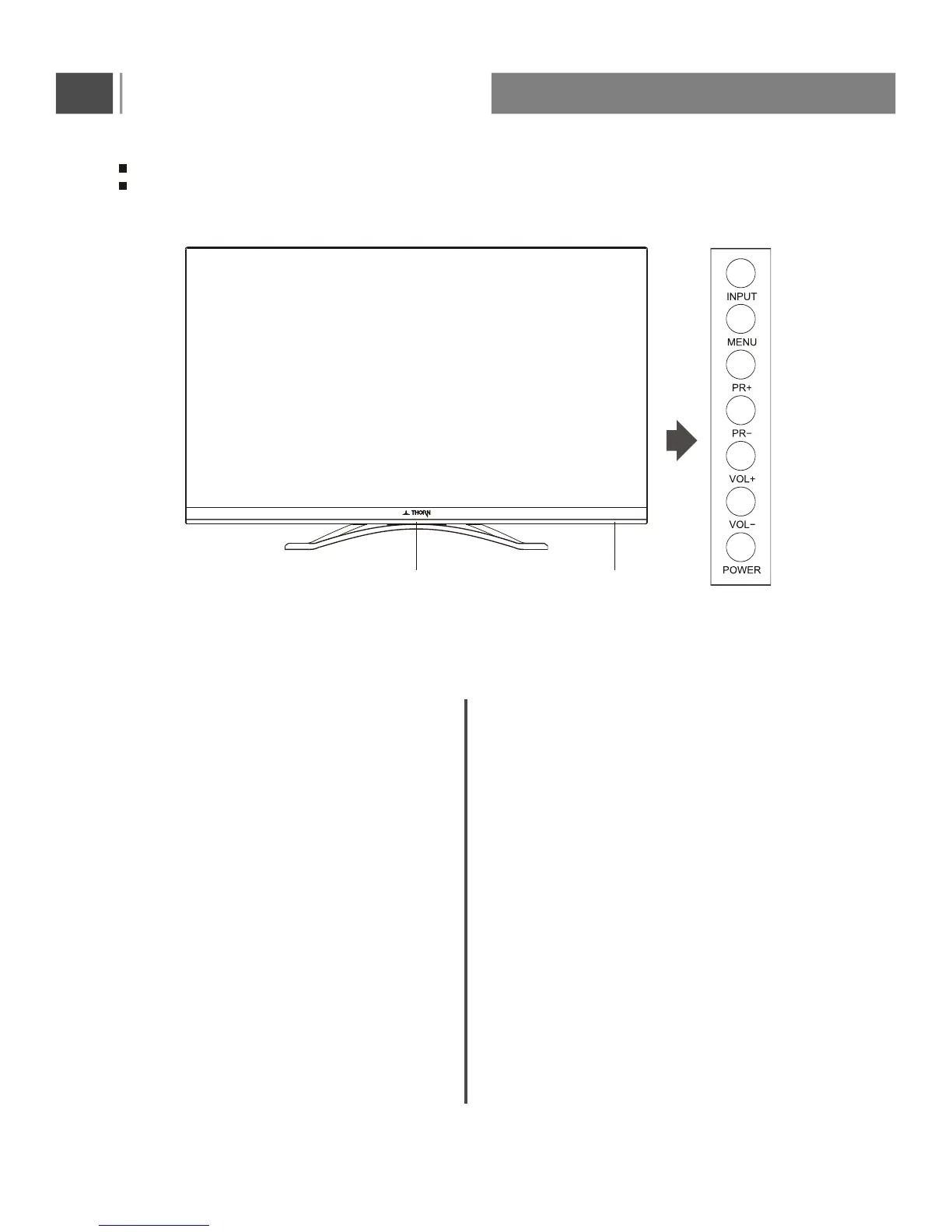
Press this to access the on-screen setup menu.
Controls of side panel
Shown is a simplified representation of the set.
Here shown may be somewhat different from your set.
Infrared Receiver Window
Press this button to display the input source
menu, then press PR+/PR- button to select
input source:DTV,ATV,AV,PC,YPbPr,SMART
TV,HDMI1,HDMI2,HDMI3,Media.
After selected, press VOL+/VOL- button to
confirm and access.
5
Power Indicator
POWER
INPUT
MENU
PR+/PR-(Channel Up/Down)
VOL+/VOL-(Volume Up/Down)
Selects a programme or a menu item.
Adjusts the volume.
Adjusts menu settings.
To receive the signal from remote control.
Red indicator light,this means the TV is in
standby mode;
Green indicator light,this means the TV is
in normal working condition;
When the "Power" button is pressed, there
may be a short delay until the picture appears.
To confirm activation, the LED will change to
green.
Switches the set On from standby or back to
standby mode.
Remote control sensorPower indicator


 To Next Page