Basic Operation
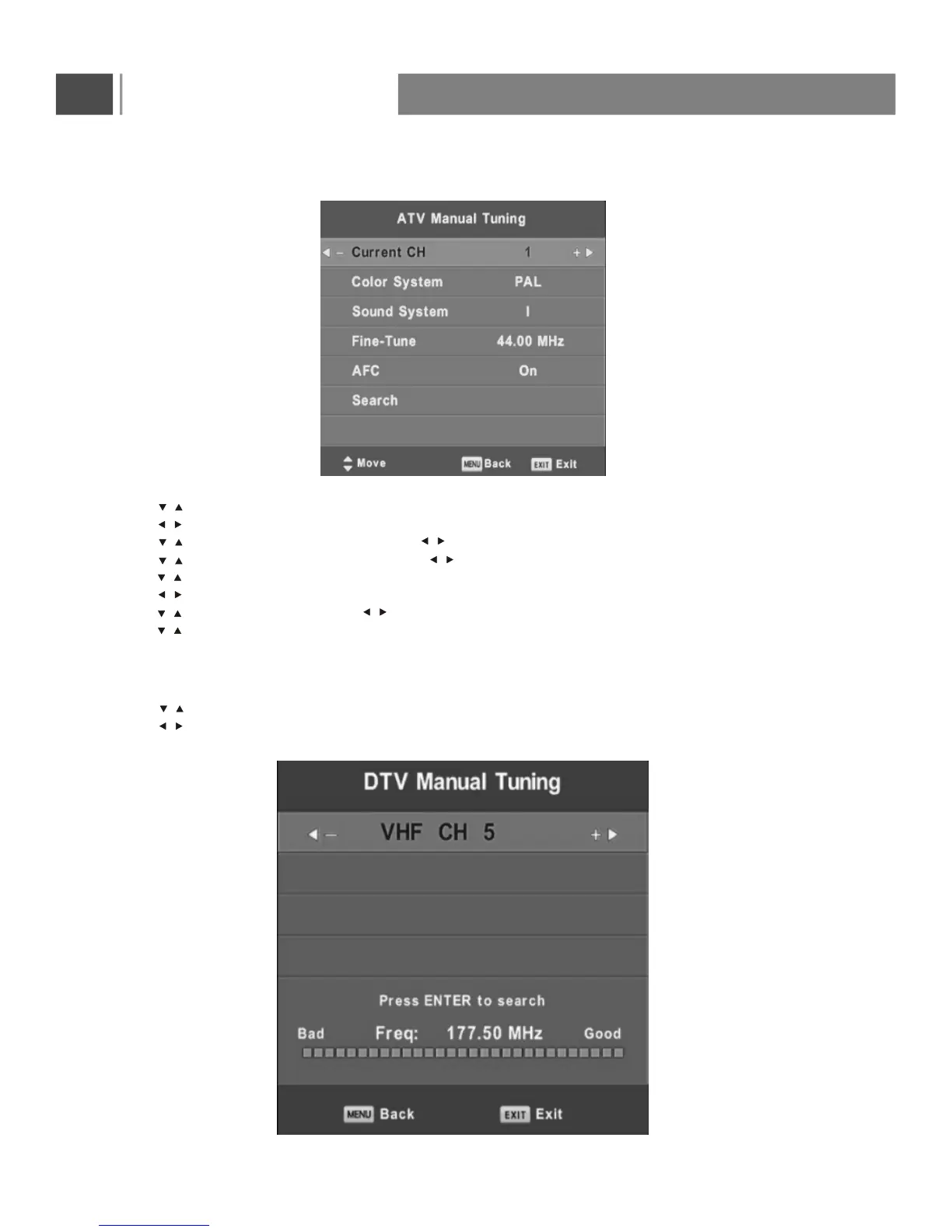
ATV Manual Tuning
Press button to select ATV Manual Tuning, then press Enter button to enter sub-menu,
Press button to select channel number you want to store,
Press button to select Color System. Press button to select option you want,
Press button to select Sound System. Press button to select option you want,
Press button to select Fine-Tune,
Press button to adjust a suitable tune that make you watch comfortably,
Press button to select AFC. Press button to select On or OFF,
Press button to select search, then press Enter button to start tuning,
Press red button on your remote control to save the settings and menu button to hack to the previous menu.
DTV
Manual Tuning
Press button to select DTV Manual Tuning, then press Enter button to enter sub-menu.
Press button to select channel, then press Enter button to search program.
/
/
/
/
/
/
/
/
/
/
/
/
/
18


 To Next Page