Basic Operation
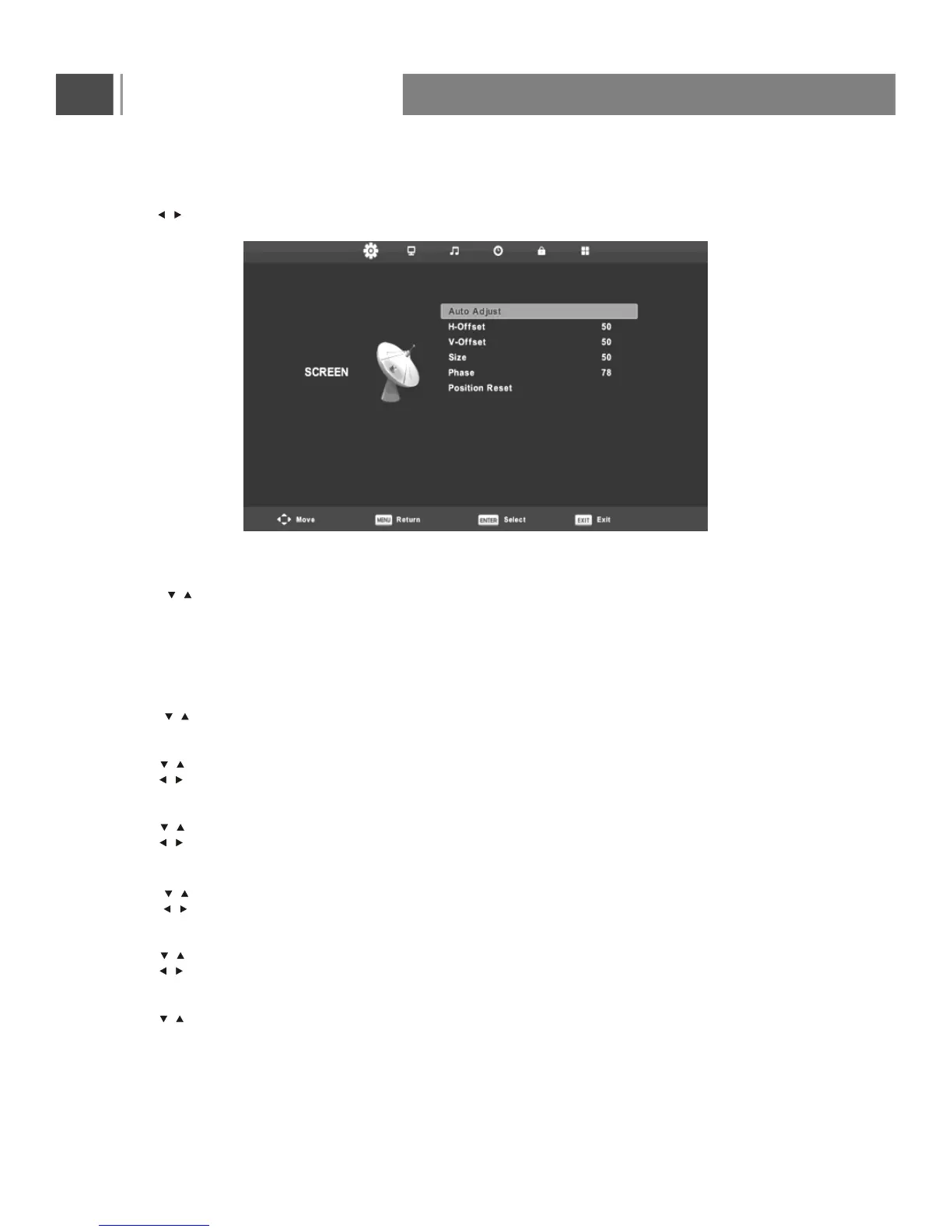
Auto Adjust
Press button to select Auto Adjust, then press Enter button to start adjusting automatically.
H-Offset
Press button to select H-Offset , then press Enter button to enter sub-menu.
Press button to adjust.
V-Offset
Press button to select V-Offset, then press Enter button to enter sub-menu.
Press button to adjust.
Size
Press button to select Size , then press Enter button to enter sub-menu.
Press button to adjust display size.
Phase
Press button to select Phase , then press Enter button to enter sub-menu.
Press button to adjust.
Position Reset
Press button to select Position Reset, then press Enter button to enter.
Screen Menu(only for PC)
Press MENU button to display the main menu.on the remote control
Press button on the remote control to select SCREEN in the main menu.
1. Press button on the remote control to select the option that you want to adjust in the SCREEN menu.
2. Press Enter button on the remote control to adjust.
3. After finishing your adjustment, Press MENU button to save and return back to the previous menu.
/
/
/
/
/
/
/
/
/
/
/
/
20


 To Next Page