Basic Operation
OSD Language
Press button to select Menu Language, then press Enter button to enter sub-menu.
Press button to select Menu Language.
TT Language
Press button to select TT Language, then press Enter button to enter sub-menu.
Press button to select TT language.
Audio Languages
Press button to select Audio Languages, then press Enter button to enter sub-menu.
Press button to select the primary of Audio Languages.
Press button to select the Audio Languages.
Subtitle Language
Press button to select Subtitle Language, then press Enter button to enter sub-menu.
Press button to select the primary of Subtitle Language.
Press button to select the Subtitle Language.
Hearing Impaired
Press button to select Hearing Impaired, then press Enter button to select On or Off.
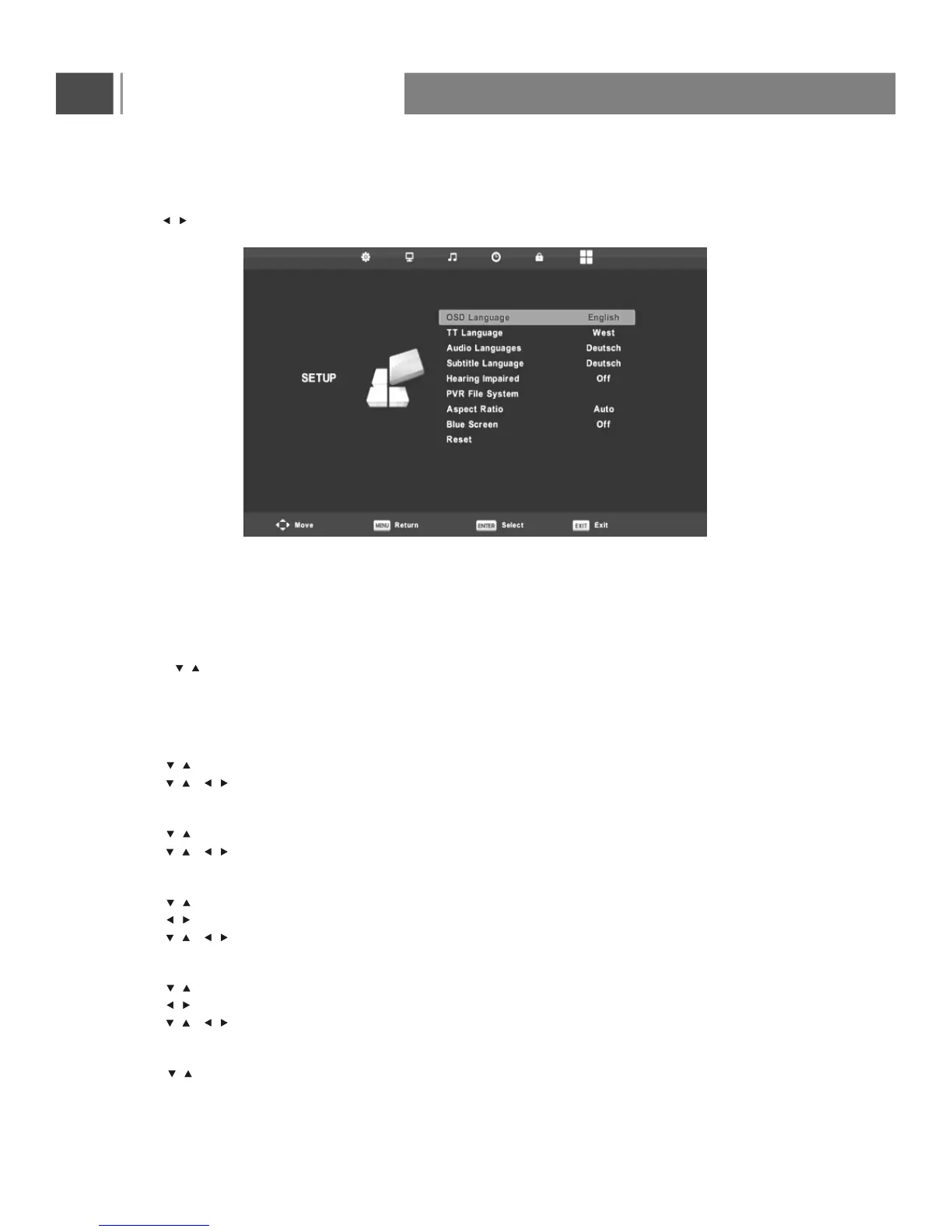
Setup Menu
Press MENU button to display the main menu.on the remote control
Press button on the remote control to select SETUP in the main menu.
1. Press button on the remote control to select the option that you want to adjust in the SETUP menu.
2. Press Enter button on the remote control to adjust.
3. After finishing your adjustment, Press MENU button to save and return back to the previous menu.
/
/
/
/
//
/
/
//
/
/
/
//
/
/
/
//
/
26



 To Next Page