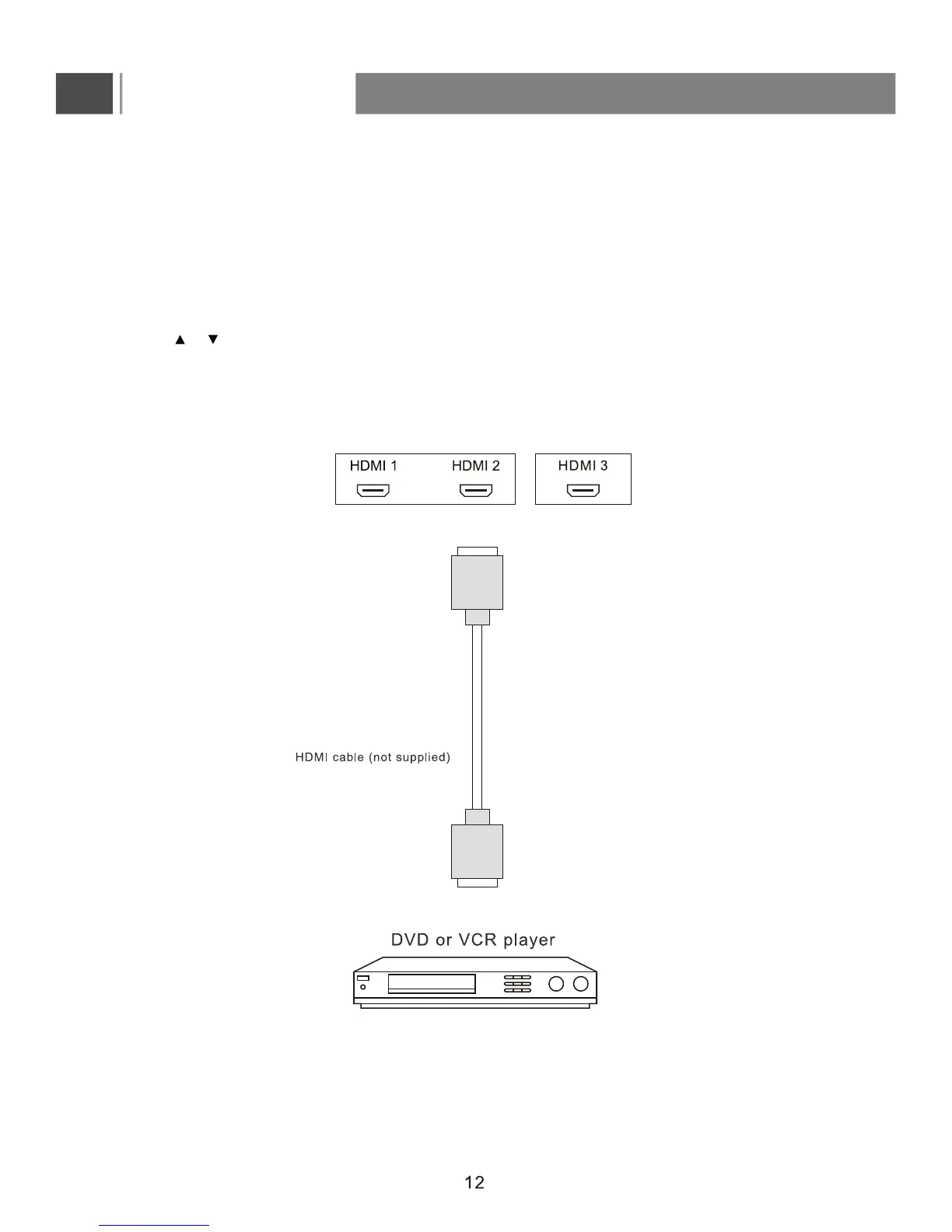
1. Turn on your TV, then press the INPUT button to enter Input Source menu.
2. Press or to select HDMI1/2/3 and press ENTER to confirm.
3. Turn on your device and set it to the correct mode. See the user guide for the external device for more
information.
Connect the HDMI cable between the HDMI interface on the TV set and HDMI output on the external device.
Connections
HDMI mode
To view from the device using HDMI:
How to connect a device using HDMI Connection(HDMI-highest quality):


 To Next Page