7
Ready Screen Functions
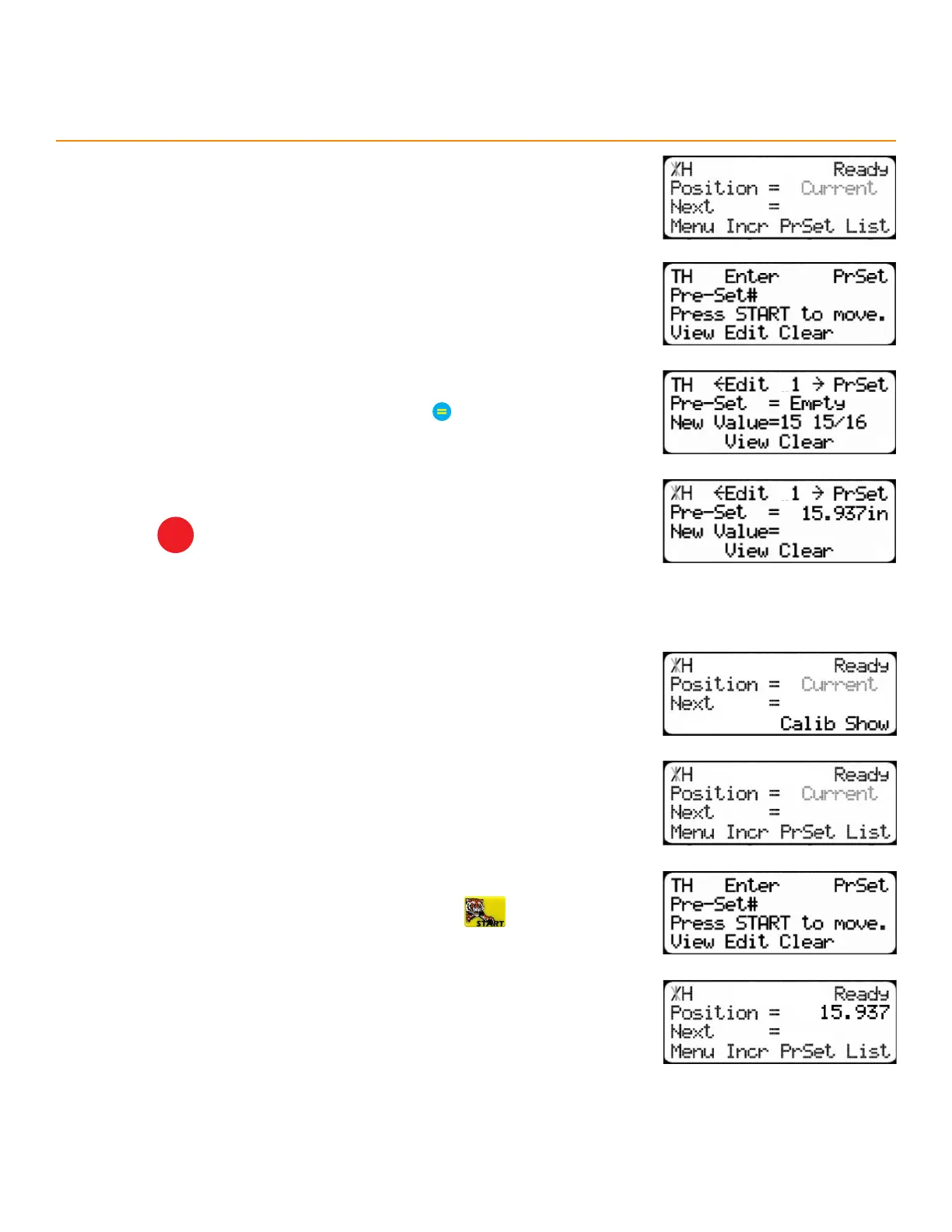
3. Press the [PrSet] soft key to access the preset feature.
4. Enter the preset number to program and press the [Edit] soft key.
5. Enter a length for the preset and then press
6. The Preset value is set.
7. Press
STOP
to go back to the Ready Screen.
PR e S et uSe
1. Start at the Ready Screen.
2. Press the [Show] soft key.
3. Press the [PrSet] soft key to access the preset feature.
4. Enter the desired preset number and then press
5. The TigerStop
®
moves to the preset position.


 To Next Page