42
System Information Menu
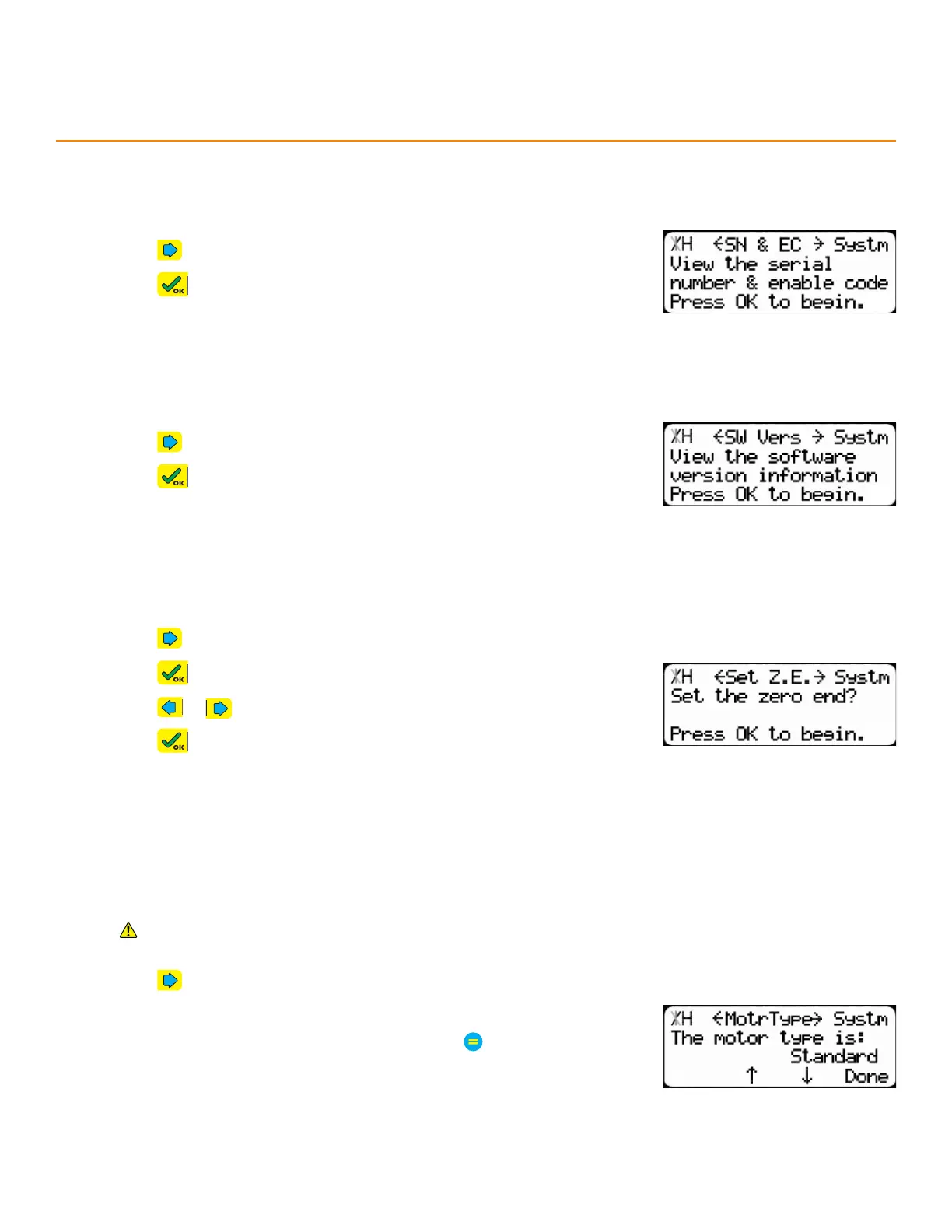
SeRial numbeR & enable code
Displays the serial number and enable code of the TigerStop
.
SoFtwaRe veRSion
Displays the software version of the TigerStop
.
Set zeRo end
On which end of the TigerStop
®
is the tool’s zero point.
1. Press until reaching the Set Z.E. screen.
2. Press to begin.
3. Press or to toggle the Zero End.
4. Press , then follow the screen prompts to complete the Home
Routine.
1. Press until reaching the SW Vers screen.
2. Press to view.
1. Press until reaching the SN & EC screen.
2. Press to view.
motoR tyPe
Set which kind of motor is installed on the TigerStop
®
. Enable Debug mode to see this setting (page 48).
Do not change this setting unless instructed to by either TigerStop
®
Customer Service or a TigerStop
®
parts manual.
1. Press until reaching the MotrType screen.
2. Press the [↓] or [↑] soft key.
3. Enter the TigerStop
®
’s password and then press
• By default, the TigerStop
®
’s password is the serial number.
4. Press the [↓] or [↑] soft key to select an option.


 To Next Page