46
Laser Menu
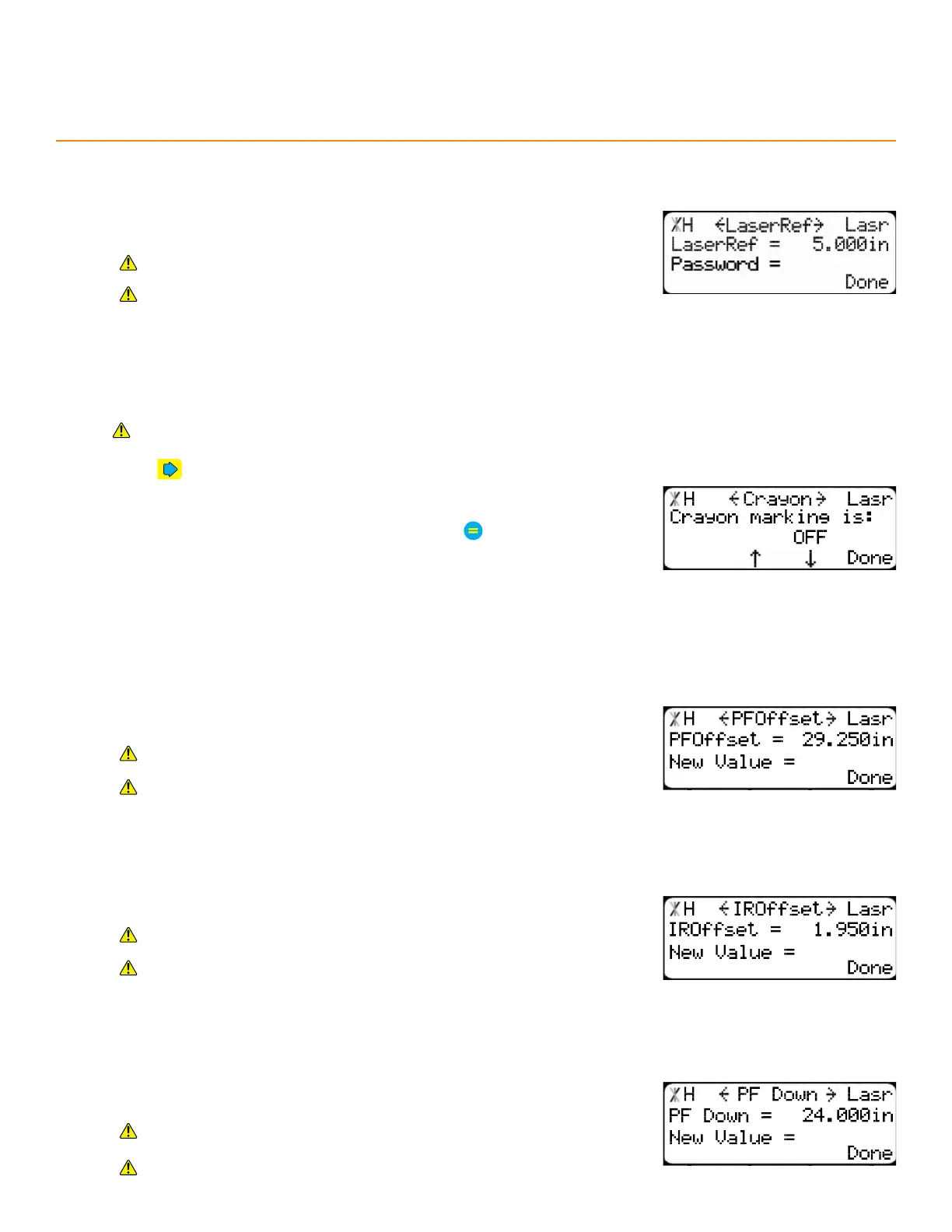
laSeR ReFeRence
cRayon
Enable/Disable the crayon marking system.
Requires Crayon Marking and a UV Scanning Pusher Foot on a TigerSaw system.
1. Press until reaching the Crayon screen.
2. Press the [↓] or [↑] soft key.
3. Enter the TigerStop
®
’s password and then press
• By default, the TigerStop
®
’s password is the serial number.
4. Press the [↓] or [↑] soft key to turn on or o.
The distance between the laser and the end of the paddle stop. A scan in
this zone signals the end of a length of stock.
Requires either a Scanning and Defecting Pusher Foot or a UV
Scanning Pusher Foot.
Contact TigerStop
®
Customer Service before adjusting this setting.
PF oFFSet
The distance between the end of the paddle foot and the infrared length
sensor.
Requires Crayon Marking and either a Scanning and Defecting
Pusher Foot or a UV Scanning Pusher Foot.
Contact TigerStop
®
Customer Service before adjusting this setting.
iR oFFSet
The distance between the ultraviolet sensor and the infrared length sensor.
Requires Crayon Marking and either a Scanning and Defecting
Pusher Foot or a UV Scanning Pusher Foot.
Contact TigerStop
®
Customer Service before adjusting this setting.
PF down
The distance from the tool’s zero point at which the pusher foot begins
lowering.
Requires either a Scanning and Defecting Pusher Foot or a UV
Scanning Pusher Foot.
Contact TigerStop
®
Customer Service before adjusting this setting.


 To Next Page