22
Offset Menu
add/edit an oFFSet
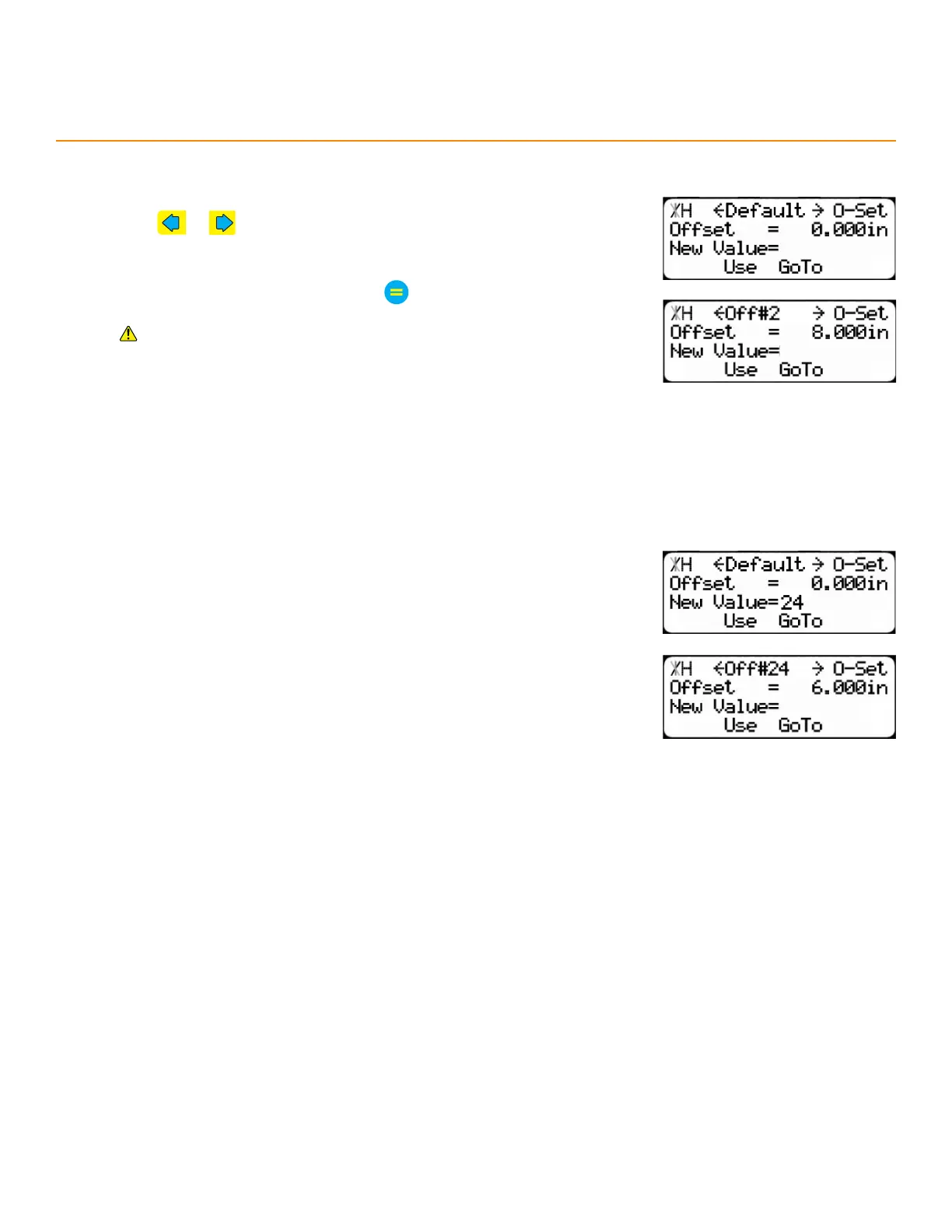
1. Press or to select an oset number to program.
• Default is unchangeable.
2. Enter an oset length and then press
Positive osets shift the input position closer to the tool and
negative osets shift the input position farther from the tool.
3. Press the [Use] soft key to select this oset.
• Use default to return to normal operation.
go to an oFFSet
The ‘Go To’ function jumps directly to the entered oset number.
1. Enter an oset number and then press the [GoTo] soft key.
2. Press the [Use] soft key to select this oset.


 To Next Page