48
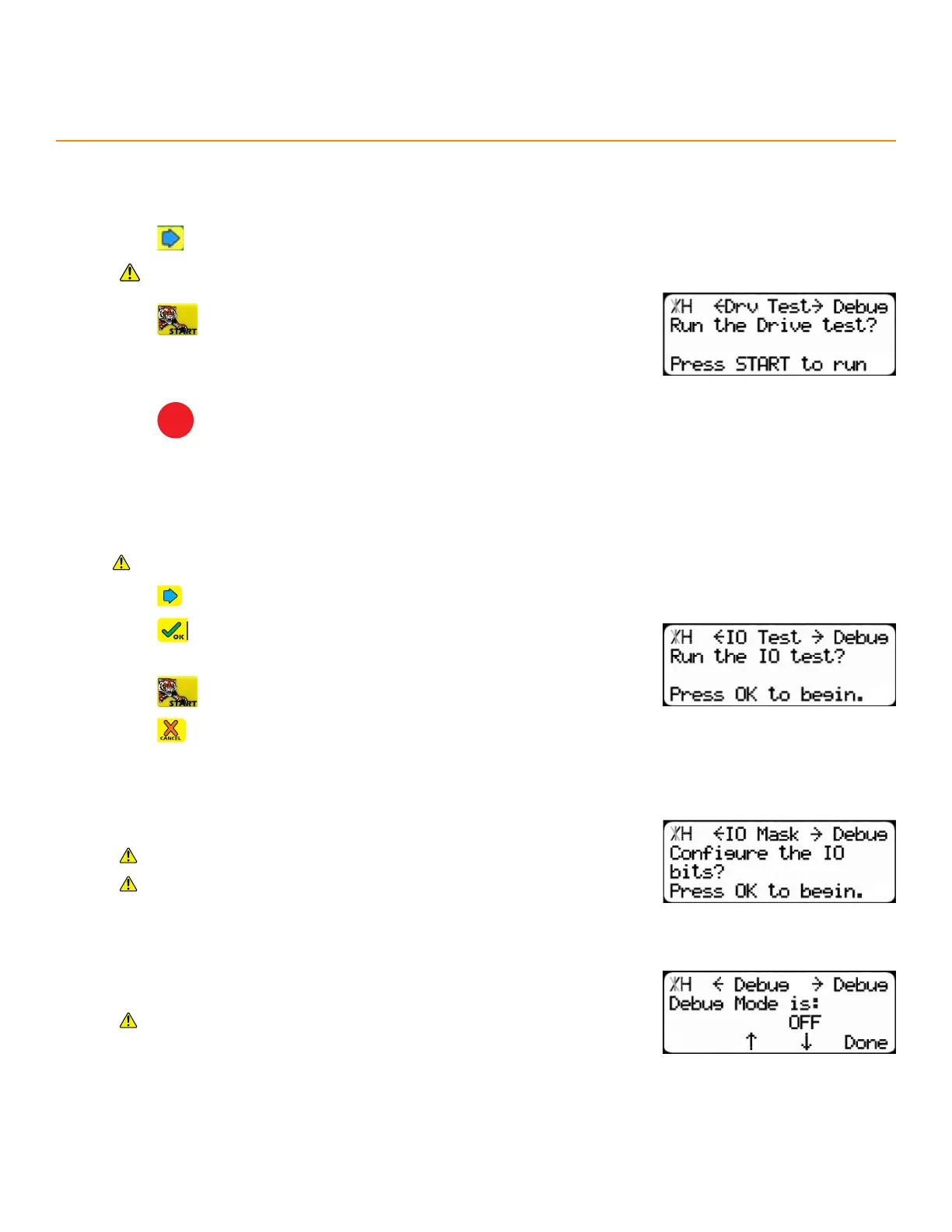
1. Press until reaching the Drv Test screen.
Ensure the area is clear. The TigerStop
®
moves automatically during
this test.
2. Press to run the test.
3. Record the test results in the maintenance log. If drive numbers are
above 12000, STOP and contact TigerStop
®
Customer Service for
assistance.
4. Press
STOP
to exit the test.
The Drive Test measures diculty of movement.
dRive teSt
Debug Menu
i/o teSt
A diagnostic test which checks the inputs and outputs on the amplifier.
Requires an I/O Panel.
1. Press until reaching the IO Test screen.
2. Press to begin.
3. Disconnect the I/O cable to the amplifier.
4. Press to run the test.
5. Press to exit the test.
i/o maSk
Mask bits to reverse the way the I/O Panel signals the DM sensors.
Requires the Advanced Interconnect Kit.
Contact TigerStop
®
Customer Service before adjusting this setting.
debug mode
Debug mode reveals hidden settings.
Contact TigerStop
®
Customer Service before accessing Debug
mode.


 To Next Page