29
Part List Menu
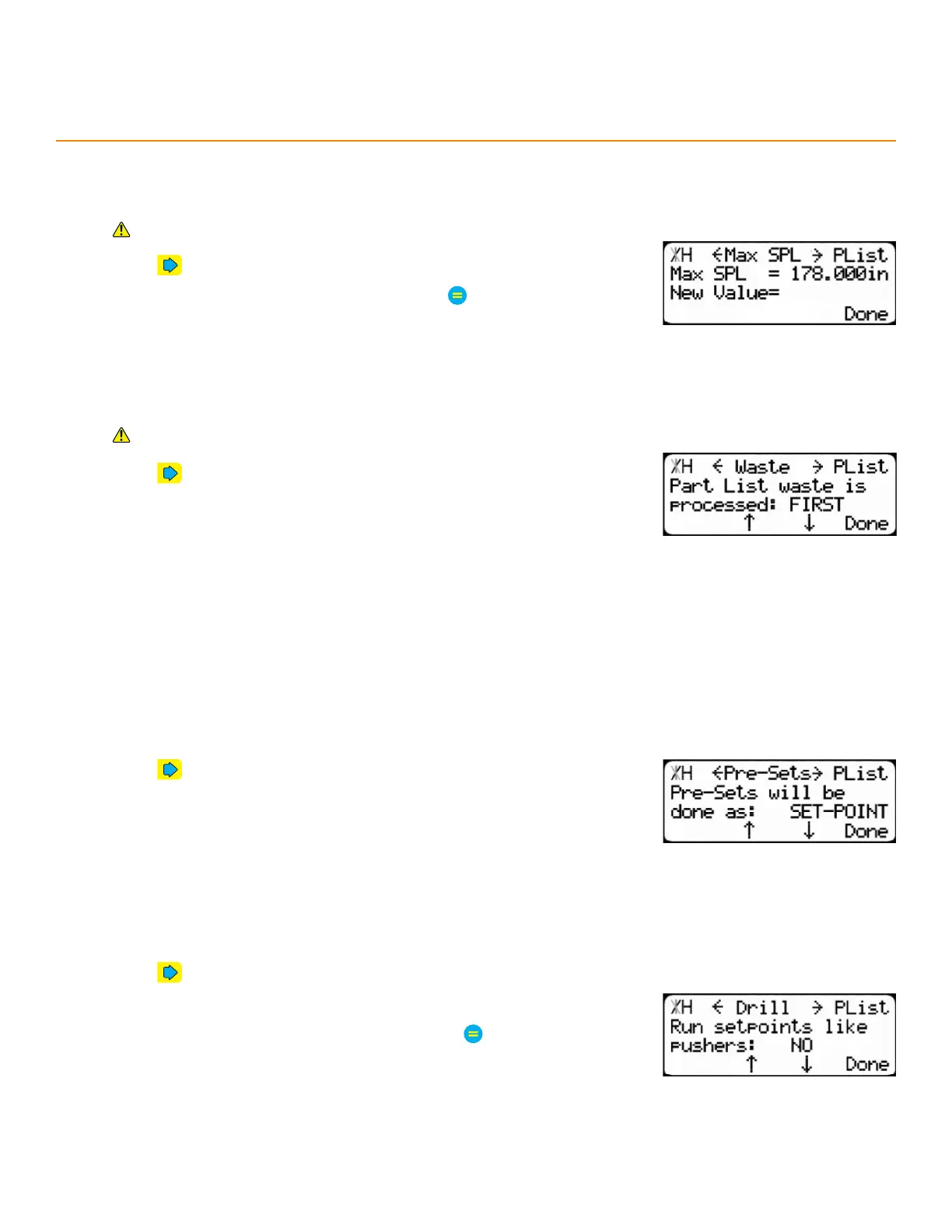
max SPl
The longest acceptable stock length for a set point part list.
Requires Dynamic Optimization.
1. Press until reaching the Max SPL screen.
2. Enter a maximum stock length and then press
waSte
Minimize waste by using excess material in a part list for either the head (first) or tail (last) cut.
Requires Dynamic Optimization.
1. Press until reaching the Waste screen.
2. Press the [↓] or [↑] soft key to select where to use waste.
PReSetS
Determines preset behavior.
Options:
Set Point - The TigerStop
®
moves to the preset’s absolute position.
Increment - The TigerStop
®
moves towards the tool by the preset distance and ignores kerf.
Pusher - The TigerStop
®
moves towards the tool by the preset distance and compensates for kerf.
1. Press until reaching the Pre-Sets screen.
2. Press the [↓] or [↑] soft key to select an option.
dRill
Runs set point lists as pusher lists. Used for drilling tools.
1. Press until reaching the Drill screen.
2. Press the [↓] or [↑] soft key.
3. Enter the TigerStop
®
’s password and then press
• By default, the TigerStop
®
’s password is the serial number.
4. Press the [↓] or [↑] soft key to toggle the setting.


 To Next Page