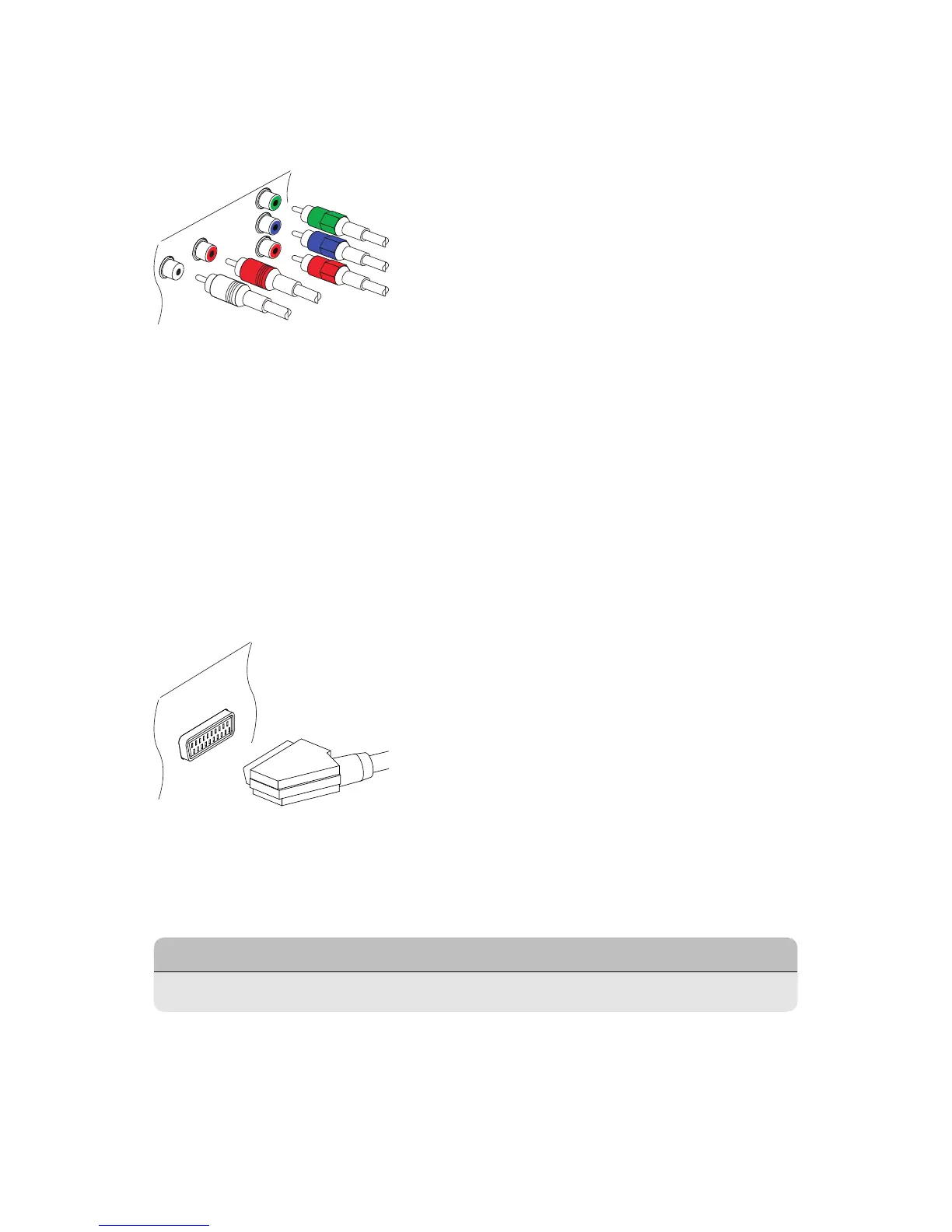
Component Connection
The receiver’s component video connectors are labelled Y, Pb, and Pr, and
their companion audio connectors are labelled L and R. Each of them is
coloured differently. A typical component cable has five connectors. Con-
nect the receiver’s component video and audio output connectors to the
TV’s component video and audio input connectors using a component ca-
ble, so that the connectors of the same colour connect to each other.
SCART Connection
Connect the receiver’s SCART output connector to the TV’s SCART input con-
nector using a SCART cable. An extra audio connection is not needed be-
cause SCART also carries audio.
..
Note
.
SCART connectors cannot carry HD video.
I 11



 To Next Page